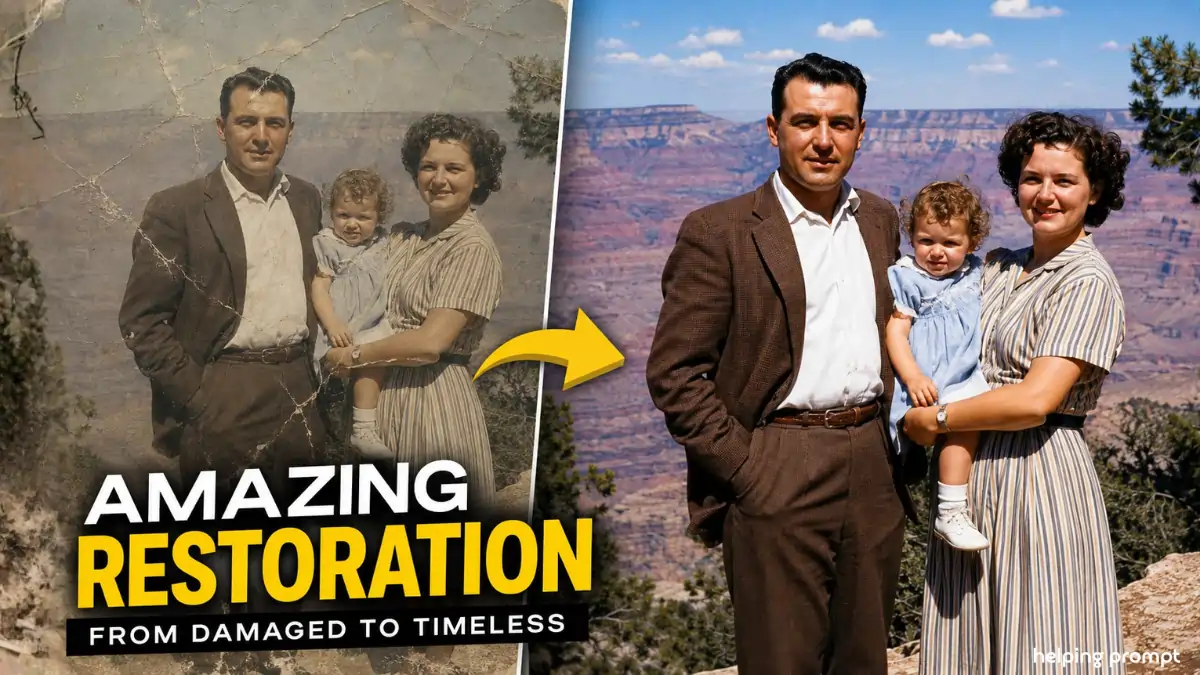
9 Amazing Old Photo Restoration Prompt: Restore Old Photos Like a Pro
Old photos are going viral again thanks to AI restoration trends.
Today, the demand for a powerful Old Photo Restoration Prompt is higher than ever.
Whether a photo is faded, scratched, blurry, or black and white, AI can revive it.
Recommended tools: Adobe Photoshop, Google Gemini, Claude AI, Midjourney, Remini.
Photo Restoration Prompt: Complete AI Restoration Guide
1: Photo Restoration Prompt
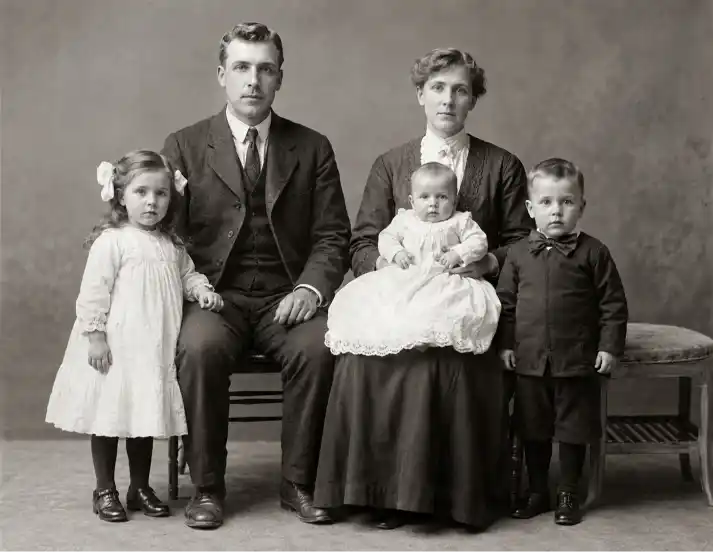
"Restore this historical photograph using period-accurate photo restoration techniques. First analyze the era, camera technology, and original photographic process. Repair scratches, tears, folds, dust marks, fading, and age-related damage while preserving authenticity. Reconstruct missing details using realistic textures. Enhance facial features naturally, improve sharpness without oversharpening, reduce noise, maintain original grain structure, restore accurate colors if applicable, balance exposure and contrast, preserve nostalgic character, upscale to ultra-high-resolution 32K quality, photo-realistic output, Follow Trending Updates, Future Applicable, Follow Real Study Data."
2: Photo Restoration Prompt
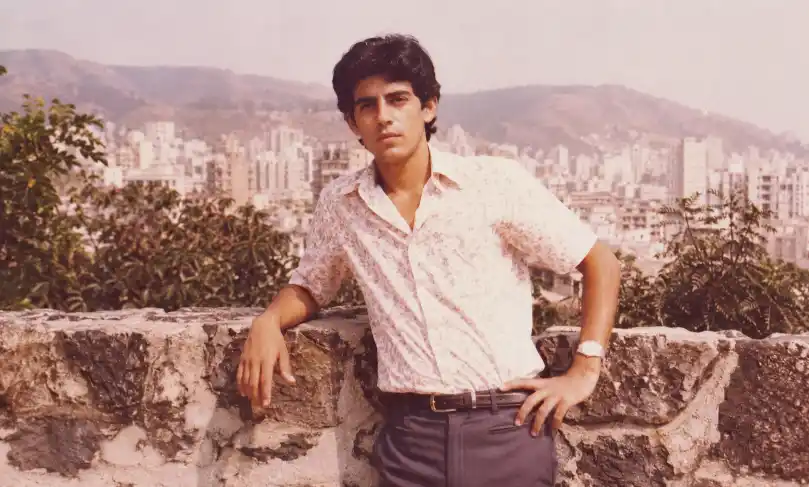
"Professionally restore and remaster this vintage photograph. Identify historical context and photographic medium before restoration. Correct discoloration, fading, water damage, cracks, scratches, and worn areas. Recover fine clothing textures, facial details, and environmental elements. Apply realistic colorization matching the period's photographic capabilities. Improve clarity, lighting balance, and depth while preserving composition and natural tonality. Maintain authentic grain and exposure characteristics. Generate a clean, museum-quality restoration with Full HD to 32K upscale output, Follow Trending Updates, Future Applicable, Follow Real Study Data."
3: Photo Restoration Prompt
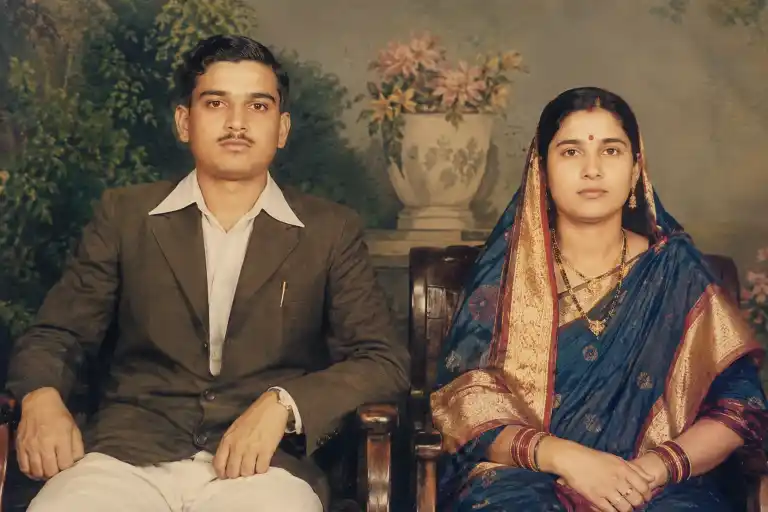
"Perform expert-level AI photo restoration on this archival image. Analyze approximate decade, lens characteristics, film stock, and photographic process. Remove defects including stains, folds, blur, dust, and missing sections. Rebuild damaged areas with historically accurate textures and details. Enhance skin textures, fabric patterns, background elements, and object definition naturally. Restore vibrant yet realistic colors, optimize dynamic range, improve contrast and brightness, preserve original mood, upscale to ultra-detailed 32K resolution, create a modern-quality restoration while respecting historical authenticity, Follow Trending Updates, Future Applicable, Follow Real Study Data."
How To Create Photo Restoration Prompt
- How do I write a better Photo Restoration Prompt?
Include damage type, era analysis, color restoration, and upscale requirements.
- Should I mention historical accuracy?
Yes. Historical accuracy improves Photo Restoration Prompt realism and authenticity.
Quick Settings Guide
- Model: Flux Pro / GPT Image / Stable Diffusion XL
- Quality: Maximum
- Aspect Ratio: Original Photo Ratio
- Upscale: 4x–32K
- Style: Photo Realistic
- Focus: Photo Restoration Prompt
- Detail Level: High
- Color Accuracy: Historical
Pro Tips
- Use the highest-resolution source photo possible.
- Enable face enhancement only when needed.
- Preserve natural grain for authentic results.
Final Thoughts
AI restoration technology has transformed how we preserve memories. A powerful Photo Restoration Prompt can repair decades of damage while maintaining historical authenticity and emotional value. As restoration models continue improving, users can recover incredible detail from faded, damaged, or black-and-white photographs with remarkable accuracy. However, the best results come from balancing enhancement with preservation.
Experiment with different prompt variations, compare outputs, and refine restoration settings based on the photo’s era and condition. Most importantly, focus on authenticity rather than excessive editing. Start testing these prompts today and bring treasured family memories, historical archives, and vintage photographs back to life with stunning clarity and realism.
FAQs
A Photo Restoration Prompt instructs AI to repair, enhance, and restore damaged photographs accurately.
Yes. A Photo Restoration Prompt can colorize and improve old black-and-white images naturally.
Several tools support Photo Restoration Prompt workflows, including Flux, Photoshop AI, and Stable Diffusion.