
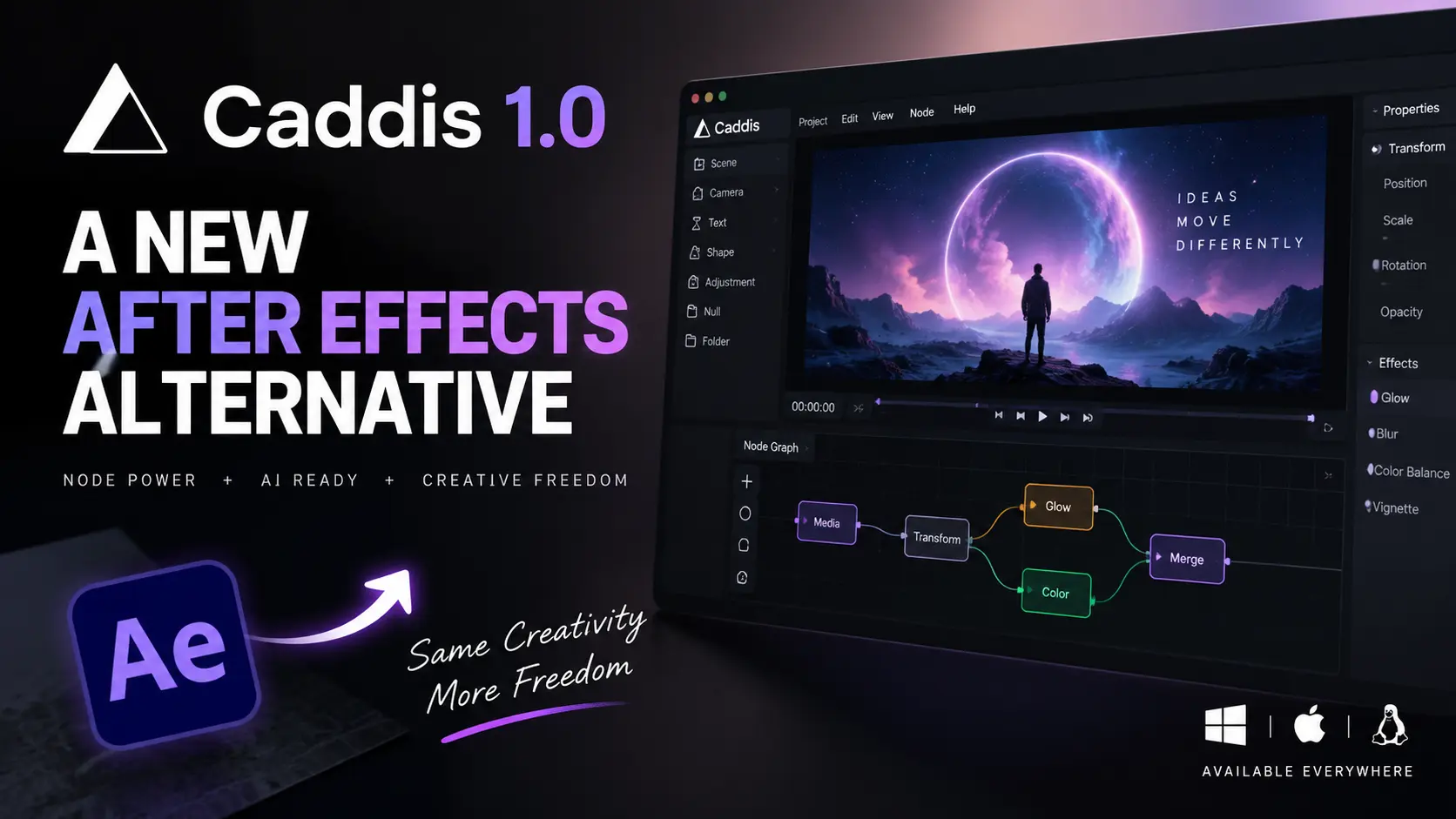
Motion designers have a new option beyond the traditional After Effects workflow. Caddis After Effects alternative is now officially beyond beta with its V1 release. The latest 1.0.5 update adds an MCP server for AI-agent connectivity. It also brings Linux support and stronger typography tools. Unlike conventional timeline software, Caddis places a node graph inside every layer. That makes procedural animation more accessible. Meanwhile, its $129 perpetual license could attract creators watching software costs. The bigger question is whether AI agents can become part of everyday motion design.
QUICK SUMMARY
- Caddis combines an After Effects-style timeline with node graphs inside layers.
- Version 1.0.5 adds MCP support, Linux compatibility and improved creative controls.
- Caddis costs $129 once, with a seven-day free trial and no subscription.
Caddis After Effects Alternative Takes a Different Approach
Caddis combines familiar layers with procedural node-based workflows. Select a layer, and its node graph appears beside the viewport. Users can connect parameters, create effects and build visual logic. Therefore, motion designers do not have to choose between timelines and nodes. The V1 release includes more than 130 nodes, according to CG Channel.
AI Agents Can Work Inside Caddis
The most notable update is MCP support. Caddis can now act as an MCP server for compatible AI clients. Agents can inspect projects, modify node graphs, change parameters and add keyframes. They can also render frames and review results. As a result, AI can interact with the creative application itself instead of only generating external assets.
What Makes the Workflow Different?
After Effects traditionally separates layers, effects and expressions. Caddis brings procedural controls directly into each layer. This can make complex relationships easier to visualise. For example, designers can connect parameters through nodes instead of relying entirely on expressions. Consequently, experimentation becomes more visual and modular.
Windows, macOS and Linux Support
Caddis has expanded beyond its original platform availability. Version 1.0.5 supports Windows, macOS and Linux. That wider availability is particularly relevant for studios using mixed operating systems. It also gives Linux-based creators another dedicated motion-design option.
Typography Gets a Major Upgrade
Typography has also received attention during Caddis development. The software now supports OpenType controls, rich text styling and variable fonts. These features matter for kinetic typography, brand animation and social-media graphics. Therefore, Caddis is moving beyond being a simple experimental compositor.
Caddis Is Not a Drop-In After Effects Replacement
There is an important limitation. Caddis does not import existing After Effects projects. Designers must rebuild compositions using supported assets and workflows. It supports video, audio, images and vector files. Finished projects can be exported in formats including H.264, ProRes, PNG and EXR sequences.
Caddis Price Makes the Comparison Interesting
Caddis uses a one-time licensing model. The official site lists the license at $129, with no recurring subscription. Users can try the application free for seven days. Afterward, the application remains usable, while the paid license unlocks permanent export access. Optional AI generation features use separate usage credits.
Can Caddis Challenge After Effects?
Caddis is still a young product, so replacing After Effects completely would be premature. Adobe’s software has a huge ecosystem of plugins, templates and established production workflows. However, Caddis offers something different. Its combination of layers, nodes and AI-agent access points toward a more programmable motion-design workflow.
PRO TIPS
- Try the free period: Test one real client-style project before paying.
- Experiment with MCP: Use AI agents for repetitive graph and keyframe tasks.
- Compare workflows: Keep After Effects available until Caddis fits your production needs.
CONCLUSION
Caddis is not simply another After Effects clone. Its strongest idea is the combination of a familiar timeline with procedural nodes. The addition of MCP support makes the direction even more interesting. AI agents can now interact with projects, build graphs and render work inside the application.
For independent motion designers, the $129 perpetual license also makes experimentation easier. However, Caddis still lacks After Effects’ mature ecosystem and project compatibility. So, it looks more like an emerging alternative than an immediate replacement. Motion designers should watch how quickly its AI and node-based workflow develops.
FAQs
Is Caddis a true After Effects replacement?
Not yet. Caddis is a promising Caddis After Effects alternative, but it cannot import After Effects projects.
How much does Caddis cost?
Caddis costs $129 once for permanent export access after its seven-day trial.
What is MCP support in Caddis?
MCP lets compatible AI agents interact with open Caddis projects, including graphs, parameters and keyframes.
HOW TO
How can I try Caddis?
Download Caddis from its official website and use the seven-day trial before purchasing.
How can AI control Caddis?
Enable Agent Access in Caddis and connect an MCP-compatible AI client to its local MCP endpoint.
How should After Effects users start?
Begin with a small motion project, then compare its node workflow with your existing After Effects process.