Advanced NotebookLM Tips & Tricks for Power Users in 2026
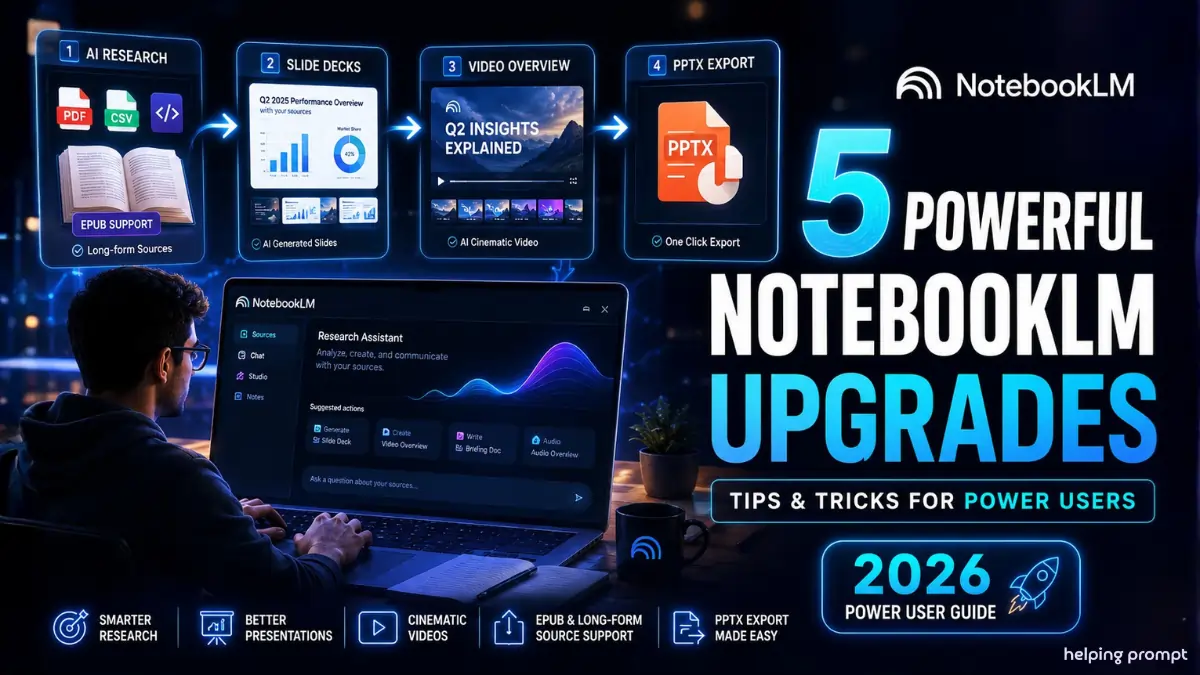
Google’s latest NotebookLM upgrades are changing how professionals handle research and content workflows. The new Advanced NotebookLM Tips & Tricks for Power Users focus on faster slide editing, PPTX export, cinematic video creation, and long-form research support. As AI tools become central to workplace productivity, these features reduce manual effort and improve output quality. Moreover, the latest updates help teams move from raw information to polished presentations in minutes instead of hours, making NotebookLM a serious productivity platform for researchers, creators, analysts, and enterprise users.
# Quick Summary
- Google NotebookLM now supports prompt-based slide editing and PPTX export.
- New cinematic video overviews turn research into presentation-ready explainers.
- EPUB and long-form source support improve deep research workflows dramatically.
# How To
- How to create better presentations in NotebookLM?
Use structured prompts first, then refine slides individually using targeted revision commands.
- How to use NotebookLM for long-form research?
Upload EPUBs, PDFs, and CSV files together to enable cross-referencing and contextual analysis.
- How to generate AI videos in NotebookLM?
Use cinematic video overviews with clear audience-focused prompts for better storytelling output.
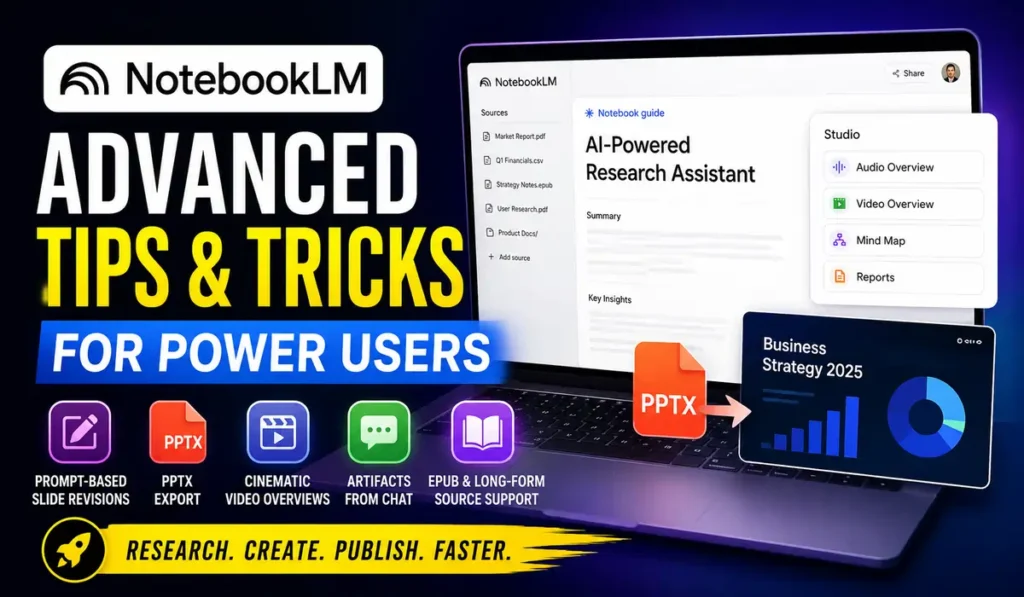
# Advanced NotebookLM Tips & Tricks for Power Users
Google NotebookLM is no longer limited to simple summaries. Instead, it now works like a complete AI-powered research assistant. Users can upload PDFs, EPUBs, datasets, and transcripts together for deeper analysis. As a result, professionals can organize complex information faster while maintaining context across large projects and technical documents.
# Prompt-Based Slide Revisions Save Time
One major update is granular slide editing. Earlier, users had to regenerate entire decks for small fixes. However, NotebookLM now allows targeted revisions using natural language prompts. This improves workflow speed significantly, especially for consultants, analysts, and startup teams handling large presentation files daily.
For example, users can ask NotebookLM to update specific metrics, add tables, or revise visual formatting without affecting the full presentation. Consequently, teams spend less time correcting slides manually and more time refining insights for decision-makers and stakeholders.
# PPTX Export Makes Enterprise Workflows Easier
The new PPTX export feature bridges NotebookLM with standard business environments. Since most organizations still depend on PowerPoint, this update removes tedious copy-pasting work. Furthermore, exported presentations maintain the visual structure created inside NotebookLM for smoother collaboration.
Power users can also define branding styles directly in prompts. For instance, users may request dark themes, custom fonts, or specific color highlights before export. Therefore, the generated presentation becomes closer to production-ready output with minimal post-editing effort.
# Cinematic Video Overviews Improve Communication
NotebookLM now supports AI-generated cinematic explainers powered by advanced Gemini and Veo models. These video overviews simplify technical reports into engaging visual narratives. As a result, companies can explain complex findings to non-technical audiences more effectively.
This feature is especially valuable for product teams, educators, and enterprise trainers. Moreover, users can guide tone and audience level using prompts. A business-focused explanation for executives, for example, can differ greatly from an engineering-focused technical breakdown.
# Artifact Creation Directly From Chat
Another powerful improvement is inline artifact generation. Users can now convert chats into reports, slide decks, or briefs instantly. Previously, workflow interruptions slowed productivity because users had to switch between multiple panels and interfaces repeatedly.
Now, a user can simply type commands like “Turn this into a Slide Deck.” Consequently, NotebookLM preserves the context, wording, and discussion flow from the original conversation. This creates a smoother and more natural AI collaboration experience.
# EPUB Support Expands Research Capabilities
Long-form EPUB support is another major upgrade for researchers and students. Users can upload complete books, technical manuals, and enterprise playbooks directly into NotebookLM. Therefore, cross-referencing information becomes faster and far more scalable than manual reading workflows.
Advanced users can combine EPUBs with datasets or internal documentation for highly specific analysis. For instance, NotebookLM can compare governance frameworks from a book chapter with real business metrics stored inside CSV files and reports.
# End-to-End Workflow Becomes Faster
The latest NotebookLM workflow is highly streamlined for modern teams. Users can ingest large datasets, explore insights through chat, create artifacts instantly, refine outputs surgically, and export content in universal formats. As a result, productivity bottlenecks reduce significantly across research-heavy environments.
Moreover, these updates position NotebookLM as more than a study tool. It is increasingly becoming an enterprise-grade synthesis and communication platform for AI-assisted knowledge work in 2026 and beyond.
# Pro Tips
- Upload structured datasets alongside EPUBs for deeper contextual analysis.
- Use revision prompts before final styling to reduce editing cycles.
- Save reusable prompts for recurring reports and presentation formats.
# Conclusion
Google NotebookLM is evolving rapidly into a complete AI productivity ecosystem. Features like PPTX export, cinematic video generation, and inline artifact creation are reducing the gap between research and polished communication. Therefore, professionals can move faster while handling larger volumes of information with better clarity.
The latest Advanced NotebookLM Tips & Tricks for Power Users also show how AI tools are becoming deeply integrated into enterprise workflows. As Google continues expanding NotebookLM capabilities, staying updated with these features could offer a major advantage for creators, researchers, and business teams in 2026.
# FAQs
These are advanced workflows that help users create presentations, videos, and research summaries faster using NotebookLM.
Yes. NotebookLM can now export presentation decks directly into PPTX format for easier enterprise use.
Yes. Users can upload EPUB files alongside PDFs and datasets for deeper AI-powered research analysis.