
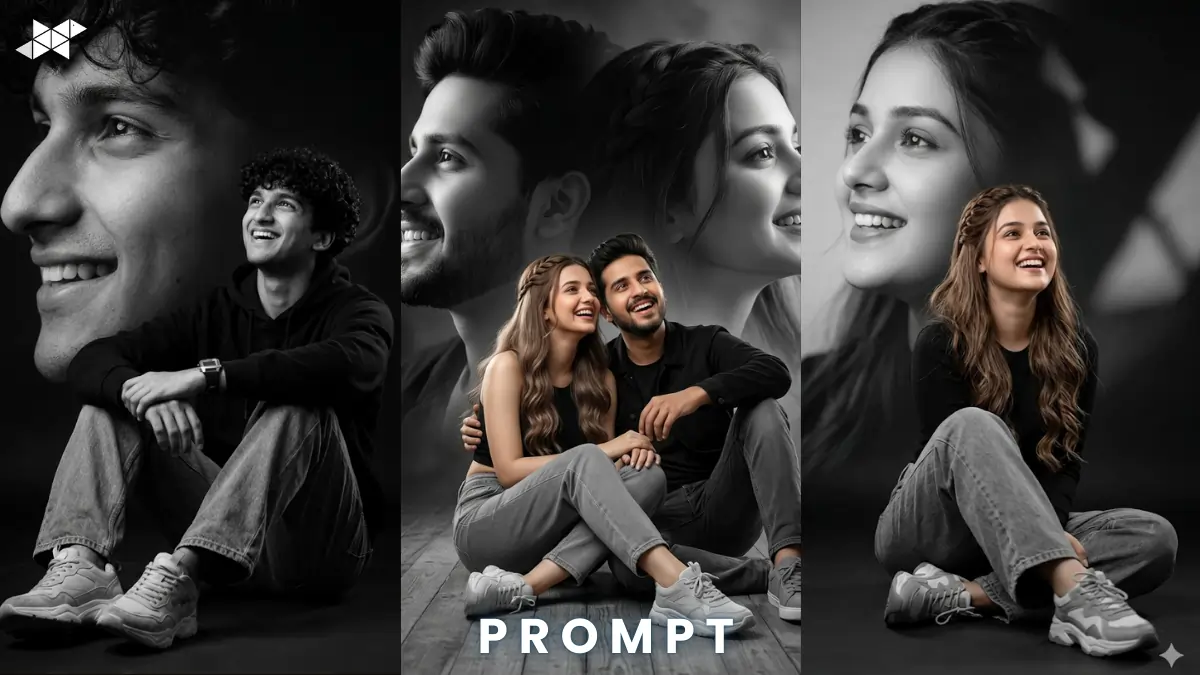
AI portrait editing is trending across social media and digital art communities. Creators now transform simple photos into cinematic artworks within seconds. This artistic portrait photo edit prompt works perfectly with Gemini, Midjourney, and ChatGPT. Use it to turn ordinary images into elegant gallery-style portraits.
Cinematic Male Artistic Portrait Prompt
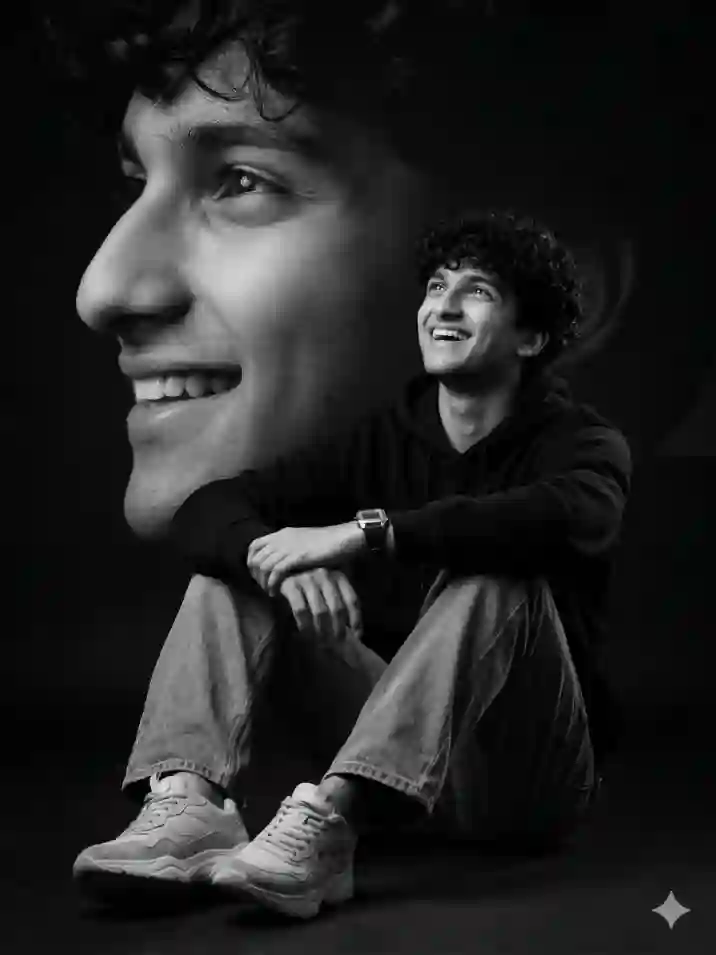
"Edit the uploaded photo without changing the face, transforming it into a highly cinematic artistic portrait. The man is elegantly seated on the floor with relaxed posture, wearing a modern black hoodie, loose gray jeans, and gray-white chunky sneakers. His hair is natural and slightly textured, expression joyful while looking upward and laughing naturally. The background is a dramatic monochrome black-and-white composition featuring a soft close-up side profile of the same face blended artistically behind him. Soft studio lighting with gentle rim light, 50mm portrait lens, shallow depth of field, hyper-realistic skin texture, cinematic shadows, ultra-detailed fabric folds, artistic contrast, photorealistic rendering, 8K resolution, high dynamic range, professional editorial photography style."
Female Artistic Portrait Prompt
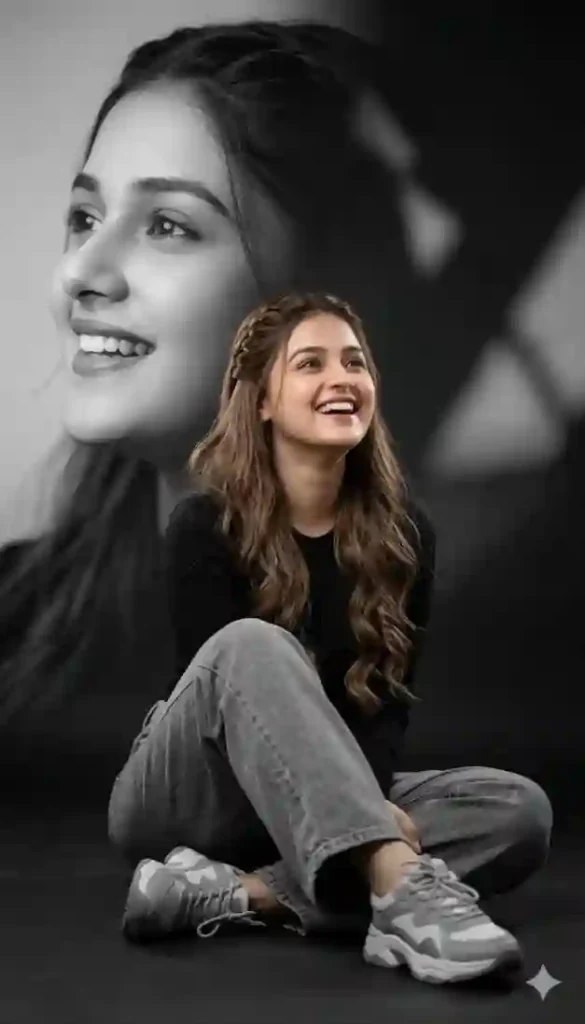
"Edit this photo without changing the face and convert it into a sophisticated artistic portrait. The woman is sitting gracefully on the floor wearing a stylish black top, soft loose gray jeans, and chunky gray and white sneakers. Her long waist-length wavy milky brown hair flows naturally, half braided elegantly. She is laughing while looking upward with a joyful expression. Behind her is a monochrome black-and-white artistic background featuring a soft side profile of her own face blended smoothly with abstract shadows. Soft diffused studio lighting, subtle rim light glow, 85mm portrait lens, shallow depth of field, cinematic mood, ultra-realistic skin detail, fabric texture realism, editorial photography composition, dramatic contrast, photorealistic lighting, 8K resolution."
Cinematic Couple Artistic Portrait Prompt
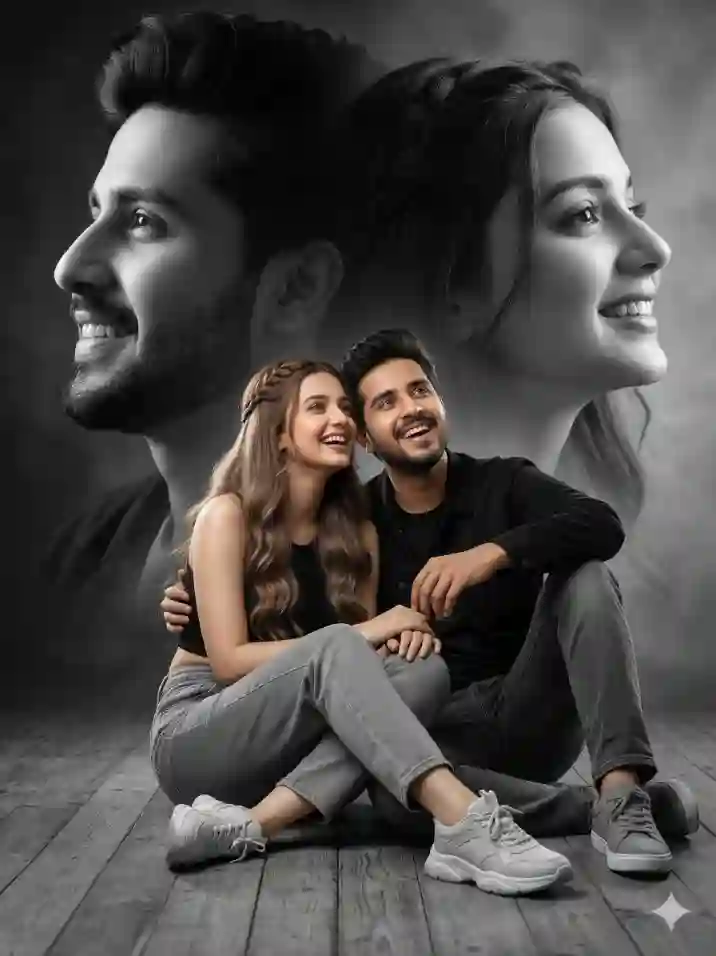
"Edit the uploaded couple photo without altering facial identity and transform it into a cinematic artistic portrait. The couple sits casually on the floor leaning slightly toward each other. The man wears a black jacket with charcoal jeans and gray sneakers, while the woman wears a black crop top with soft gray jeans and white-gray chunky sneakers. The woman’s long milky brown hair is wavy and half braided, flowing naturally. Both are laughing while looking upward with joyful expressions. The background is a dramatic monochrome black-and-white artistic composition showing large soft side-profile portraits of both faces blended into the backdrop. Soft studio lighting with rim highlights, 50mm cinematic lens, shallow depth of field, ultra-realistic skin texture, cinematic contrast, professional editorial photography style, highly detailed clothing texture, volumetric lighting, 8K resolution."
Artistic Portrait Photo Edit Prompt (Cinematic AI Guide)
- How to create an AI portrait using the artistic portrait photo edit prompt?
Upload the image and paste the artistic portrait photo edit prompt in Midjourney or Gemini.
- How to maintain realism in AI portraits?
Use lighting, lens details, and texture instructions in the artistic portrait photo edit prompt.
- How to improve AI portrait quality?
Increase stylize level and resolution while keeping the artistic portrait photo edit prompt detailed.
Quick Settings Guide
- Aspect Ratio: 4:5 or 3:4
- Stylize: 250-400
- Quality: High / 2x / 4K-8K
- Negative Prompts: blurry face, distorted face, extra limbs, low quality, oversharpened skin
Pro Tips
- Use studio lighting prompts to improve realism.
- Add 85mm portrait lens for cinematic depth.
- Keep face preservation instructions to maintain identity.
FAQs
An artistic portrait photo edit prompt guides AI tools to convert normal photos into cinematic portraits.
Midjourney, Gemini, and ChatGPT image tools support this artistic portrait photo edit prompt.
Yes. A good artistic portrait photo edit prompt explicitly tells AI to preserve facial identity.
Conclusion
AI portrait editing unlocks powerful creative possibilities. Experiment with this artistic portrait photo edit prompt to craft gallery-quality images. Try different lighting and moods to build truly unique AI portraits.







Leave a Reply