
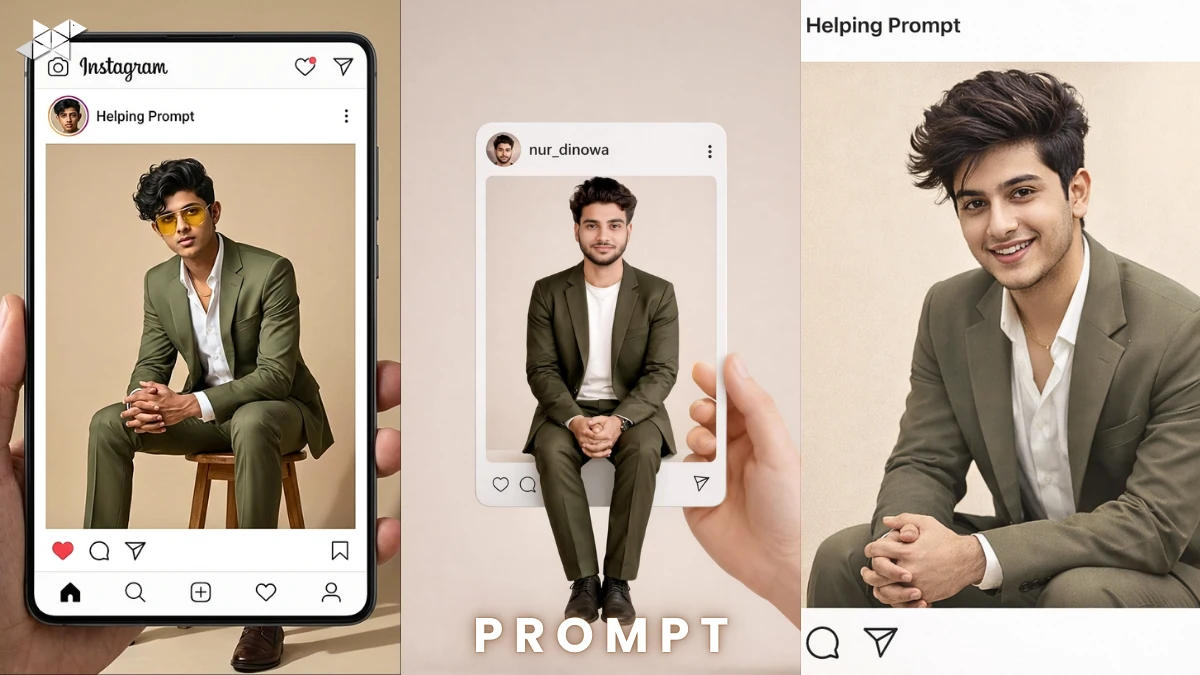
Ever wished your Instagram frame edit looked truly real, not cartoonish?
If you’re using AI tools like ChatGPT or image generators to upgrade portraits, precision matters. A small change in lighting or pose can break the illusion.
Here’s how to transform a cartoon character inside an Instagram-style frame into a 100% photorealistic male portrait-while keeping everything else untouched and studio-perfect.
How to Replace a Cartoon Character With a Photorealistic Male Portrait (Without Changing the Frame):
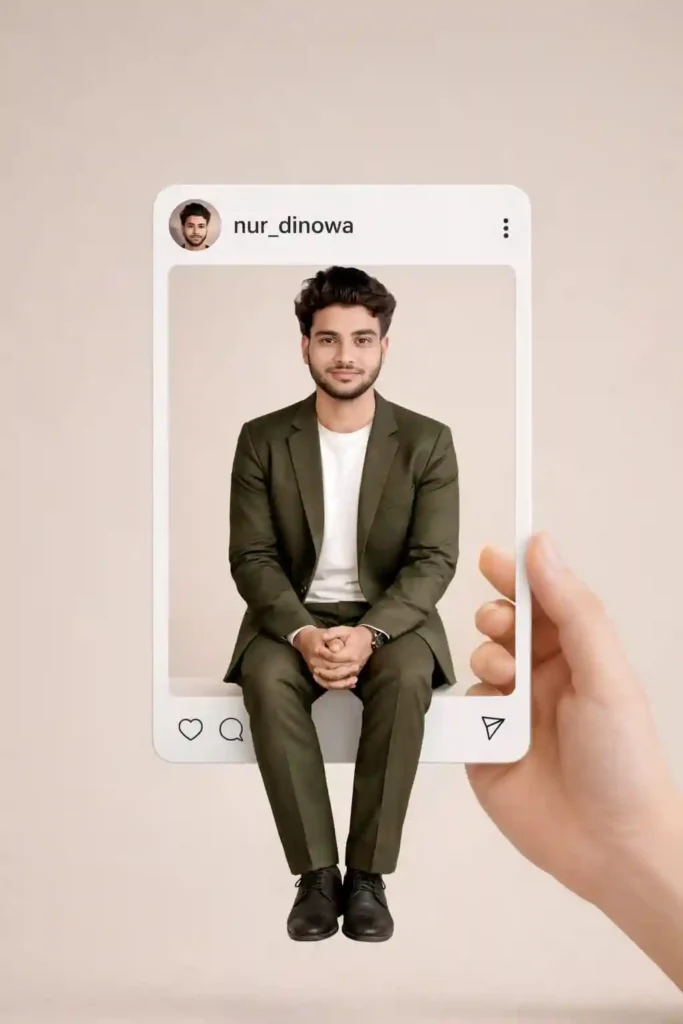
When editing inside a fixed Instagram-style layout, control is everything. The background, beige tones, shadows, username “nur_dinowa,” UI elements, and even the hand holding the frame must stay identical.
Only one thing changes: the character.
Why This Edit Works So Well
- It keeps the original Instagram aesthetic intact
- It upgrades realism without disturbing composition
- It looks like a professional studio photoshoot inside a social frame
- It grabs attention instantly on Reels, Stories, and profile grids
Because the frame remains unchanged, viewers focus only on the transformation. That contrast increases curiosity and engagement.
What Must Stay Identical
To achieve true realism, you must preserve:
- Beige background tone
- Original lighting direction
- Natural shadows
- Frame edges and UI icons
- Username “nur_dinowa”
- Circular profile photo placement
- Sitting pose: legs together, hands clasped, slight forward lean
This level of detail builds trust and visual authenticity.
Male Studio Realism Prompt (Olive Suit Look):
Prompt in Quote:
Use the uploaded Instagram frame image as the exact reference (identical frame, beige background, hand, UI, username “Helping Prompt,” lighting, shadows, composition) and replace only the cartoon female character with a 100% photorealistic ultra-detailed male version of Saurabh from the real uploaded photo in the same sitting pose (legs together, hands clasped, slight forward lean), wearing an olive green suit with white shirt and delicate chain, matching his face, hair, beard, skin tone and features exactly, update the circular profile photo to his realistic close-up, no other changes, pure studio-quality realism, generate one final image
Why it works:
It clearly protects the frame while focusing on realistic human detailing.
Best Use Case:
Instagram profile post, portfolio highlight, LinkedIn DP upgrade.
Cinematic Natural Light Prompt:
Prompt in Quote:
“Use the uploaded Instagram frame image as the exact reference and preserve everything exactly: beige background, frame, hand, UI layout, username ‘Helping Prompt’, lighting angle, shadows, and composition. Replace only the cartoon female with a hyper-realistic male version of Saurabh from the real uploaded image. Maintain identical sitting pose: legs together, hands clasped, slight forward lean. Match his facial proportions, beard texture, skin tone, hair strands, and expression precisely. Dress him in an olive green tailored suit with white shirt and subtle chain. Update the circular profile image to his realistic headshot. No additional edits. Ultra-detailed natural studio realism.”
Why it works:
Adds cinematic detailing while keeping structural control.
Best Use Case:
Instagram Reel cover, Story highlight, WhatsApp status.
Ultra HD Professional Portrait Prompt:
Prompt in Quote:
“Take the uploaded Instagram frame image and keep every detail unchanged: beige background, UI layout, shadows, lighting softness, username ‘Helping Prompt’, hand placement, and composition. Replace only the cartoon female character with a 100% photorealistic ultra-HD male version of Saurabh from the real reference photo. Match his exact facial features, beard thickness, skin texture, eye detail, and hairstyle accurately. Maintain the identical seated pose with legs together and hands clasped. Style him in an olive green suit, white shirt, delicate chain. Update circular profile picture with realistic close-up. No other modifications. Final output must look like a real studio photograph.”
Why it works:
Pushes for texture precision and ultra-HD detail.
Best Use Case:
Profile photo, Instagram grid post, professional branding.
Quick Tips for Better Results
- Use a high-resolution original face photo
- Ensure lighting direction matches the frame
- Avoid over-sharpening skin texture
- Keep natural facial expression
- Double-check pose alignment before rendering
Small mismatches reduce realism instantly.
Conclusion:
Precision makes this edit powerful.
When only the character changes and everything else stays identical, the result looks natural, premium, and scroll-stopping.
FAQs:
1. Can I change outfit color?
Yes, but keep lighting consistent.
2. Does pose matter?
Yes, exact pose keeps realism intact.
3. Best image quality?
Use high-resolution photos.







Leave a Reply