
Creating realistic sweater images with AI is harder than it looks. Many outputs feel flat, messy, or unrealistic. That’s where the right prompts make all the difference.
This guide focuses on Sweaters Ai Photo Maker prompts that work well with Gemini Ai, especially for fashion visuals, catalog images, and design ideas.
So, instead of guessing, you’ll learn how to guide AI clearly and get usable results faster.
How Gemini Ai Handles Clothing Prompts
Gemini Ai responds best to structured, descriptive prompts.
Instead of just saying “wool sweater,” explain colour tone, fabric thickness, and environment.
As a result, the output looks more natural and photo-ready.
Below are copy-paste-ready prompts designed specifically for Sweaters Ai Photo Maker use cases.
Prompt 1
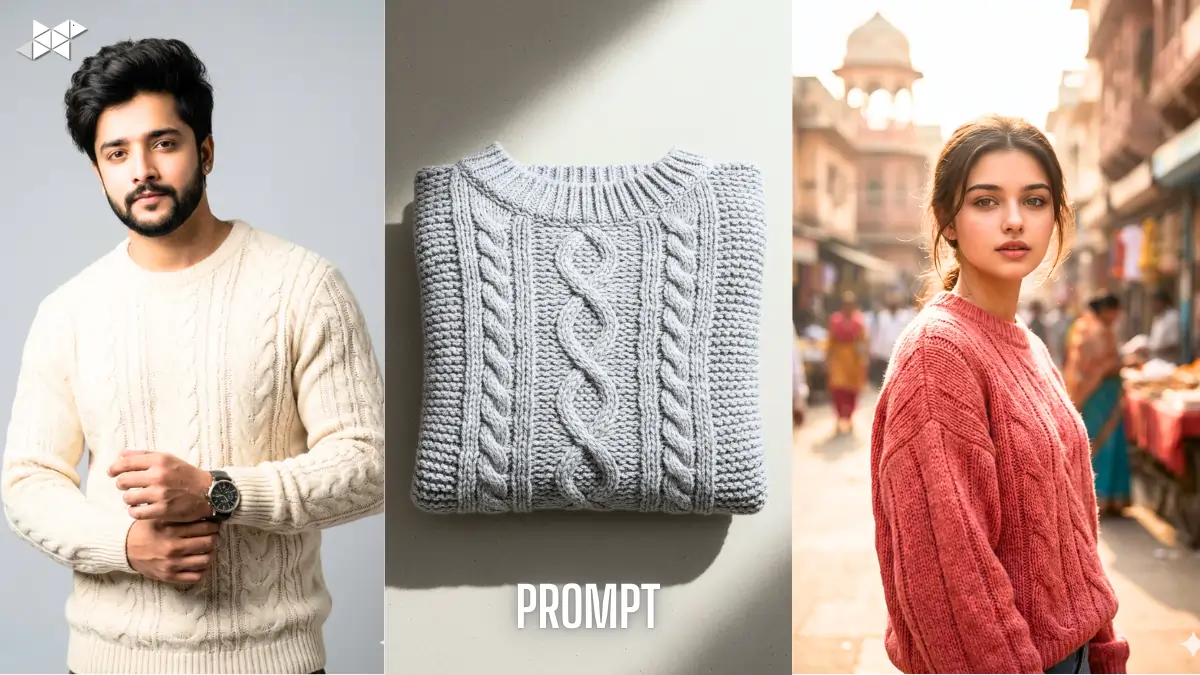
“Create a high-quality studio photo of a modern winter sweater made of soft wool, featuring a fine cable-knit texture. The sweater should be worn by a realistic male model, neutral pose, soft daylight lighting, clean grey background, natural fabric folds, sharp focus, and professional fashion photography style. Ensure realistic stitching, accurate shadows, and premium clothing finish suitable for an online fashion catalogue.”
Prompt 2
“Design a flat-lay image of a folded winter sweater made from thick wool fabric. Show detailed knit patterns, soft shadows, and a minimal background. Use balanced lighting, realistic textile texture, and true-to-life colours. The image should look like a professional fashion flat-lay photograph used in clothing brand look books.”
Prompt 3
“Generate a lifestyle photo of a pastel-color red knitted sweater worn by a young female model in an urban Indian setting. Use warm natural lighting, shallow depth of field, realistic wool texture, relaxed fit, and subtle fabric creases. The sweater should look comfortable, stylish, and suitable for winter casual wear, with photorealistic skin tones and clothing details.”
Best Use Cases for AI-Generated Sweater Images
AI sweater visuals are useful in many practical ways.
For example, they help with product mockups, Instagram creatives, and design previews.
Similarly, fashion bloggers and eCommerce sellers use them to test styles before production.
Quick Tips for Better Sweater AI Results
- First, always mention fabric type and knit style clearly.
- Next, define lighting instead of leaving it default.
- Also, specify whether the sweater is worn, folded, or hanging.
- Moreover, keep backgrounds simple for cleaner outputs.
- Finally, avoid overloading prompts with unnecessary adjectives.
Why Sweater Prompts Need Special Detailing
Sweaters are tricky because texture, knit depth, and fabric fall matter a lot.
If the prompt is vague, AI often produces plastic-like clothing.
Therefore, adding details like knit type, lighting, and fit becomes essential.
Conclusion
Well-written prompts turn average AI images into usable fashion visuals.
With the right structure and clarity, Gemini Ai can deliver clean, realistic sweater photos consistently.


Leave a Reply