
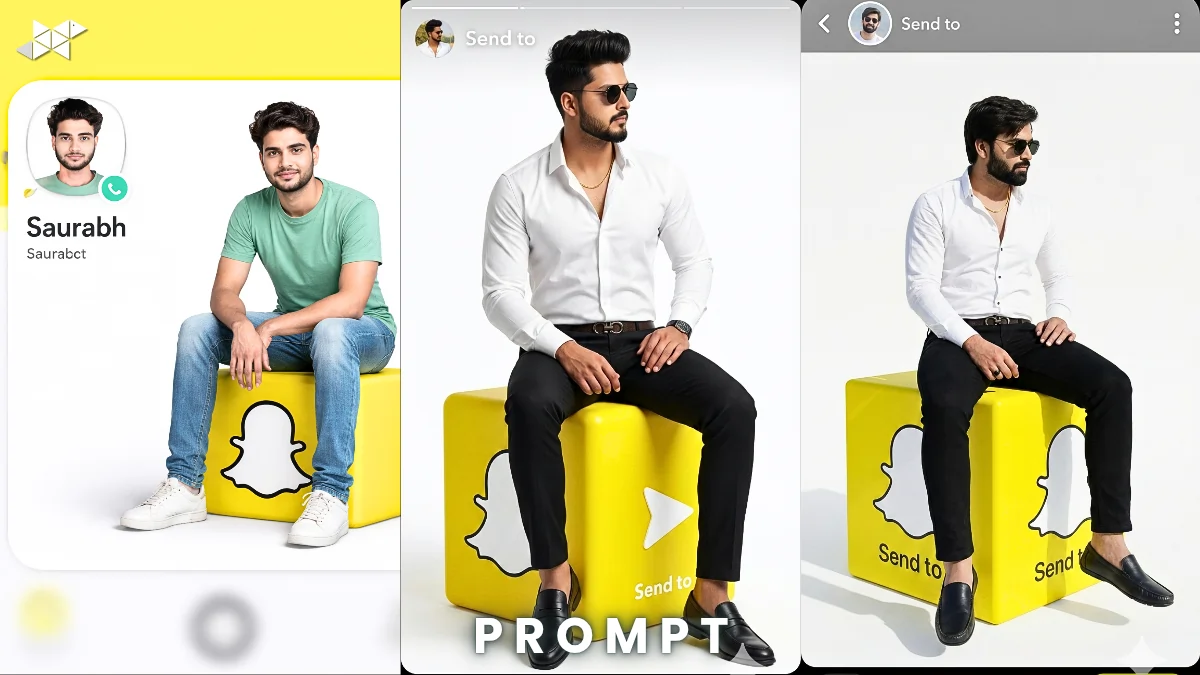
Want your Snapchat DP to look next-level real instead of cartoonish?
If you’re using tools like ChatGPT with image AI or Gemini-style generators, small prompt changes can completely transform the result.
In this guide, you’ll learn how to replace a cartoon Snapchat cube character with a 100% photorealistic version of Helping prompt – while keeping the original Snapchat interface, layout, lighting, and composition untouched.
Why This Snapchat Photorealistic Edit Works:
The idea is simple:
Keep everything exactly the same – Snapchat UI, yellow Snap cube, shadows, camera angle – and change only the character.
That’s where precision matters.
Most people make one big mistake. They write vague prompts like “make it realistic.” However, AI tools need strict visual control instructions.
What Makes This Prompt Powerful?
- Maintains identical Snapchat interface
- Preserves yellow Snap cube design
- Keeps background layout untouched
- Matches Saurabh’s real face and beard accurately
- Maintains sitting pose and body proportions
- Ensures studio-level photorealism
Because of that, the final image looks natural – not edited, not 3D, not cartoonish.
Why Pose Accuracy Matters
If leg angle or hand placement changes, the illusion breaks.
Therefore, the prompt must clearly say:
- Same leg position
- Arms resting naturally
- Slight forward posture
- Same lighting direction
- Same depth and composition
That’s how you get a believable transformation.
Studio-Level Real Snapchat Portrait:
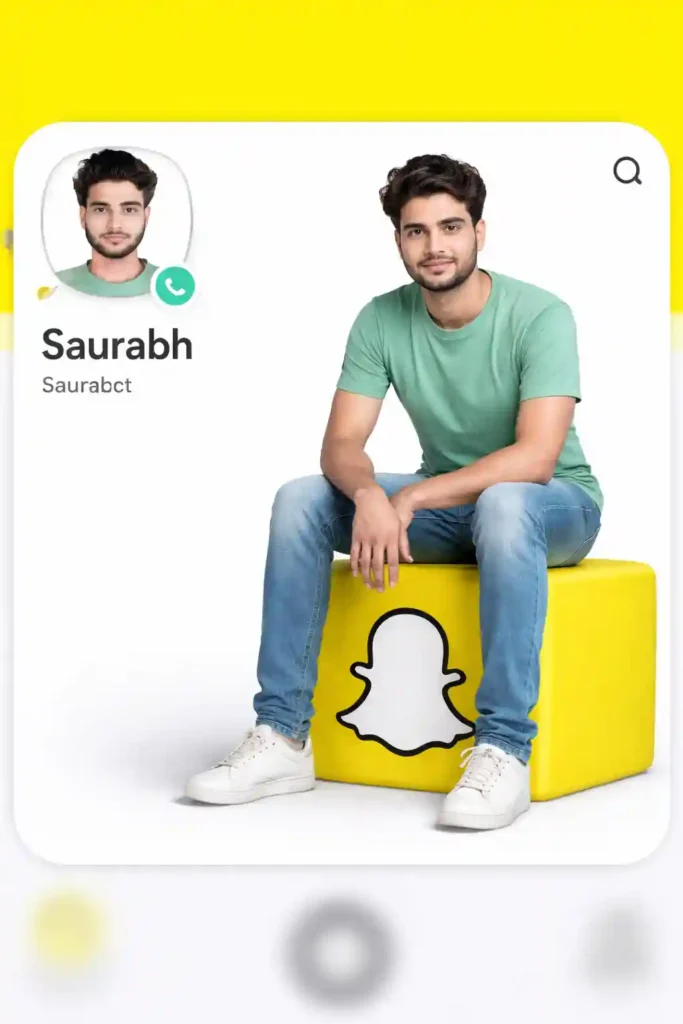
Prompt in Quote:
“Use the uploaded Snapchat-themed image as the exact reference. Keep the identical Snapchat profile interface, yellow Snap cube icon, background layout, Saurabh name placement, circular profile photo position, lighting, shadows, camera angle, depth, and full composition unchanged. Replace only the cartoon male character sitting on the Snapchat cube with a 100% photorealistic ultra-detailed real version of Saurabh from the uploaded real photo in the exact same sitting pose, same leg position, arms resting naturally, slight forward posture. Match his real face, hair, beard, skin tone, body proportions precisely. Use realistic clothing with natural fabric texture. Update the small profile picture to his realistic close-up. No stylization, no 3D look, pure studio-quality photorealism, generate one final image.”
Why it works:
Ultra-controlled instructions reduce AI distortion.
Best use case:
Instagram DP, Snapchat profile, professional social display.
Cinematic Realistic Snapchat Cube Pose:
Prompt in Quote:
“Take the uploaded Snapchat-themed reference image and maintain 100% identical interface layout, yellow Snap cube, text placement, background, shadows, lighting angle, depth, and composition. Change only the cartoon male character into a hyper-realistic version of Saurabh from the uploaded real photo. He must sit in the exact same pose with identical leg alignment, arms naturally resting, slight forward lean. Match facial structure, beard density, skin texture, hair strands, and body proportions accurately. Clothing must look naturally fitted with realistic fabric folds. Update the small profile image with his real close-up. No animation style, no CGI effect, pure DSLR studio realism.”
Why it works:
Adds texture detail for cinematic depth.
Best use case:
Snapchat Spotlight, WhatsApp DP, Instagram story highlight.
Ultra-Detail Snapchat Profile Transformation:
Prompt in Quote:
“Use the provided Snapchat cube image as strict visual reference. Keep everything identical: Snapchat UI interface, yellow Snap cube shape, Saurabh text placement, profile photo circle alignment, lighting direction, shadow intensity, background layout, camera perspective, and depth of field. Replace only the cartoon male sitting on the cube with a fully photorealistic real-life Saurabh from the uploaded reference photo. Maintain exact sitting posture, same leg position, natural arm placement, slight forward angle. Match real skin tone, beard texture, facial symmetry, hair detailing, and body structure. Update small profile picture to realistic version. No stylized rendering, no cartoon, no 3D. Pure high-resolution studio photorealism.”
Why it works:
Prevents unwanted style shifts.
Best use case:
Profile photo, social branding, AI showcase post.
Quick Tips for Better Results
- Use a high-resolution real photo for face accuracy
- Ensure lighting in your real photo matches the Snapchat image direction
- Avoid heavy facial filters in the reference photo
- Mention “no stylization” clearly in prompt
- Keep clothing description realistic and body-fitted
Small refinements dramatically improve realism.
Conclusion:
A precise, detailed prompt is the difference between cartoon-style output and studio-level realism.
Keep the interface fixed, control the pose strictly, and define realism clearly for best results.
FAQs:
Q1: Can I use any photo?
Use a high-quality, clear face photo.
Q2: Why does AI change pose?
Because pose instructions aren’t strict enough.
Q3: Best tool for this?
High-detail AI image generators like Gemini or ChatGPT image mode.







Leave a Reply