
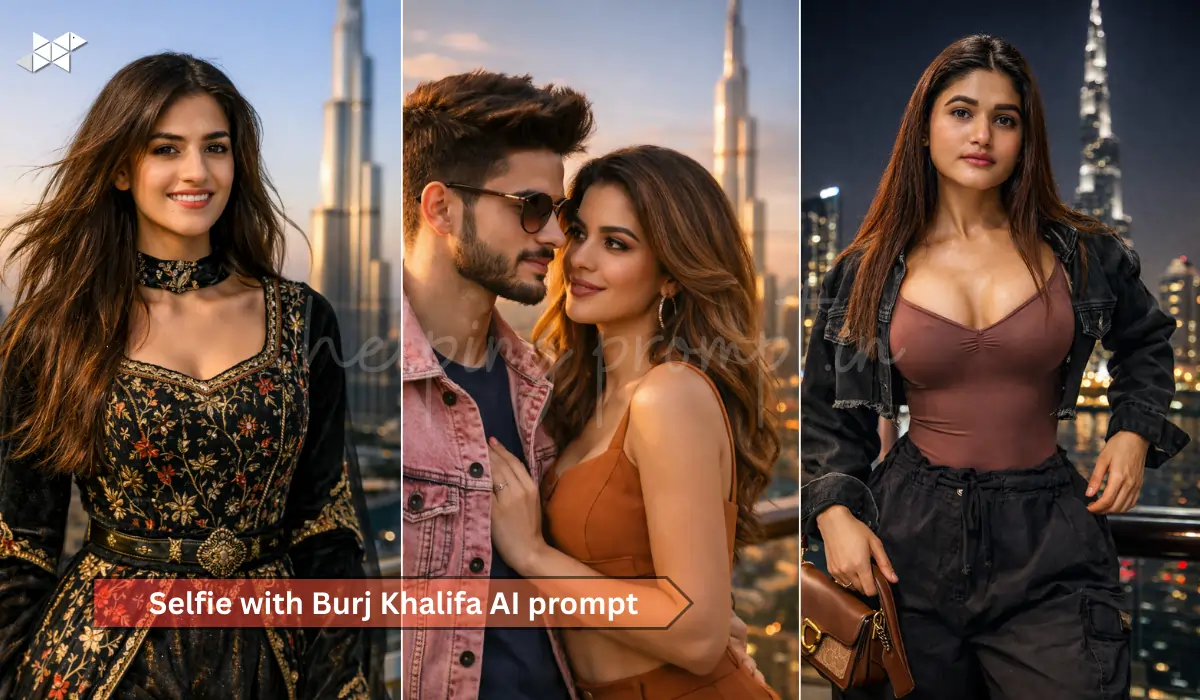
You clicked that Burj Khalifa selfie.
The view was perfect. The lighting? Not so much.
What if you could transform that regular travel photo into a sharp, 4K realistic portrait that looks professionally shot? With the right AI prompt, your Dubai memory can look cinematic, detailed, and social-media ready in minutes.
Transform Your Burj Khalifa Selfie into a 4K Masterpiece
Travel photos often lose their magic when uploaded. Faces look flat. The sky gets overexposed. And the iconic skyline fades into the background.
However, AI image tools now allow you to upscale, relight, and enhance selfies while keeping them natural. The key is not just using AI – but using the right prompt.
Instead of saying “make it better,” you need to describe lighting, texture, lens type, and mood. That’s where most people go wrong.
Interestingly, professional photographers use similar descriptive language when planning a shoot. So, when you add camera details like “85mm lens” or “g,” the output becomes more realistic.
Moreover, specifying 4K resolution and skin texture refinement ensures clarity without plastic-looking edits.
Let’s get to the copy-paste prompts.
4K Burj Khalifa AI Prompts
1. Golden Hour Luxury Portrait
“Transform my selfie taken at Burj Khalifa into a 4K ultra-realistic portrait. Enhance natural skin texture, add golden hour sunlight glow, cinematic depth of field, soft shadows, sharp facial focus, detailed skyline in background, DSLR quality, 85mm lens effect, professional travel photography style, realistic colors, no over-smoothing, luxury Instagram portrait look.”
Best for: Boys / Girls / Couple
Use case: Instagram post, WhatsApp DP, travel story highlight
2. Night Skyline Dramatic Look
“Enhance my Burj Khalifa selfie into a hyper-realistic 4K night portrait. Keep authentic facial details, improve sharpness, add city lights glow, balanced exposure, neon reflections, natural skin tones, premium DSLR night photography, cinematic mood, detailed background skyline, ultra high resolution, sharp eyes, soft contrast, realistic textures.”
Best for: Boys / Couple
Use case: Snapchat story, Instagram reels cover, profile photo
3. Clean Luxury Magazine Style
“Convert my Burj Khalifa selfie into a professional 4K editorial portrait. Add balanced daylight lighting, subtle face contouring, realistic skin detail, sharp focus, magazine-style composition, vibrant blue sky, crisp architectural background, high dynamic range, premium travel photography aesthetic, natural color grading, realistic lens blur.”
Best for: Girls / Couple
Use case: Instagram profile, travel blog thumbnail, LinkedIn DP
4. Soft Romantic Travel Aesthetic
“Upgrade my selfie at Burj Khalifa into a 4K cinematic romantic portrait. Soft natural lighting, warm color tones, realistic skin texture, smooth but natural finish, shallow depth of field, dreamy skyline blur, high detail resolution, professional portrait photography look, DSLR clarity, luxury travel vibe.”
Best for: Couple / Girls
Use case: WhatsApp status, anniversary post, Instagram story
Quick Tips for Better AI Results
- Use a high-resolution original image (avoid heavily compressed screenshots).
- Capture photos during golden hour for better natural shadows.
- Keep your face clearly visible – avoid extreme angles.
- Make sure the Burj Khalifa is visible in the background for context.
- Avoid heavy filters before uploading to AI tools.
Conclusion
Your Burj Khalifa selfie deserves more than a basic filter.
With the right AI prompt, you can turn a simple travel photo into a sharp 4K portrait that truly stands out.







Leave a Reply