
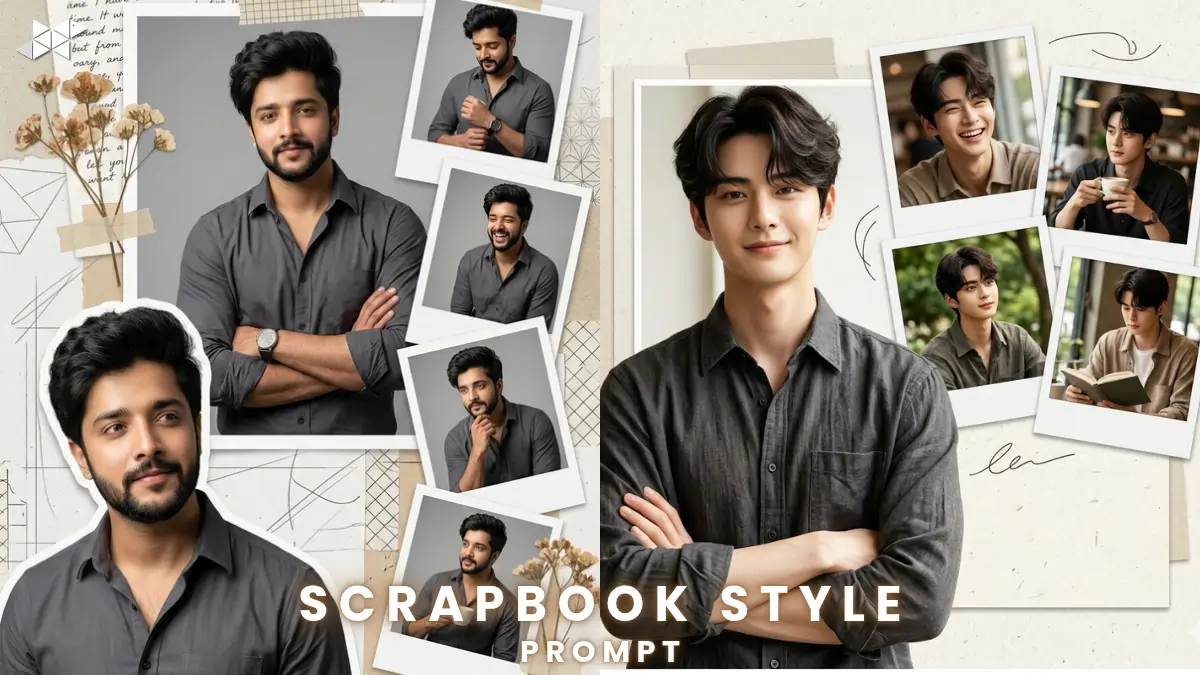
Want a stylish digital collage that looks like it belongs in a premium scrapbook?
Many people try random prompts in ChatGPT or image AI tools but don’t get the right pose, layout, or expression. However, with the right structure, you can control every detail – from arm position to background layering.
Here’s how to create a hyper-detailed scrapbook-style digital portrait that actually looks professional.
1. Classic Confident Scrapbook Pose:
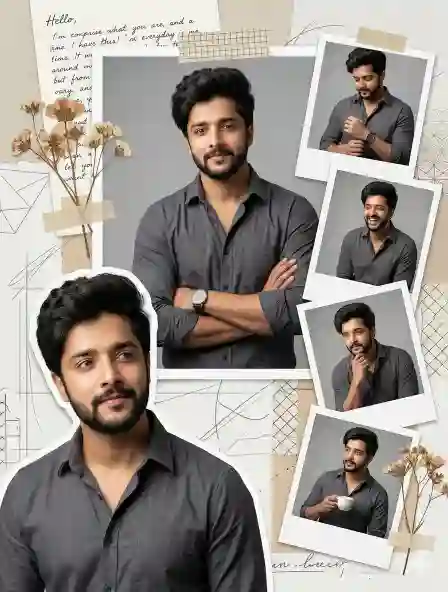
Prompt in Quote:
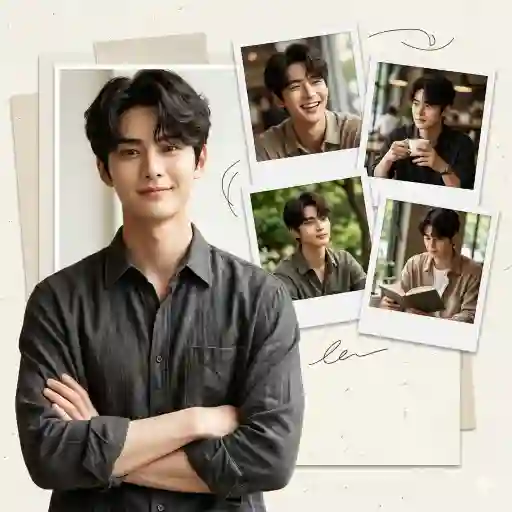
“Create a hyper-detailed, high-resolution digital art collage in a modern scrapbook style. The central subject is a young man standing with arms crossed, facing forward, eyes looking slightly off camera with a warm, friendly expression. A large half-body portrait is positioned in the lower-left corner, looking slightly up and to the right with a gentle smile. He is wearing a dark gray shirt. Overlapping this main image in the upper-right are four smaller classic white-bordered photos arranged diagonally. Soft shadows, realistic skin texture, subtle paper textures, layered depth effect, DSLR quality, 4K resolution.”
Why it works: Balanced layout with strong central focus.
Best for: Instagram profile, LinkedIn DP, WhatsApp profile photo.
2. Slight Upward Vision Pose:
Prompt in Quote:
“Design a hyper-realistic scrapbook-style digital collage with a clean modern aesthetic. The main subject stands confidently with crossed arms, looking front while eyes gaze slightly upward and to the right. Warm smile, relaxed posture, natural lighting. Place a large half-body portrait in the lower-left. He wears a dark gray shirt with soft fabric texture. Add four smaller white-frame snapshots overlapping toward the upper-right corner. Include subtle drop shadows, paper cutout effect, soft depth blur, ultra-detailed 4K clarity, cinematic lighting.”
Why it works: Upward gaze adds aspirational tone.
Best for: Personal branding posts, portfolio cover, story highlights.
3. Friendly Professional Layout:
Prompt in Quote:
“Generate a high-resolution digital art collage in a modern scrapbook layout. The central figure is standing with arms crossed, facing forward but eyes looking slightly off-camera. Expression is warm and approachable. A dominant half-body portrait sits in the lower-left section. He is dressed in a dark gray shirt with realistic folds and lighting. In the upper-right area, arrange four smaller white-bordered classic photos overlapping with soft shadow depth. Add textured paper background, layered composition, natural skin tones, ultra-sharp details, 4K DSLR effect.”
Why it works: Clean and professional tone.
Best for: Resume photo, profile banner, Facebook cover.
4. Casual Creative Scrapbook Frame:
Prompt in Quote:
“Create a hyper-detailed 4K digital scrapbook collage featuring a young man standing confidently with crossed arms. He faces forward while eyes look slightly to the side, smiling gently. Place a large half-body portrait in the lower-left with realistic lighting and dark gray shirt texture. Scatter four smaller classic white-bordered images toward the upper-right with overlapping paper effect. Include soft shadow layering, shallow depth of field, realistic skin texture, balanced contrast, studio-quality finish, and modern scrapbook aesthetic.”
Why it works: More creative and dynamic.
Best for: Snapchat story, creative DP, Instagram reels cover.
Quick Tips for Better AI Results:
- Use natural lighting keywords like soft sunlight or studio glow.
- Always define exact eye direction for realistic results.
- Mention image position (lower-left, upper-right) clearly.
- Add words like “paper texture” or “shadow depth” for scrapbook realism.
- Keep clothing simple for cleaner contrast and sharper focus.
How to Create a Modern Scrapbook AI Collage:
A scrapbook-style collage is not just a photo edit. It’s a layered visual story.
In this case, the focus is a confident standing pose with crossed arms and a warm expression. Meanwhile, the layout includes a large half-body portrait in the lower-left and smaller overlapping frames in the upper-right.
Why This Style Works
- It feels personal yet polished
- The layered format adds depth
- Eye direction creates a natural storytelling effect
- White frame overlaps give a nostalgic scrapbook vibe
Key Visual Elements to Control
- Pose – Standing, arms crossed, relaxed shoulders
- Expression – Gentle smile, friendly eyes
- Eye Direction – Slightly off-camera for candid feel
- Clothing – Dark gray shirt for contrast
- Layout – Main portrait bottom-left, smaller photos top-right
- Detail Level – Ultra-sharp skin texture, high resolution
Because AI tools respond to precise instructions, clarity in pose and composition matters.
Conclusion:
A well-written AI prompt controls pose, layout, and emotion together.
With structured instructions, your scrapbook-style collage will look detailed, natural, and professionally composed.
FAQs:
1. Best resolution size?
Use 4K for sharp detail.
2. Which shirt color works?
Dark gray gives strong contrast.
3. Can beginners use this?
Yes, just copy and paste.







Leave a Reply