
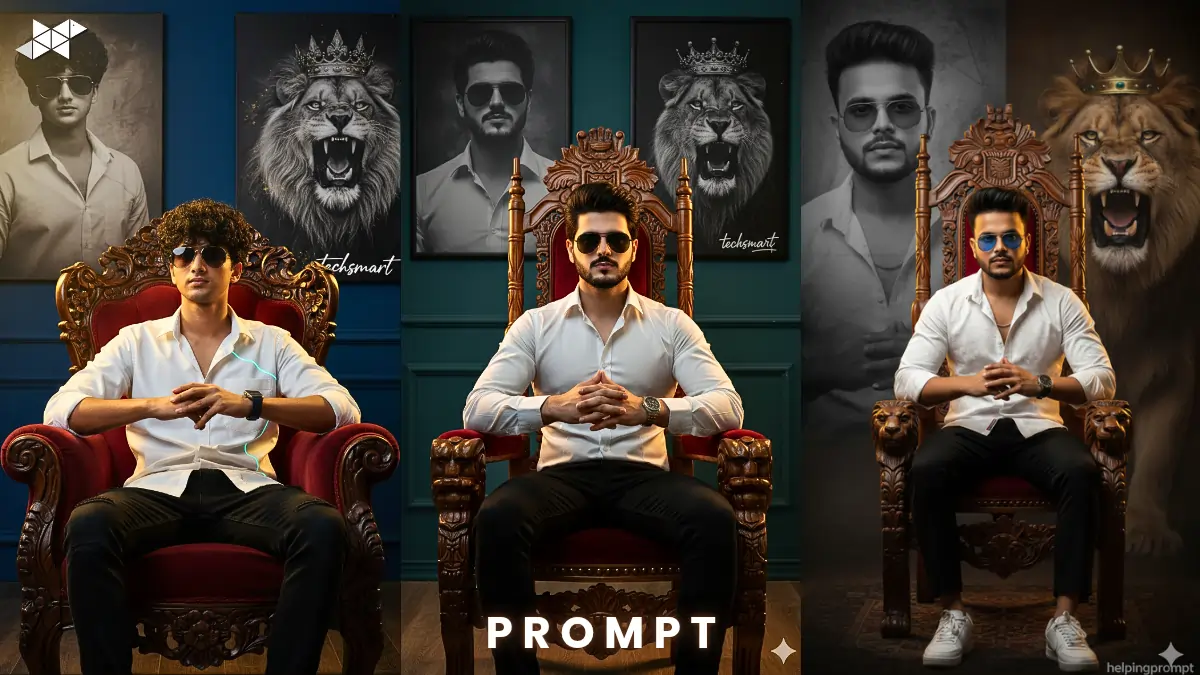
Want a bold, king-like portrait that screams confidence?
Not a basic sitting photo, but a powerful visual with a royal wooden chair, dramatic background, and a roaring lion beside you?
With tools like Gemini AI, you can turn this imagination into a hyper-realistic photo. Here’s a step-by-step content guide plus ready-to-copy prompts to create a stylish, dominant royal portrait with cinematic depth.
How to Create a Royal Dominance Photo with AI
Define the Hero Look Clearly
Start with strong character styling.
- White glowing line shirt
- Black modern jeans
- Sunglasses for dominance
- Hands clasped confidently
- Upright king-like posture
The more specific your outfit and pose description, the more realistic the output becomes.
Build a Symbolic Background
A powerful portrait needs a powerful backdrop.
Add:
- A faded monochrome portrait of yourself on the left
- A roaring lion with a crown on the right
- Dramatic artistic lighting
This contrast creates a cinematic storytelling effect instead of a plain AI image.
Add Signature Branding
Include your sign: “techsmart” subtly in the frame.
Place it:
- On the bottom corner
- Or engraved near the chair
- Or blended into the background texture
This increases uniqueness and avoids generic output.
Lighting Makes or Breaks the Photo
Use words like:
- Dramatic rim light
- Soft cinematic shadows
- Golden royal glow
- Ultra-realistic skin texture
- 4K DSLR quality
Lighting keywords boost realism instantly.
Cinematic Royal Throne Prompt:
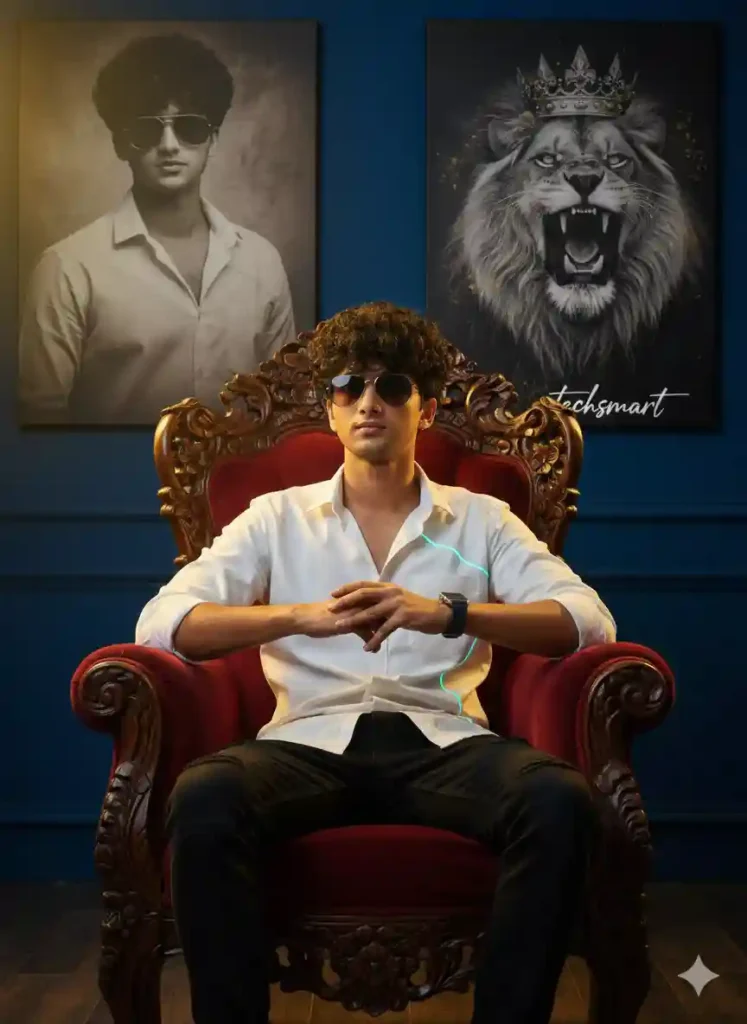
Prompt:
“Create a realistic stylish young man sitting confidently on a royal carved wooden chair. He is wearing a white glowing line shirt, black modern jeans, and dark sunglasses. His hands are clasped together in front in a bold king-like pose. The lighting is dramatic and cinematic with soft shadows and golden highlights. Background features a large faded monochrome portrait of him on the left and a roaring crowned lion on the right. Add my signature ‘helpingprompt’ subtly. Ultra-realistic, 4K DSLR photo, sharp details, powerful atmosphere.”
Why it works: Balanced detail + cinematic mood.
Best for: Instagram post, profile photo, portfolio DP.
Dark Artistic Power Portrait Prompt:
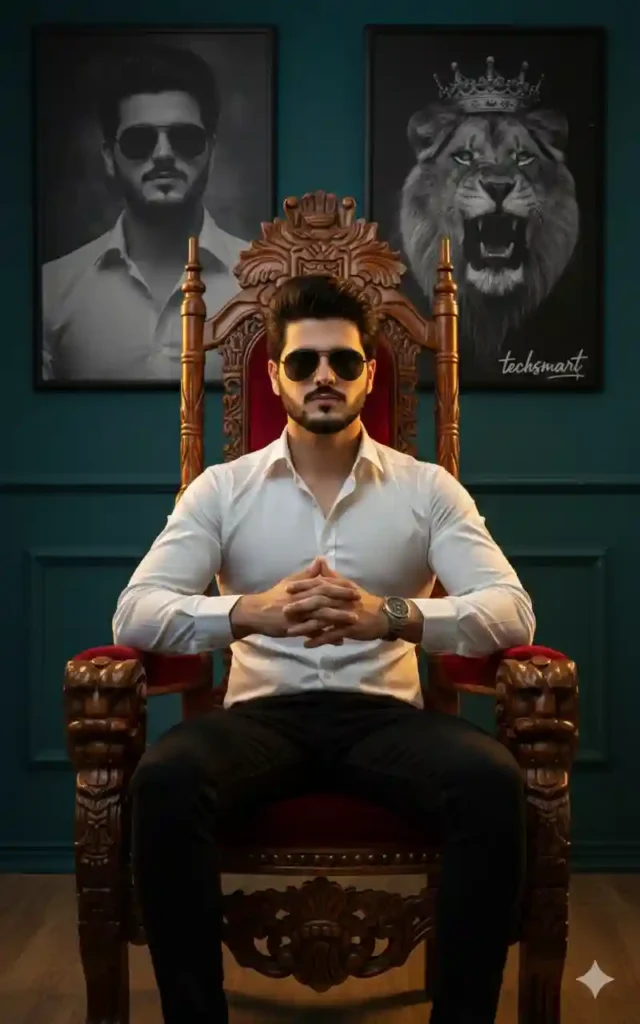
Prompt:
“Generate a hyper-realistic artistic portrait of a confident young man seated on a royal wooden throne. He wears a white glow-line shirt, fitted black modern jeans, and sunglasses, exuding dominance. His hands are folded firmly in front. Use moody dramatic lighting with high contrast. Add a faded monochrome close-up portrait of him in sunglasses on the left background and a roaring lion with a crown on the right. Insert ‘helpingprompt’ signature subtly. Studio-quality, ultra sharp, professional photography style.”
Why it works: Adds contrast and depth for strong impact.
Best for: WhatsApp DP, story highlight, Snapchat snap.
Ultra HD King Presence Prompt:
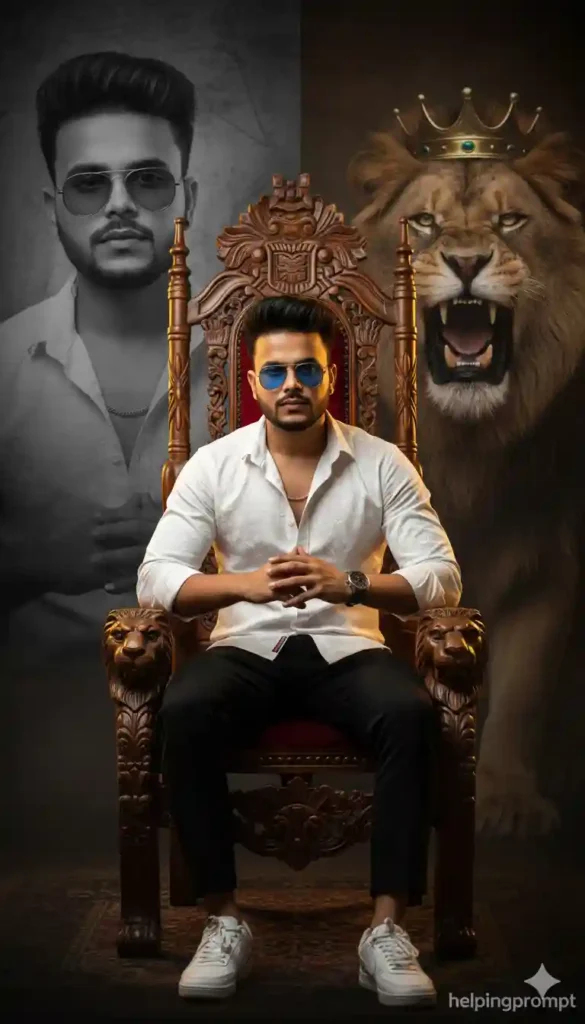
Prompt:
“Create a photo-realistic king-style portrait of a stylish young man sitting proudly on a detailed royal wooden chair. He wears a glowing white patterned shirt, black modern jeans, and sunglasses. His posture is upright and dominant with hands clasped together. The background is dramatic: faded monochrome portrait of him on the left, roaring lion wearing a crown on the right. Cinematic lighting, golden rim light, soft shadow depth. Include ‘helpingprompt’ as a subtle watermark. 8K ultra HD, realistic texture.”
Why it works: Ultra-HD keywords improve clarity.
Best for: Facebook cover, YouTube thumbnail, branding poster.
Quick Tips for Better Results
Use clear front-facing pose photos as reference if tool allows.
However, avoid cluttered backgrounds in your original image.
Add “DSLR, sharp focus, natural skin texture” for realism.
Meanwhile, adjust brightness slightly after generation.
Finally, keep expression calm and confident, not aggressive.
Transition words like however, meanwhile, finally help structure detailed prompts for AI clarity.
Conclusion:
A royal portrait is not about costume alone.
It’s about pose, symbolism, and lighting working together.
Use the prompts above, refine details slightly, and you’ll get a powerful king-style AI photo that stands out instantly.
How can I create a royal king-style AI portrait with a lion background?
You can create a royal king-style AI portrait by using detailed AI image prompts in tools like Midjourney, Leonardo AI, or other AI art generators. Make sure your prompt includes elements like royal attire, golden crown, majestic lion background, cinematic lighting, ultra-HD details, and dramatic shadows for the best results.
Which AI tools are best for generating cinematic king portraits?
Popular AI tools such as Midjourney, Leonardo AI, DALL·E, and Stable Diffusion work great for creating royal king-style portraits. These platforms allow you to add advanced prompt details like lighting effects, depth of field, and hyper-realistic textures to achieve a professional cinematic look.
What prompt keywords improve the quality of AI royal portraits?
Use high-impact keywords like 8K resolution, ultra-realistic, cinematic lighting, golden crown, majestic lion, royal palace background, sharp focus, dramatic shadows, depth of field, HDR, and photorealistic texture. Adding these keywords helps the AI generate more detailed and visually stunning king-style portraits.







Leave a Reply