
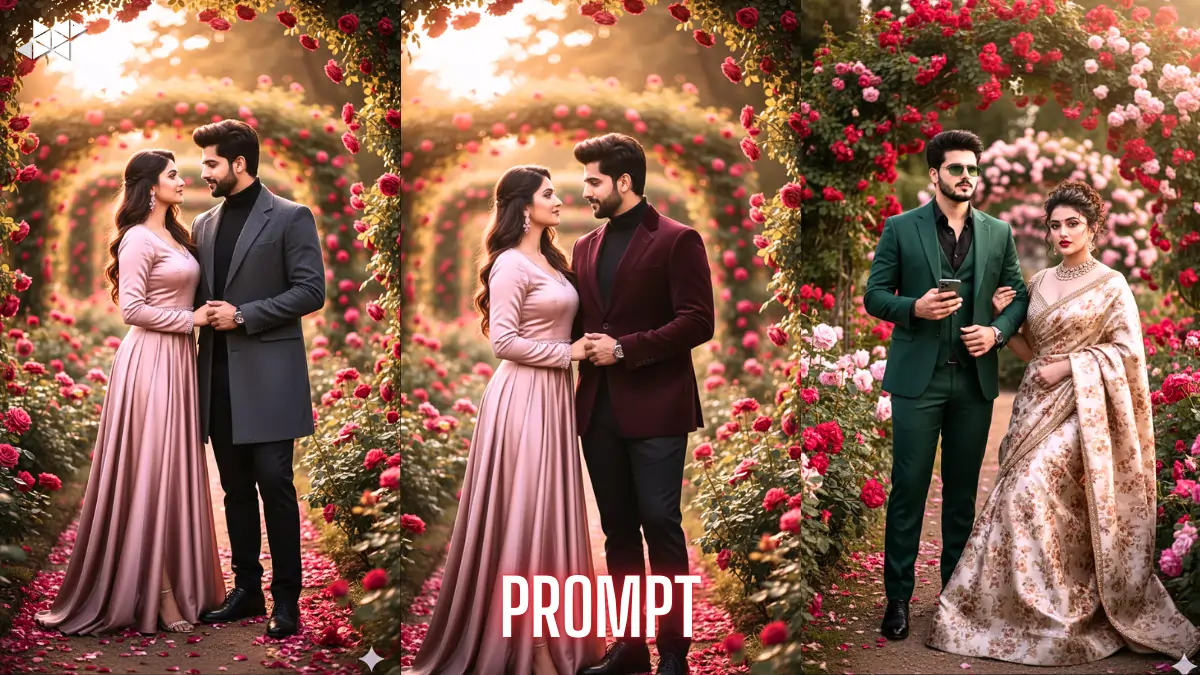
Want a romantic Rose Day couple photo without changing your real faces or pose? Many users struggle to keep identity intact while upgrading style and background. That’s where a strong Rose Day Image Prompt for Gemini Ai makes all the difference. With the right copy-paste prompt, you can transform clothing and setting while preserving the original couple exactly. This guide gives you ready prompts and practical tips for high-quality results.
Why Prompt Precision Matters for Couple AI Edits
AI photo tools follow instructions very literally. If your prompt is vague, the tool may change faces, posture, or body shape. That usually ruins personal photos.
So, your prompt must clearly lock identity and pose first. Then it should allow only fashion and environment changes. This separation improves accuracy and keeps results consistent.
As a result, you get a styled Rose Day photoshoot look without losing realism.
Prompt 1
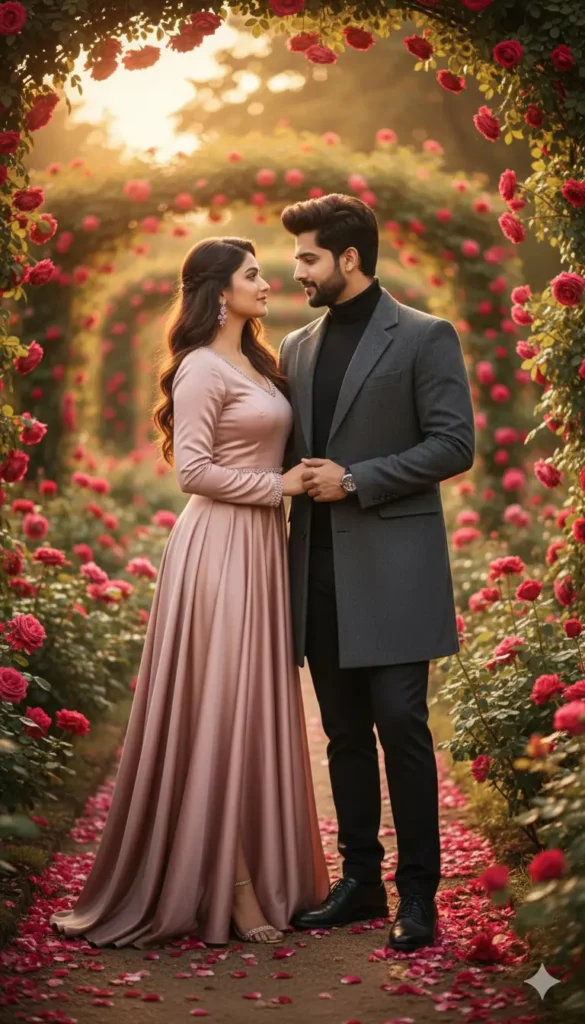
“Use the uploaded couple photo as the exact identity reference. Do not change faces, skin tone, body shape, height, expressions, or pose. Keep both people exactly the same and standing close, facing each other. Only upgrade clothing into luxury fashion styling. Dress the woman in an elegant flowing designer dress with premium fabric and heels. Dress the man in a tailored structured coat and fitted trousers. Place them in a luxury rose garden with red and pink roses, petals on ground, golden-hour light, cinematic DSLR depth.”
Prompt 2
“Take the uploaded image of the couple and preserve identity perfectly with zero face or body modification. Maintain the same pose, distance, and interaction. Change only wardrobe to high-end romantic editorial fashion. Woman wears a fitted luxury coat or gown in rose or champagne tones. Man wears a premium tailored jacket and polished shoes. Surround them with a manicured rose garden, elegant pathways, scattered petals, soft sunlight, realistic shadows, shallow depth of field, ultra-realistic photography look.”
Prompt 3
“Use this uploaded photo as strict identity lock reference. No face swap, no body adjustment, no pose change allowed. Keep expressions and posture identical. Replace clothing with designer romantic fashion using premium textures and perfect fit. Set the scene in an upscale blooming rose garden with lush hedges and layered roses. Add soft golden sunlight, cinematic blur, natural skin tones, and professional color grading. Output must look like a high-end couple fashion photoshoot.”
Prompt 4
“Reference the uploaded couple image and keep both individuals exactly unchanged in face, body, and pose. Only modify fashion and environment. Apply luxury Rose Day styling with elegant couple outfits, refined silhouettes, and polished footwear. Place them in a romantic rose garden filled with red and pink blooms and natural petal scatter. Use warm sunset lighting, gentle facial highlights, realistic shadows, and DSLR-quality sharpness with background blur.”
Prompt 5
“Use the uploaded photo as the exact identity base. Do not generate new faces or alter proportions. Preserve romantic facing pose and close distance. Upgrade wardrobe into premium designer outfits with fitted tailoring and soft romantic colors. Create a luxury rose garden photoshoot scene with blooming roses, styled pathways, and upscale decor elements. Apply cinematic lighting, shallow depth of field, editorial photography finish, and ultra-realistic detail.”
Best Use Case: Luxury Rose Garden Couple Shoots
Rose Day edits work best with fashion-upgrade prompts. Instead of altering people, the AI enhances clothing, lighting, and background mood.
For example, luxury rose garden themes with golden-hour light and editorial styling perform very well. Moreover, cinematic depth and shallow background blur add professional appeal.
That is exactly what the prompts below are designed to produce.
Quick Tips for Better Gemini AI Results
- Always upload a clear, front-visible couple photo with good lighting
- Place identity lock instructions at the start of the prompt
- Clearly separate “do not change” and “only change” instructions
- Mention DSLR, cinematic, or editorial style for sharper output
- Use environment + lighting + fashion together for richer scenes
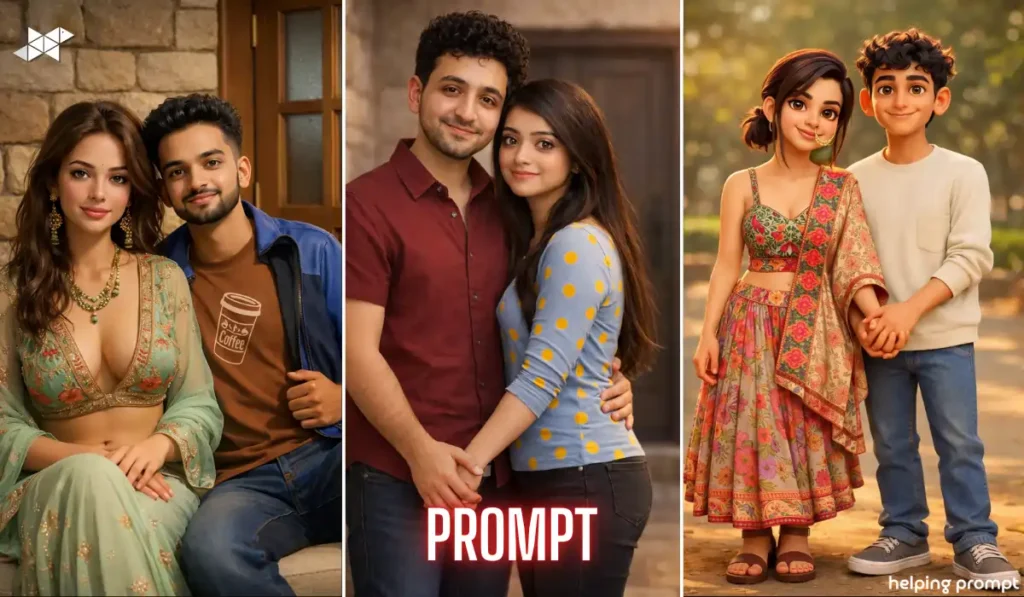
A well-built Rose Day Image Prompt helps Gemini Ai enhance style without touching identity. Use these copy-paste prompts and keep instructions strict and specific. Clean prompts produce clean results.


Leave a Reply