
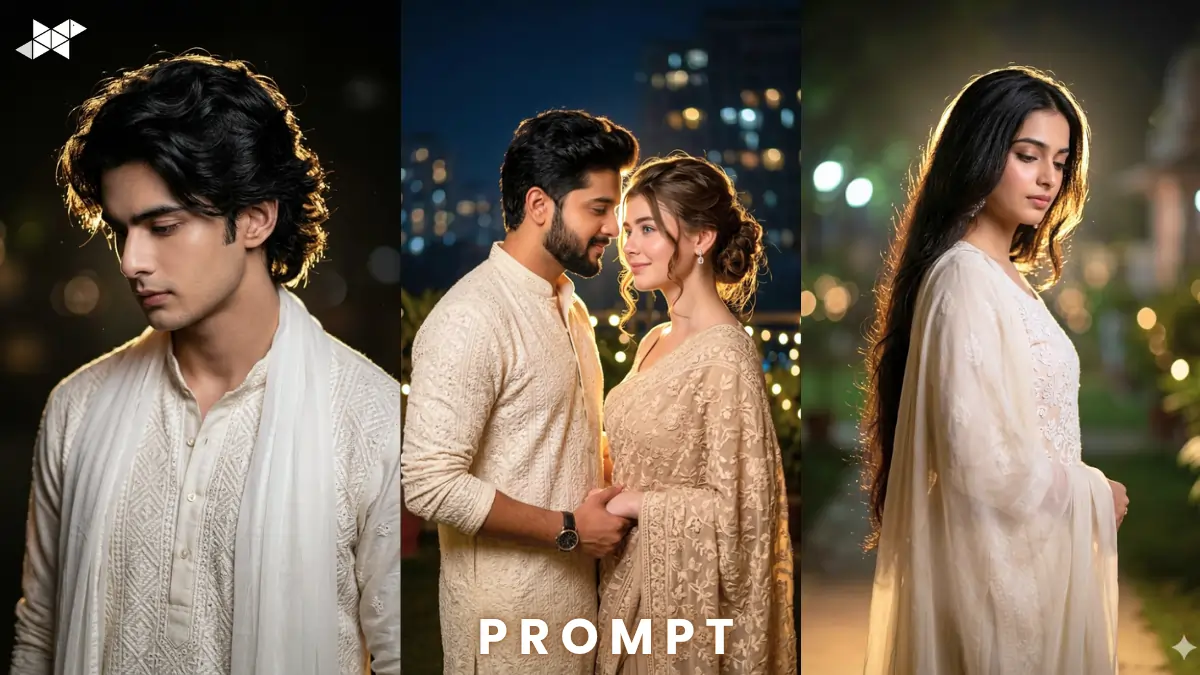
Viral Cinematic Portrait Image Prompt: Cinematic AI portraits are trending across Instagram and YouTube right now.
Creators are using cinematic portrait AI prompt styles for viral visuals.
Tools like Gemini, Midjourney, and ChatGPT make it insanely easy.
This guide gives you scroll-stopping, ultra-real prompts instantly.
Cinematic Portrait AI Prompt (Night Glow Style)
Men Cinematic Prompt
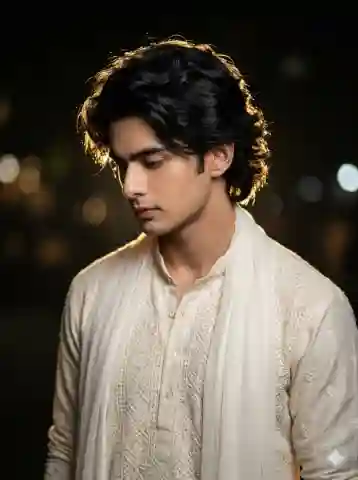
"A cinematic medium shot of a young South Asian man with voluminous wavy black hair, looking down pensively in three-quarter profile, wearing an off-white Lucknowi chikankari kurta with subtle geometric embroidery and a translucent white dupatta, night scene with powerful golden rim light creating halo effect, soft ambient shadows, ultra-realistic skin texture, 85mm lens, shallow depth of field, bokeh background, dramatic mood, 8K resolution, hyper-detailed fabric texture, cinematic color grading"
Women Cinematic Prompt
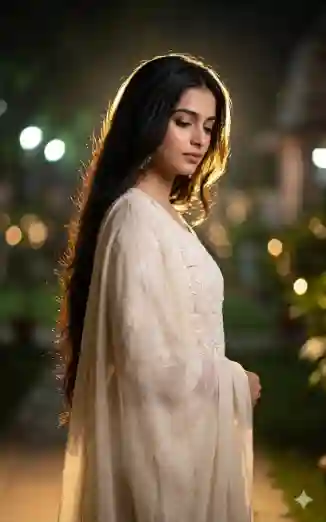
"A cinematic portrait of a young South Asian woman in elegant pastel chikankari kurta with flowing dupatta, standing in three-quarter profile, looking down softly, illuminated by golden rim light at night creating halo glow, soft diffused lighting on face, 50mm lens, shallow depth of field, dreamy bokeh lights background, ultra-realistic skin, intricate embroidery details, cinematic tone, 8K resolution, emotional and serene mood"Couple Cinematic Prompt
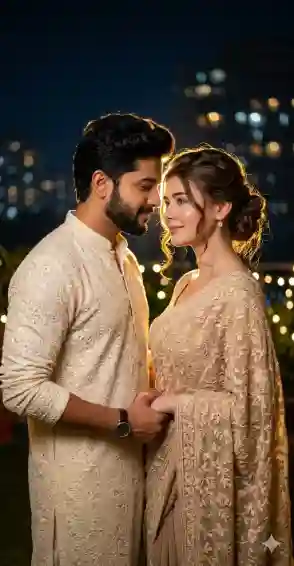
"A cinematic medium shot of a South Asian couple standing close, both in traditional chikankari outfits in ivory and beige tones, soft emotional expressions, subtle eye contact, golden rim light from behind creating dual halo effect, night environment with blurred lights, 35mm lens, shallow depth of field, ultra-realistic textures, cinematic composition, warm color grading, 8K resolution, romantic and artistic mood"Example Image
Imagine a soft golden glow outlining hair edges at night.
Deep shadows + rich textures create a film-like frame instantly.
How to Use
Time needed: 4 minutes
- What is cinematic portrait AI prompt?
It’s a structured prompt for creating film-style realistic portraits using AI tools.
- Which tool works best?
Use cinematic portrait AI prompt in Midjourney or Gemini for best realism.
- How to improve results?
Add lighting, lens, and texture details inside your cinematic portrait AI prompt.
Quick Settings Guide
- Aspect Ratio: 4:5 (Instagram best)
- Stylize: Medium (100–250)
- Quality: High / 2x
- Negative Prompts: blurry, low detail, extra limbs, bad lighting
Pro Tips
- Use rim lighting + night scenes for cinematic depth
- Always include lens (50mm / 85mm) for realism
- Add fabric + skin texture keywords for ultra detail
Conclusion
Cinematic portraits are the fastest way to stand out visually.
Experiment with lighting, mood, and outfits to create unique results.
Start using these prompts today and level up your AI creativity.
FAQs
It creates movie-like visuals that boost engagement instantly.
Yes, just copy-paste and tweak minor details for personalization.
Use cinematic portrait AI prompt with 4K or 8K for sharp results.







Leave a Reply