Nano Banana 2 Prompts for AI Image Generation Guide
Nano Banana 2 Prompts for AI Image Generation
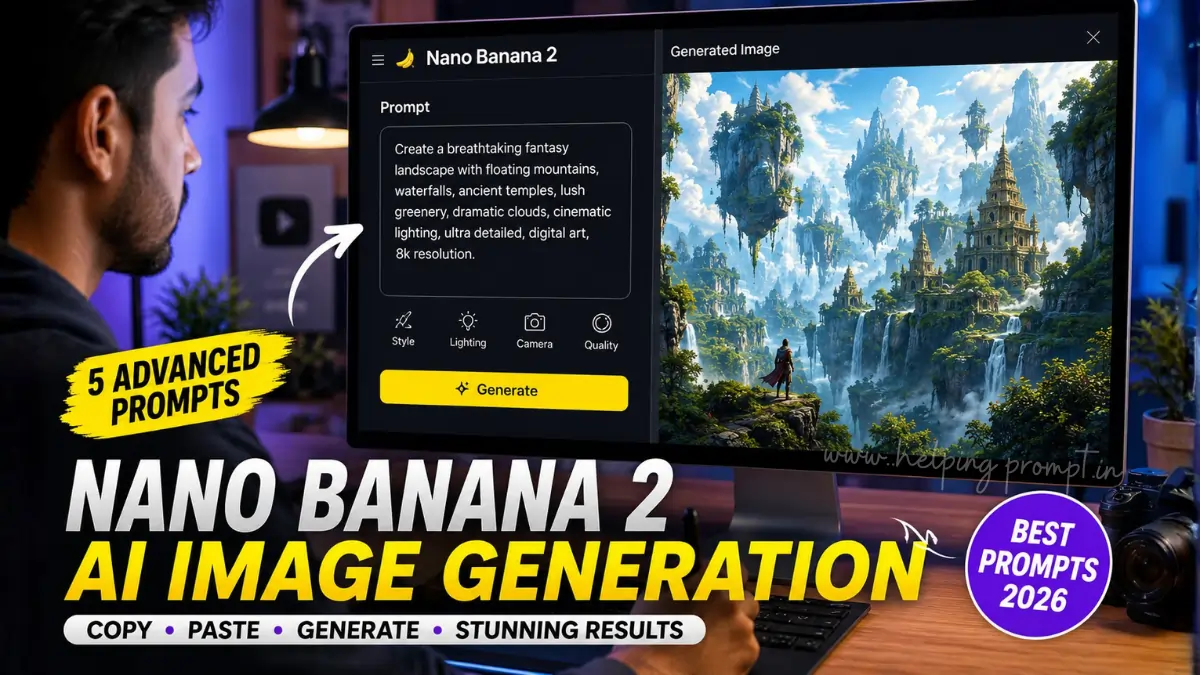
Nano Banana 2, officially known as Gemini 3.1 Flash Image, is Google’s AI image generation and editing model designed for fast, high-quality visual creation. In this guide, you’ll discover five advanced prompts, recommended settings, practical tips, and common mistakes to avoid for consistently better image generation.
Quick Summary
- Copy five advanced prompts.
- Improve image quality.
- Learn recommended settings.
- Avoid common prompt mistakes.
- Create professional AI artwork faster.
Why Nano Banana 2 Prompts for AI Image Generation Matter
Strong prompts help AI understand your creative vision.
As a result, images become more detailed and consistent.
Moreover, specific instructions improve lighting, composition, textures, and colors.
Consequently, you spend less time refining outputs.
5 Advanced Nano Banana 2 Prompts
"Create an ultra-realistic cinematic portrait of a confident entrepreneur standing inside a modern glass office during golden hour. Soft natural sunlight enters through floor-to-ceiling windows, creating warm rim lighting and realistic skin tones. Premium business attire, shallow depth of field, crisp facial details, subtle reflections, editorial photography, 85mm lens, HDR quality, balanced composition, highly detailed textures."
"Generate a breathtaking futuristic smart city at night filled with autonomous vehicles, holographic billboards, vertical gardens, reflective skyscrapers, flying drones, atmospheric fog, neon lighting, cinematic perspective, volumetric lighting, ultra-detailed architecture, realistic reflections after rainfall, vibrant color grading, award-winning digital art, sharp focus, premium visual storytelling."
"Design an elegant luxury product advertisement featuring a premium smartwatch placed on polished black marble with floating water droplets, soft studio lighting, realistic reflections, macro photography, shallow depth of field, dramatic shadows, luxury branding style, ultra-clean background, high-end commercial advertising aesthetics, photorealistic textures, magazine-quality composition."
"Illustrate a peaceful mountain village during sunrise with wooden cottages, blooming wildflowers, flowing river, gentle morning mist, snow-covered peaks, realistic vegetation, cinematic landscape composition, natural warm lighting, high dynamic range, vibrant yet balanced colors, ultra-fine environmental details, travel photography style, immersive atmosphere, professional landscape masterpiece."
"Create a dramatic fantasy warrior standing on ancient stone ruins beneath a glowing eclipse. Detailed medieval armor, flowing crimson cape, realistic metallic reflections, powerful stance, cinematic clouds, magical particles, volumetric sunlight, ultra-detailed environment, epic storytelling composition, premium concept art quality, realistic textures, dynamic lighting, highly immersive visual design."
Quick Settings Guide
For the best results, use these settings whenever available.
- Aspect Ratio: Match your target platform
- Resolution: Use available high-resolution output/upscaling options
- Prompt Detail: Clearly describe subject, composition, lighting and style
- Variations: Generate multiple versions and refine the best result.
Additionally, choose the correct aspect ratio.
- 1:1 for Instagram
- 4:5 for Portrait Posts
- 16:9 for YouTube
- 9:16 for Shorts & Stories
How to Use Nano Banana 2 Prompts for AI Image Generation
Step 1
Copy your favorite prompt.
Step 2
Paste it into Nano Banana 2.
Step 3
Select the correct aspect ratio.
Step 4
Generate several variations.
Step 5
Compare the results.
Step 6
Refine the prompt if needed.
Finally, upscale the best version.
Best Practices
- Describe the subject clearly.
- Mention lighting.
- Specify camera angle.
- Include background details.
- Define artistic style.
- Mention textures.
- Add color mood.
- Generate multiple variations.
Common Mistakes
Avoid these errors:
- Extremely short prompts.
- Conflicting art styles.
- Missing lighting details.
- Ignoring composition.
- Too many unrelated instructions.
- Wrong aspect ratio.
Pro Tips
Professional creators rarely use the first result.
Instead, compare multiple outputs.
Then, refine only one element at a time.
Likewise, save your best prompts for future projects.
This approach improves consistency.
Frequently Asked Questions
They are structured prompts that help Nano Banana 2 create realistic and detailed AI images.
Yes.
Simply copy, paste, and customize the subject.
Absolutely.
You can replace the subject, environment, colors, or artistic style while keeping the overall structure.
Detailed prompts provide clearer instructions.
Therefore, AI models generate more accurate and visually appealing results.
Internal Link Suggestions
- ChatGPT Prompt for Resume: 5 ATS-Friendly AI PromptsShruti Gupta•
- 6 Claude Resume Prompts That Got Me Interview CallsSaurabh K.•
- God of Prompt: Why This Viral AI Prompt Is Trending in 2026
Official External Resources
- Google Nano Banana 2 announcement -(Link)
- Google AI Studio – https://aistudio.google.com/
- Google DeepMind Gemini Image Prompt Guide] (Link).
EEAT Notes
This guide is based on established prompt engineering practices and image composition principles.
Always verify licensing terms before using AI-generated images commercially.
Test multiple prompt variations to determine what performs best for your workflow.
Conclusion
Nano Banana 2 Prompts for AI Image Generation can significantly improve your creative workflow. By using structured prompts, proper settings, and gradual refinements, you can produce high-quality AI artwork more consistently. Save this guide, experiment with different variations, and continue refining your prompt library for even better results.