5 Nano Banana 2 Background Removal Prompts for Clean AI Cutouts
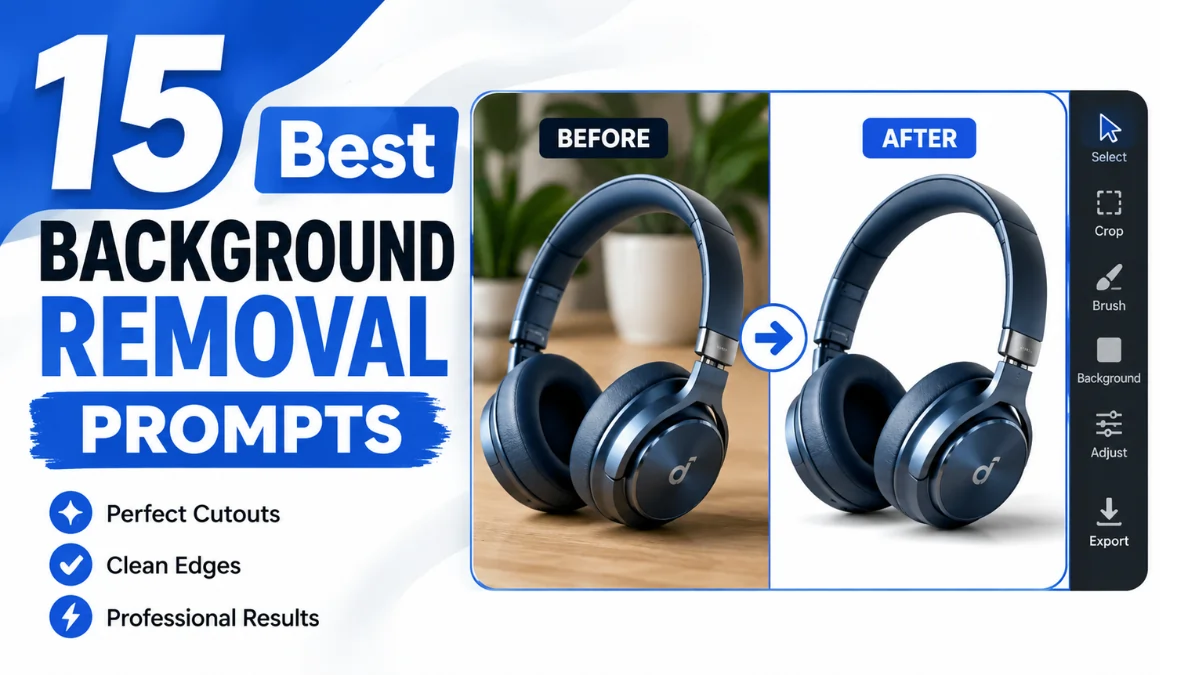
Removing backgrounds is one of the most common AI image editing tasks. A simple prompt can remove distracting elements while keeping the subject sharp, realistic, and natural.
Nano Banana 2 performs best when your instructions clearly describe what should remain, what should disappear, and how the final image should look.
This collection includes professional prompts for product photography, portraits, fashion, social media, marketing, and eCommerce.
Quick Summary
| Feature | Details |
|---|---|
| Topic | Nano Banana 2 Background Removal Prompts |
| Skill Level | Beginner to Advanced |
| Best For | Product photos, portraits, branding, marketing |
| Prompt Count | 15 |
| Output Style | Photorealistic, clean cutouts |
| Compatible With | Nano Banana 2 |
What Is a Background Removal Prompt?
A background removal prompt instructs Nano Banana 2 to separate the main subject from its surroundings while preserving realistic details.
A good prompt protects:
- Hair strands
- Transparent objects
- Clothing edges
- Reflections
- Natural shadows
- Fine textures
- Subject proportions
The result looks professionally edited instead of artificially cut out.
When Should You Remove Backgrounds?
Background removal works well for:
- Product listings
- Amazon images
- Etsy shops
- Shopify stores
- Fashion catalogs
- LinkedIn profile photos
- Passport-style images
- Brand advertisements
- Social media creatives
- Presentation graphics
Best Practices Before Writing a Prompt
- Clearly identify the subject.
- Mention the background you want removed.
- Preserve realistic lighting.
- Keep original colors.
- Request natural edges.
- Avoid changing facial features.
- Mention shadow preferences.
- Preserve transparent materials when needed.
5 Best Nano Banana 2 Background Removal Prompts
1. Pure White eCommerce Background
Prompt:
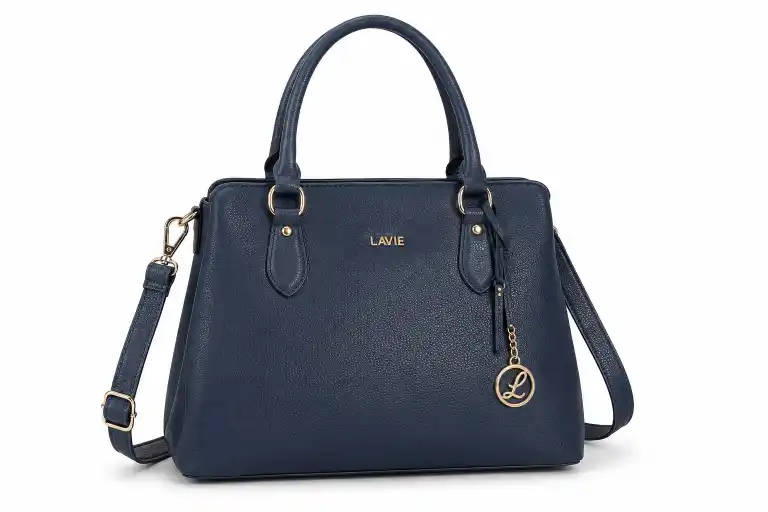
Remove the entire background while preserving the subject exactly as photographed. Place it on a seamless pure white background with a soft natural shadow beneath the object. Maintain accurate colors, realistic lighting, sharp edges, fine textures, reflections, and original proportions. Ensure clean masking around complex details like hair, fabric, or transparent materials. Produce a professional commercial product photo with ultra-sharp focus, photorealistic quality, high resolution, and a marketplace-ready presentation suitable for eCommerce catalogs.
2. Transparent PNG Cutout
Prompt:
Remove the complete background while preserving every visible detail of the subject. Keep fine hair strands, transparent objects, reflections, soft shadows, realistic textures, and natural colors intact. Create a perfectly isolated transparent PNG cutout with clean edge masking, smooth transitions, accurate proportions, and professional editing quality. Avoid halos or rough edges. Deliver a high-resolution, photorealistic image suitable for graphic design, branding, presentations, and commercial marketing materials.
3. Professional Portrait Background Removal
Prompt:
Remove the existing background while preserving natural facial features, realistic skin texture, eye details, soft hair edges, clothing texture, and balanced studio lighting. Replace it with a clean neutral background while maintaining authentic colors, subtle shadows, and proper depth. Keep the person's posture and proportions unchanged. Create a polished business portrait with professional photography quality, seamless edge blending, photorealistic details, and high-resolution output suitable for LinkedIn profiles, resumes, and corporate branding.
4. Luxury Product Isolation
Prompt:
Remove all surrounding background elements while preserving premium metallic reflections, glossy finishes, glass transparency, intricate textures, realistic highlights, and soft shadows. Maintain accurate colors, original proportions, and sharp edge definition. Present the product on a clean minimal background with luxury commercial advertising aesthetics. Ensure photorealistic rendering, DSLR-quality detail, ultra-high resolution, and a sophisticated presentation suitable for premium catalogs, product launches, and high-end brand marketing.
5. Fashion Clothing Cutout
Prompt:
Remove the complete background while preserving realistic fabric texture, natural folds, stitching details, garment shape, accurate colors, and balanced lighting. Keep smooth edge transitions around sleeves, collars, and accessories. Maintain subtle shadows for depth and realism without altering the clothing. Produce a professional fashion catalog image with clean isolation, photorealistic quality, crisp details, and high resolution suitable for online apparel stores, lookbooks, and commercial advertising.
Common Mistakes
| Mistake | Better Approach |
|---|---|
| Asking only “remove background” | Specify edge quality and lighting |
| Ignoring shadows | Request soft natural shadows |
| Forgetting transparency | Mention transparent materials |
| Over-editing | Preserve original colors |
| Missing reflections | Ask to keep realistic reflections |
Recommended Workflow
- Upload a high-resolution image.
- Identify the main subject.
- Choose a prompt from this guide.
- Specify the desired background.
- Preserve lighting and colors.
- Review edges.
- Export the final image.
Troubleshooting
| Issue | Solution |
|---|---|
| Hair looks cut | Ask to preserve fine hair strands |
| Glass disappears | Mention transparent materials |
| Hard edges | Request smooth edge transitions |
| Colors change | Preserve original color grading |
| Flat appearance | Keep natural shadows |
Commercial Usage Tips
- Verify you have rights to edit the original image.
- Check the license for any AI-generated assets before commercial distribution.
- Review marketplace image requirements before uploading.
- Keep original files for future revisions.
Frequently Asked Questions
High-resolution images with good lighting usually produce cleaner cutouts.
Yes. Explicitly request preservation of fine hair strands and soft edge transitions.
Yes. Mention transparent materials and realistic reflections.
Yes. A pure white background with natural shadows is commonly used for product listings. Confirm the latest image requirements for your marketplace.
Not always. Soft natural shadows often make products appear more realistic.
Yes. Several prompts are designed specifically for professional portraits and personal branding.
Conclusion
Background removal becomes far more reliable when prompts include edge quality, lighting, textures, shadows, and material details. These 15 Nano Banana 2 prompts cover the most common editing scenarios, from eCommerce products to professional portraits, helping you produce clean, realistic results with minimal manual editing.