
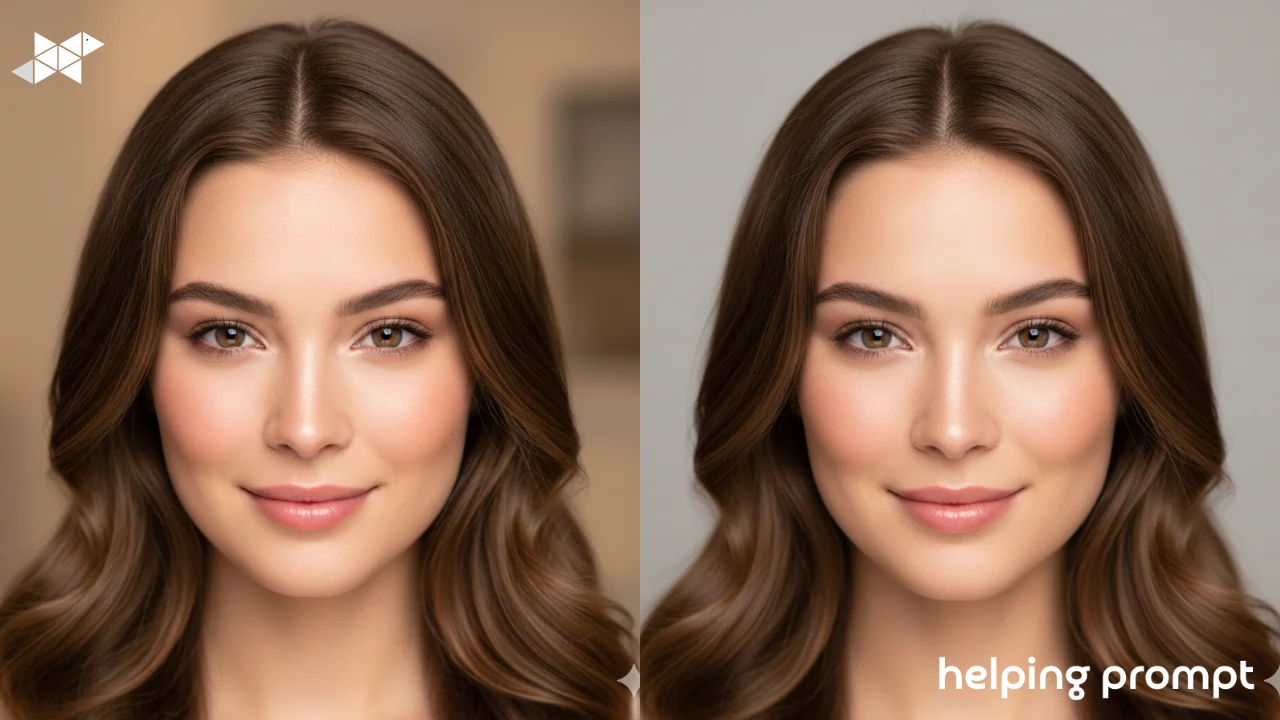
A glow-up doesn’t mean changing who you are. It means polishing what’s already there. Better light. Cleaner skin. Sharper details. The kind of upgrade that makes people say, “You look great-what changed?”
AI filters are perfect for this when used lightly. Most beginners either over-smooth everything or stack too many effects. The best results come from small, intentional tweaks that still keep the face real.
In this article, you’ll discover 9 quick glow-up filter ideas, along with 3 best prompt examples, to create stunning portrait makeovers that look professional, not artificial.
How to Use It
Think of glow-up prompts as digital grooming.
When writing your prompt:
- Aim for clean and natural, not dramatic
- Enhance light, don’t flatten it
- Keep skin texture realistic
- Focus on clarity and balance
If the person still looks like themselves, you’re doing it right.
Below are three beginner-friendly AI filter prompts that deliver a professional glow-up without over-editing.
1. Natural Skin Enhancement Glow
A clean portrait glow-up with soft even lighting. Natural skin texture, gentle brightness, balanced contrast, subtle facial refinement. The result looks fresh, realistic, and professionally polished.
2. Studio Clean Look
A professional-style portrait with smooth but realistic skin, clear facial features, and soft studio lighting. Neutral background, sharp focus, clean and modern glow-up effect.
3. Soft Glam Without Overdoing It
A subtle glam portrait makeover with natural highlights, slightly enhanced eyes, and smooth lighting. Realistic textures, balanced tones, elegant and confident appearance.
Helpful Takeaway
The best glow-ups are quiet ones.
Use AI filters to enhance, not replace. One light tweak to skin, one improvement to lighting, and one clarity boost are usually enough. If your portrait feels clean, confident, and natural-you’ve nailed the pro glow-up.







Leave a Reply