
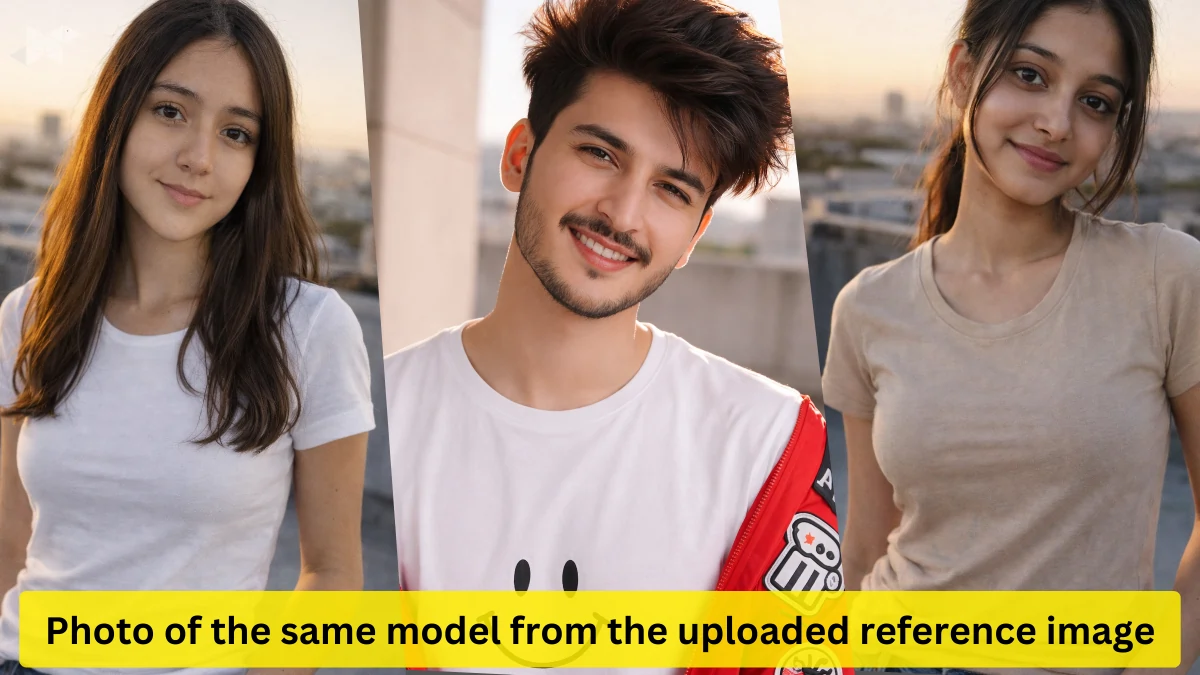
If you’re searching for a photo of the same model from the uploaded reference image, styled in a slim-fit outfit with natural skin pores, peach fuzz, and realistic fabric behavior, you’re not alone. This style of AI image prompt has exploded across Google Discover because it solves a real problem: most AI photos still look too perfect. Plastic skin, fake lighting, and stiff clothes instantly break realism.
This guide shows you how to write high-performance AI prompts that preserve identity, keep textures honest, and deliver that believable smartphone photo look-exactly what creators, marketers, and designers need today.
Why “Photo of the Same Model” Prompts Work So Well on Google Discover
The keyphrase photo of the same model from the uploaded reference image matters because it signals identity consistency. Readers want images that look like real follow-up photos-not AI guesses.
When your prompt includes:
- Natural skin pores
- Peach fuzz and micro-imperfections
- Fabric hugging body contours
- Non-retouched smartphone aesthetics
The result feels human. That’s exactly what Discover favors: content that looks authentic, not overproduced.
Core Prompt Structure for Photo of the Same Model From Uploaded Reference Image
Every successful prompt follows a predictable rhythm. Miss one part, and realism drops.
Must-Have Elements
- Identity lock (same model, same face, same proportions)
- Outfit description (fit, fabric, color)
- Pose (natural, relaxed, unstaged)
- Lighting (golden hour works best)
- Background (urban, everyday locations)
- Camera feel (smartphone, shallow depth)
- Texture preservation (no beauty filters)
Best AI Prompt: Photo of the Same Model With Natural Skin Texture
Photo of the same model from the uploaded reference image, wearing a slim-fit white t-shirt and classic blue jeans.
Preserve exact facial identity, proportions, and body structure.
Capture natural skin pores, peach fuzz, and subtle imperfections.
Fabric should hug the body contours realistically with visible folds and stretch tension.

Pose: relaxed casual street stance, natural posture.
Lighting: warm golden hour sunlight with soft highlights and gentle shadows.
Background: urban rooftop with distant city elements softly blurred.

Smartphone photo style, shallow depth of field, subtle grain, non-retouched look.
Ultra-realistic, candid, everyday photography feel, 8K detail.
Advanced Prompt for Lifestyle Realism and Discover-Style Thumbnails
Create a realistic smartphone photograph of the same model from the uploaded reference image.
Outfit: fitted neutral t-shirt and denim jeans, realistic fabric weight and drape.
Maintain true skin texture with pores, peach fuzz, minor blemishes, no smoothing.

Pose: natural standing pose, slight body lean, relaxed shoulders.
Lighting: late afternoon golden hour, soft rim light.
Background: modern urban rooftop, natural environment depth.

Camera feel: handheld smartphone photo, shallow depth of field, slight motion realism, subtle grain.
No retouching, no beauty filters, authentic human look.
Clean Professional Variant for Portfolio or Brand Use
Photograph of the same model from the uploaded reference image in a slim-fit casual outfit.
Preserve exact identity and facial structure.
Natural skin texture with pores and fine hair visible.

Pose: simple front-facing stance, relaxed expression.
Lighting: balanced daylight with soft shadows.
Background: minimal urban setting.

Smartphone photography style, realistic depth, subtle grain.
Non-retouched, high-resolution realism.
Common Mistakes That Break Realism (Avoid These)
- Overusing words like perfect, flawless, or cinematic
- Forgetting to mention non-retouched skin
- Mixing DSLR and smartphone styles
- Adding dramatic studio lighting to casual outfits
- Ignoring fabric physics
Google Discover readers instantly sense when an image feels fake-even if they can’t explain why.
Why This Prompt Style Performs Well on Google Discover
Discover rewards content that feels:
- Real
- Practical
- Visually honest
- Human-written, not template-generated







Leave a Reply