
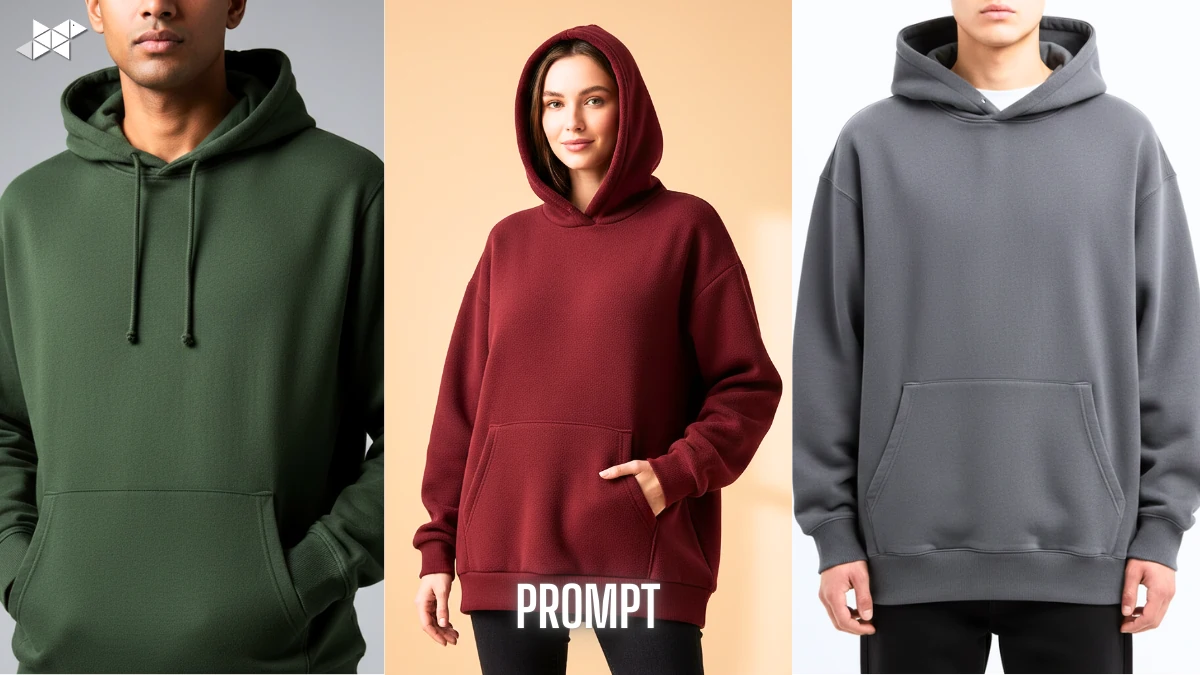
Creating clean hoodie visuals is not easy, especially when you want them to look real and clickable. That’s where Hoodies Ai Photo Maker prompts make a real difference. Instead of random results, the right prompt gives you control, clarity, and consistency.
With tools like Gemini Ai, you can now generate studio-style hoodie images for brands, mockups, or social posts without complex setups.
AI Prompts for Hoodie Model & Cloth Images
Prompt 1
“Create a high-resolution studio photo of a male fashion model wearing a plain cotton hoodie. The hoodie should have a relaxed fit, visible fabric texture, and natural folds around the arms and chest. Use soft diffused lighting, neutral grey background, realistic skin tone, and sharp fabric details. The hoodie colour should be solid with no logo, styled for an Indian streetwear brand look, photographed at chest-level angle.”
Use this for clean catalog-style hoodie images.
Prompt 2
“Generate a realistic image of a female model wearing an oversized hoodie made of thick fleece fabric. The hoodie must show clear ribbed cuffs, structured hood, and smooth stitching. Use natural daylight lighting, minimal shadows, and a soft beige background. The pose should feel casual and confident, suitable for ecommerce and social media previews.”
Ideal for oversized hoodie mockups.
Prompt 3
“Create a front-facing hoodie mockup on a young unisex model with accurate cloth physics. The hoodie fabric should appear soft, matte, and slightly heavy, with visible seams and realistic folds. Use studio lighting, clean white background, and balanced contrast. The overall style should look like a professional fashion shoot, not a digital illustration.”
Best for brand websites and listings.
Prompt 4
“Generate a lifestyle-style image of a hoodie worn by a model standing outdoors in an urban Indian setting. The hoodie should fit naturally with subtle wrinkles and proper hood depth. Use warm lighting, shallow depth of field, and realistic colour tones. The focus should remain on the hoodie fabric and fit while keeping the background softly blurred.”
Useful for lifestyle and ad creatives.
Prompt 5
“Create a close-up hoodie photo showing fabric texture, stitching quality, and hood structure while worn by a model. The image should look like a professional product shoot with soft shadows, realistic cloth folds, and natural skin tones. Avoid logos and patterns. Maintain sharp details suitable for zoomed ecommerce views.”
Perfect for detail-focused product pages.
Model + Cloth Accuracy Makes the Image Clickable
When a hoodie sits naturally on a model, people trust the image more.
Therefore, prompts should balance both human posture and clothing texture.
Mentioning body angle, lighting, and background helps Gemini Ai avoid flat or cartoon-like results.
Quick Tips for Better Hoodie AI Results
- Start prompts with fabric type and fit to guide the AI clearly.
- Add lighting style early to avoid flat images.
- Keep backgrounds simple for better Discover visibility.
- Avoid too many style words in one prompt.
- Test one change at a time for consistent outputs.
Why Hoodie-Focused AI Prompts Matter
Hoodies are all about fit, fabric, and fall.
However, generic fashion prompts often miss these details.
A hoodie-specific prompt clearly tells the AI about fabric thickness, hood shape, ribbing, and drape. As a result, the output looks closer to a real product shoot.
Where These Hoodie Prompts Work Best
These prompts are useful for D2C brands, print-on-demand sellers, designers, and even bloggers.
Moreover, they work well for catalog images, Instagram posts, thumbnails, and landing pages.
Clean visuals often increase scroll-stopping power on Google Discover.
Strong hoodie visuals come from clear prompts, not guesswork.
When written properly, these prompts help Gemini Ai deliver realistic, usable images that feel professionally shot.







Leave a Reply