
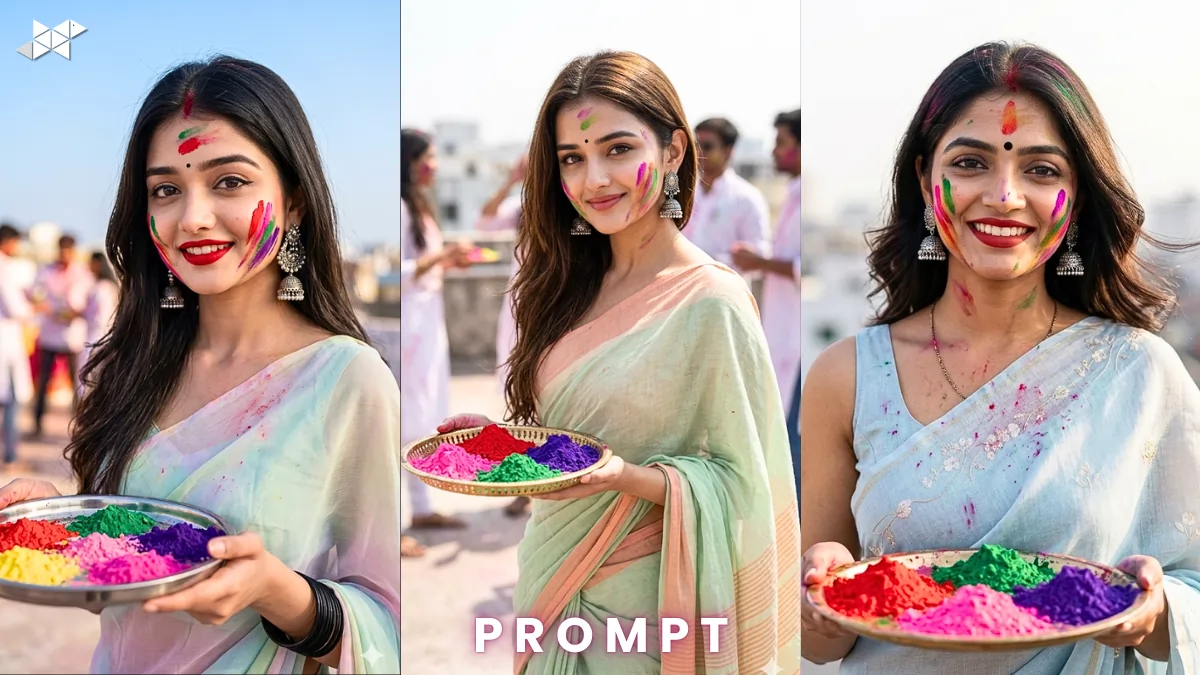
Want a Holi photo that actually looks DSLR-shot and festival-ready?
Most AI images feel flat or over-edited. However, with the right prompt in ChatGPT or any AI image tool, you can create a vibrant, ultra-realistic Holi close-up that feels alive.
Here’s a practical, step-by-step guide – plus copy-paste prompts – to generate a stunning 8K Holi portrait with authentic Indian details.
AI Prompt 1: Soft Smile Close-Up Pose:
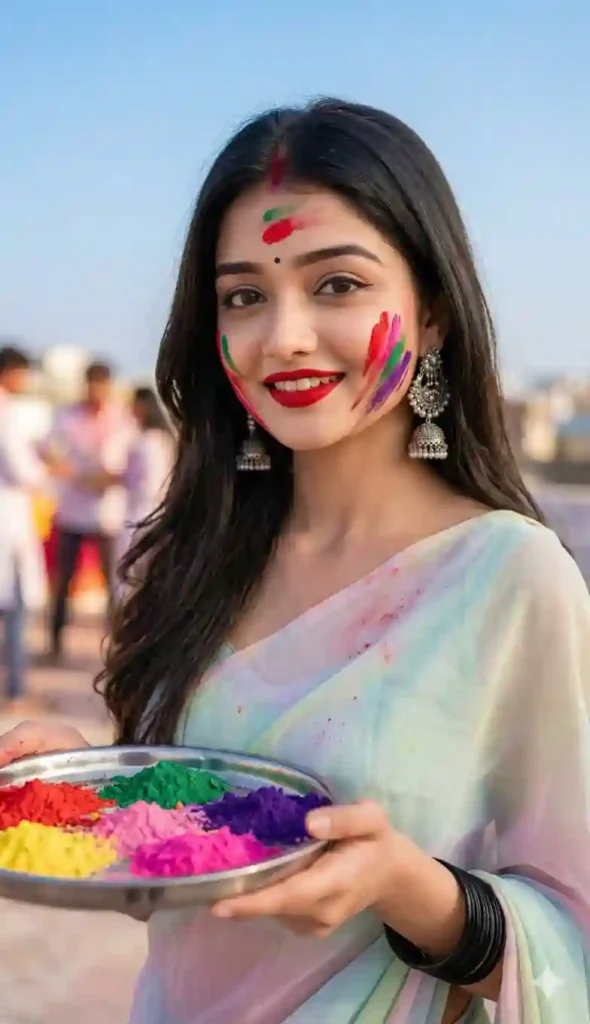
Prompt in Quote:
“Ultra-realistic 8K DSLR close-up portrait of a young Indian woman celebrating Holi, softly smiling while holding a traditional thali filled with red, pink, green, and purple gulal. Natural color streaks on cheeks and forehead, small black bindi, bold red lipstick, detailed silver jhumkas. Wearing a pastel saree. Blurred rooftop background, soft natural daylight, shallow depth of field, sharp facial focus, cinematic lighting, vibrant festive mood, highly detailed skin texture, professional photography style.”
Why this works: Perfect balance of cultural detail, lighting, and realism.
Best Use Case: Instagram post, WhatsApp DP, festive profile photo.
AI Prompt 2: Side-Angle Festive Glow Pose:
Prompt in Quote:
“Ultra-realistic 8K DSLR portrait of a young Indian woman celebrating Holi, captured from a slight side angle while gently looking toward the camera. Holding a decorative thali with red, pink, green, and purple colors. Soft gulal streaks on forehead and cheeks, black bindi, red lipstick, silver jhumkas, pastel saree flowing naturally. Warm daylight glow, blurred rooftop terrace background, shallow depth of field, sharp focus on eyes, natural skin tones, vibrant festive atmosphere, high-detail professional photography.”
Why this works: Adds depth and cinematic emotion through angle variation.
Best Use Case: Instagram story, Snapchat snap, Holi status.
AI Prompt 3: Confident Festive Portrait Pose:
Prompt in Quote:
“Ultra-realistic 8K DSLR close-up of a young Indian woman during Holi festival, standing confidently while holding a thali of red, pink, green, and purple gulal. Subtle yet vibrant color marks on cheeks and forehead, defined black bindi, matte red lipstick, intricate silver jhumkas. Wearing a soft pastel saree, gentle breeze effect. Rooftop background softly blurred, bright but diffused daylight, shallow depth of field, ultra-sharp focus, realistic skin details, lively festive mood.”
Why this works: Blends confidence with tradition for a powerful portrait feel.
Best Use Case: Portrait reel cover, festive campaign creative, display picture.
Quick Tips for Better AI Results:
- Use natural light terms like “soft daylight” or “diffused sunlight” for realism.
- Mention camera style such as “DSLR” or “shallow depth of field” for professional output.
- Keep expressions subtle, because over-smiling can look artificial.
- Specify skin texture details to avoid plastic-like results.
- Add cultural elements clearly, including bindi, jhumkas, and saree color tone.
Small wording changes can significantly improve final image quality.
Conclusion:
A detailed, structured prompt transforms an average Holi image into a stunning 8K portrait. Focus on lighting, authenticity, and emotion for the best results.
Use the prompts above, adjust slightly if needed, and generate festival-ready visuals instantly.
1. Best lighting for Holi AI?
Soft daylight works best.
2. Why mention DSLR in prompt?
It improves depth and realism.
3. How to make it look real?
Add texture and natural details.







Leave a Reply