Giant Selfie AI Prompt Bundle: Create Hyper-Realistic Photos
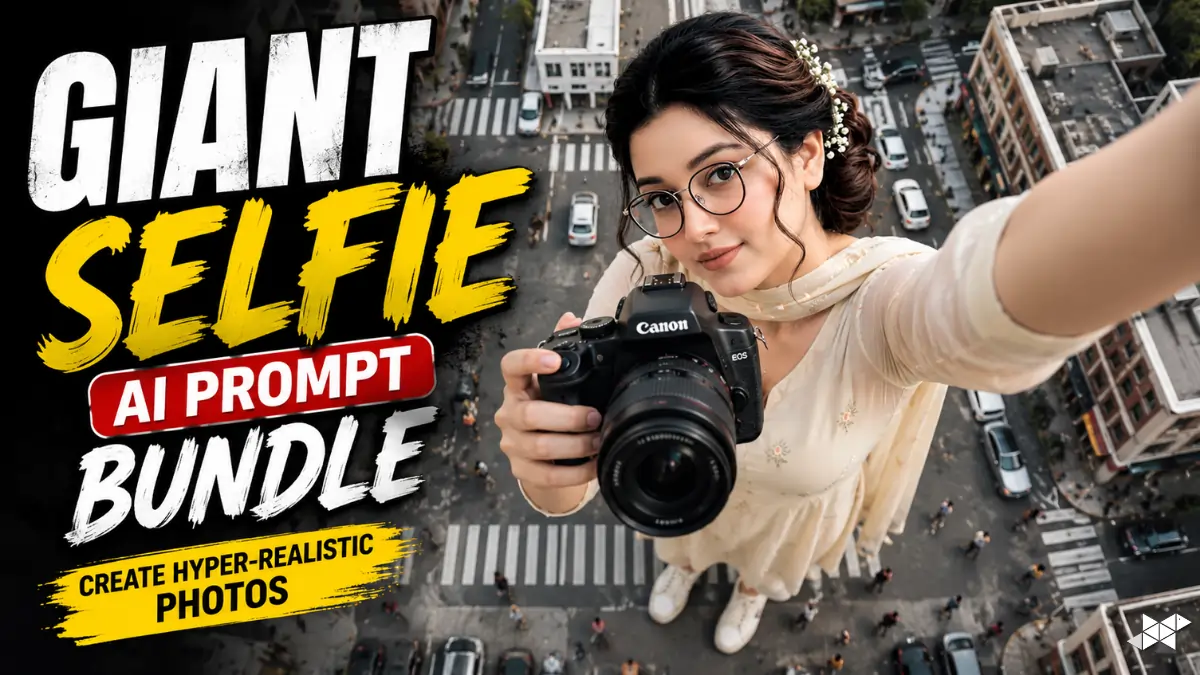
This Giant Selfie AI Prompt helps create dramatic forced-perspective images with realistic identity preservation.
Perfect for creators using ChatGPT, Gemini, Midjourney, Gemini, Leonardo AI, DALL·E, Ideogram AI, Krea AI.
Copy the prompts below and create your next viral cinematic AI masterpiece.
Giant Selfie AI Prompt for Hyper-Realistic Urban Photography
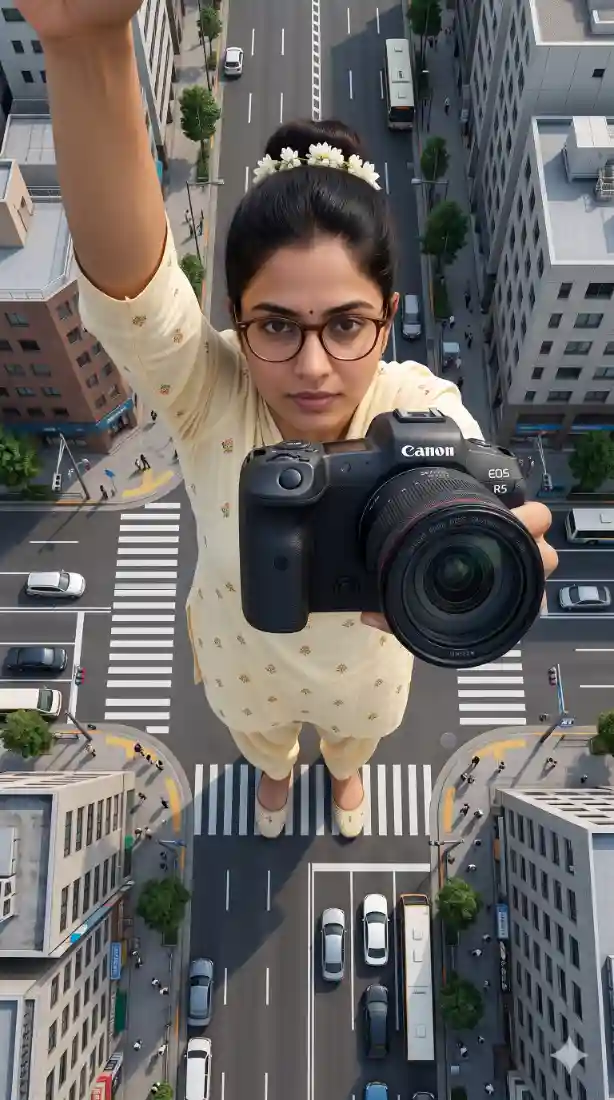
{
  "type": "image_generation_prompt",
  "language": "en",
  "style": "hyper-realistic cinematic selfie photography",
  "aspect_ratio": "9:16",
  "identity_preservation": {
    "use_reference_image": true,
    "strict_identity_lock": true,
    "alter_face": false,
    "alter_skin": false,
    "alter_hair": false,
    "alter_gender": false,
    "notes": "Preserve identical facial features, skin texture, hair, glasses, age, and gender from the uploaded reference image. No synthetic skin or sculptural look."
  },
  "subject": {
    "gender": "female",
    "capture_method": "selfie taken by the subject herself",
    "pose": {
      "selfie_arm": {
        "description": "one arm fully straight and completely extended upward holding the camera that takes the selfie",
        "visibility": "arm clearly visible, straight and dominant in frame",
        "camera_visibility": "the selfie camera device itself must NOT be visible in the frame"
      },
      "product_arm": {
        "description": "the other arm fully extended toward the camera holding the attached Canon camera",
        "importance": "product is closest to the camera and visually dominant"
      },
      "head": {
        "tilt": "slightly tilted toward the selfie camera"
      },
      "expression": "natural and relaxed facial expression"
    },
    "body_visibility": "full body visible from head to toe",
    "feet": "feet clearly touching the road surface"
  },
  "composition": {
    "perspective": "natural selfie perspective at chest height",
    "camera_angle": "extreme top-down angle, camera above the subject looking directly downward",
    "layer_depth": [
      "product (closest to camera)",
      "face",
      "full body",
      "city environment (background)"
    ]
  },
  "scale_and_perspective": {
    "effect": "forced perspective",
    "subject_scale": "the woman appears extremely giant",
    "buildings_scale": "buildings appear much smaller, reaching no higher than her knees",
    "dominance": "the subject visually dominates the entire scene",
    "realism": "inspiring scale while remaining physically believable"
  },
  "environment": {
    "location": "real urban intersection",
    "elements": [
      "pedestrian crosswalk",
      "road markings",
      "traffic signs",
      "cars",
      "bicycles",
      "pedestrians at realistic human scale"
    ],
    "setting": "ground-level urban environment"
  },
  "lighting": {
    "type": "natural daylight",
    "conditions": "clear or lightly cloudy sky",
    "shadows": "soft and realistic",
    "restrictions": "no fantasy or dramatic lighting"
  },
  "product_rules": {
    "usage": "use the uploaded Canon product exactly as provided",
    "distortion": "none",
    "logo": "unchanged",
    "appearance": "natural reflections and realistic highlights only"
  },
  "camera_quality": {
    "realism": "maximum photorealism",
    "depth": "clear separation of foreground, subject, and background",
    "artifacts": "none"
  },
  "constraints": [
    "No AI-art look",
    "No plastic or sculpted skin",
    "No distortion of face or body",
    "No extra limbs or incorrect anatomy",
    "No text or watermarks",
    "No visible selfie camera device"
  ],
  "output_goal": "Create a hyper-realistic cinematic selfie image of a woman using her exact reference identity, captured from an extreme top-down perspective in a real urban crosswalk, with forced perspective scale, natural daylight, and a Canon camera product prominently held toward the lens."
}
How To Create Giant Selfie AI Prompt
- How do I preserve the original face?
Enable identity lock and use a high-quality reference photo with the Giant Selfie AI Prompt.
- Which aspect ratio works best?
Use 9:16 for mobile-friendly cinematic compositions and social media content.
- How can I improve realism?
Use natural daylight, realistic environments, and avoid artistic filters while using the Giant Selfie AI Prompt.
Quick Settings Guide
- Aspect Ratio: 9:16
- Style: Hyper-Realistic Cinematic
- Camera Angle: Extreme Top-Down
- Identity Lock: Enabled
- Lighting: Natural Daylight
- Product: Canon Camera
- Skin: Natural Texture
- Forced Perspective: Enabled
- Face Editing: Disabled
Pro Tips
- Use a high-resolution reference photo for accurate identity.
- Keep natural daylight for realistic shadows.
- Avoid additional style filters to preserve realism.
Final Thoughts
The Giant Selfie AI Prompt combines cinematic photography, realistic identity preservation, and creative forced perspective into one powerful concept that stands out across today’s AI image trends. Because AI models continue improving rapidly, prompts built around realistic lighting, accurate anatomy, and natural textures deliver consistently better results.
Try different urban environments, camera heights, and product placements while keeping the identity lock enabled for maximum realism. Small prompt adjustments often create dramatically different compositions, making experimentation both fun and rewarding.
Save your favorite prompt versions, refine them over time, and build your own collection of cinematic AI photography templates. If you enjoy creating realistic AI visuals, bookmark this guide and return whenever you want fresh, professional-quality results.
FAQs
It creates realistic oversized selfie scenes using forced perspective while preserving the subject’s natural appearance.
Most advanced image models support Giant Selfie AI Prompt with identity reference and realistic lighting controls.
Yes. Simply copy the prompt, upload a reference image, and generate your cinematic result.
Bundle: Giant selfie photos are becoming one of the fastest-growing AI image trends.