
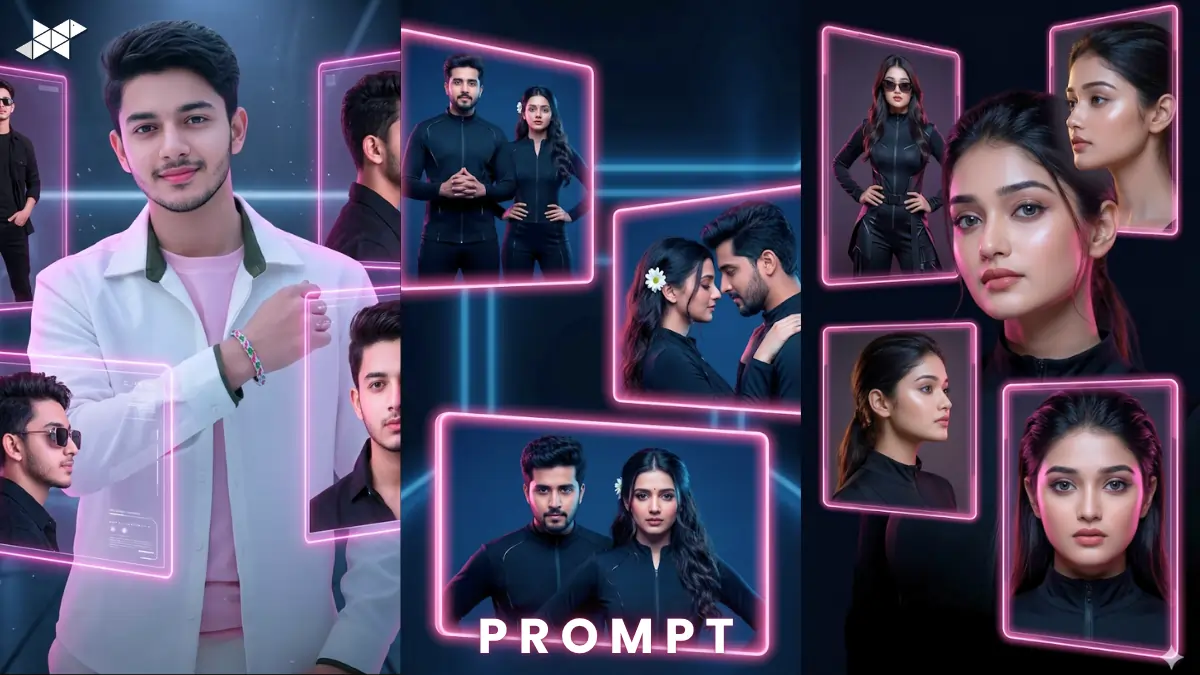
AI portraits are trending across social media right now.
Creators use tools like ChatGPT, Midjourney, and Gemini daily.
This futuristic portrait AI prompt helps you stand out instantly.
It creates ultra-realistic 22K neon visuals with perfect face match.
Futuristic Portrait AI Prompt
Male Concept Prompt
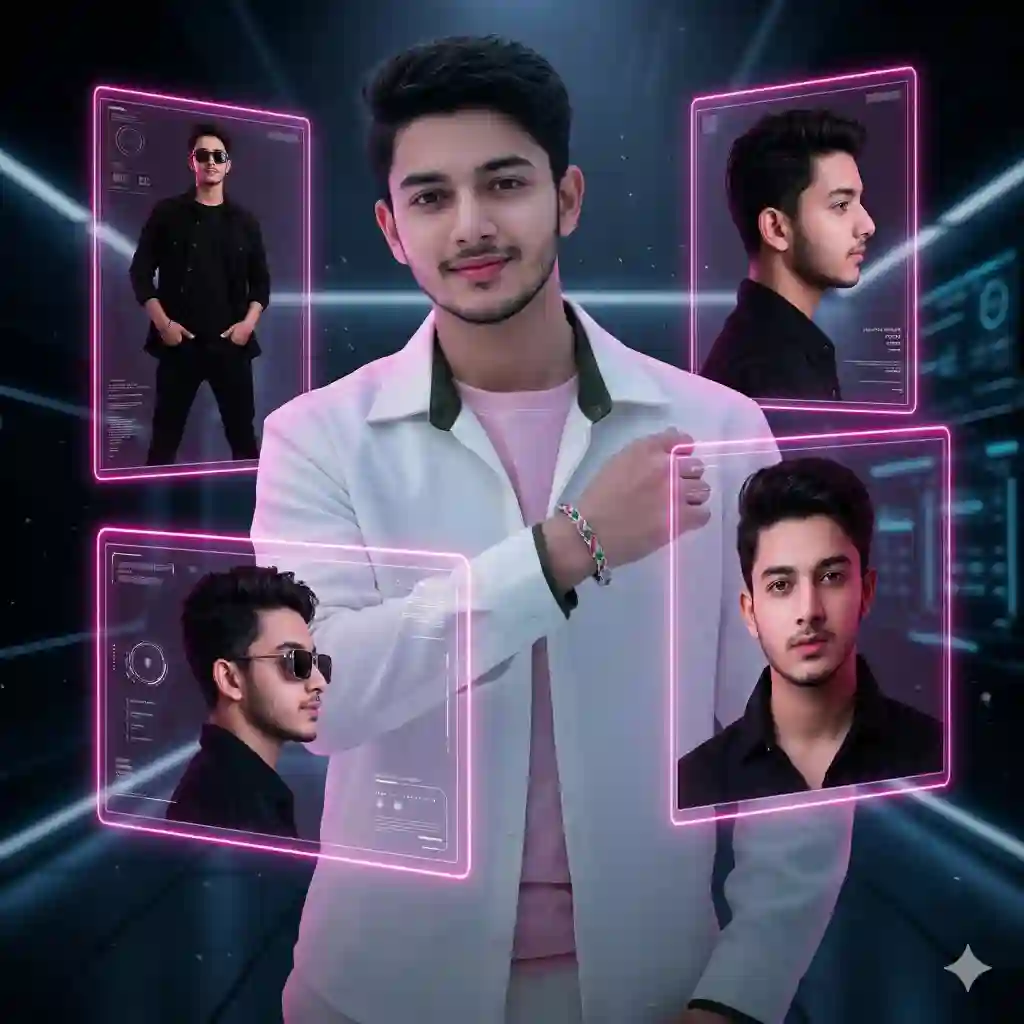
Ultra-realistic 22K UHD futuristic portrait, neon black background, three glowing pink-edge rectangular boxes floating in air, exact face match from uploaded image, same hairstyle, beard, skin texture preserved, Box 1: confident standing pose wearing stylish black outfit and box sunglasses, Box 2: cool side pose with soft expression, Box 3: bold front pose with intense gaze, cinematic lighting, volumetric glow, sharp focus, hyper-detailed skin texture, 85mm lens, shallow depth of field, studio reflections, modern fashion poster style, ultra HD, 8K realism, dramatic shadows
Female Concept Prompt
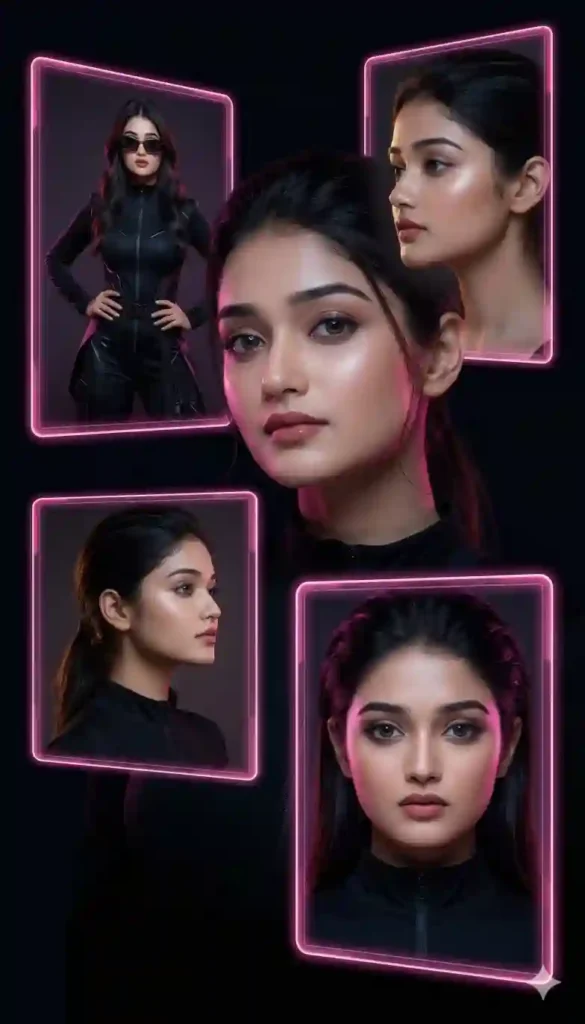
Ultra-realistic 22K UHD futuristic portrait, neon black background, three glowing pink-edge floating frames, exact face match from uploaded image, natural skin texture preserved, Box 1: confident fashion pose in black outfit with stylish sunglasses, Box 2: elegant side pose with soft lighting, Box 3: bold front look with high fashion expression, cinematic lighting, soft glow, 85mm lens, shallow depth of field, glossy skin detail, high-end fashion magazine style, ultra HD, 8K clarity, rich textures
Couple Concept Prompt
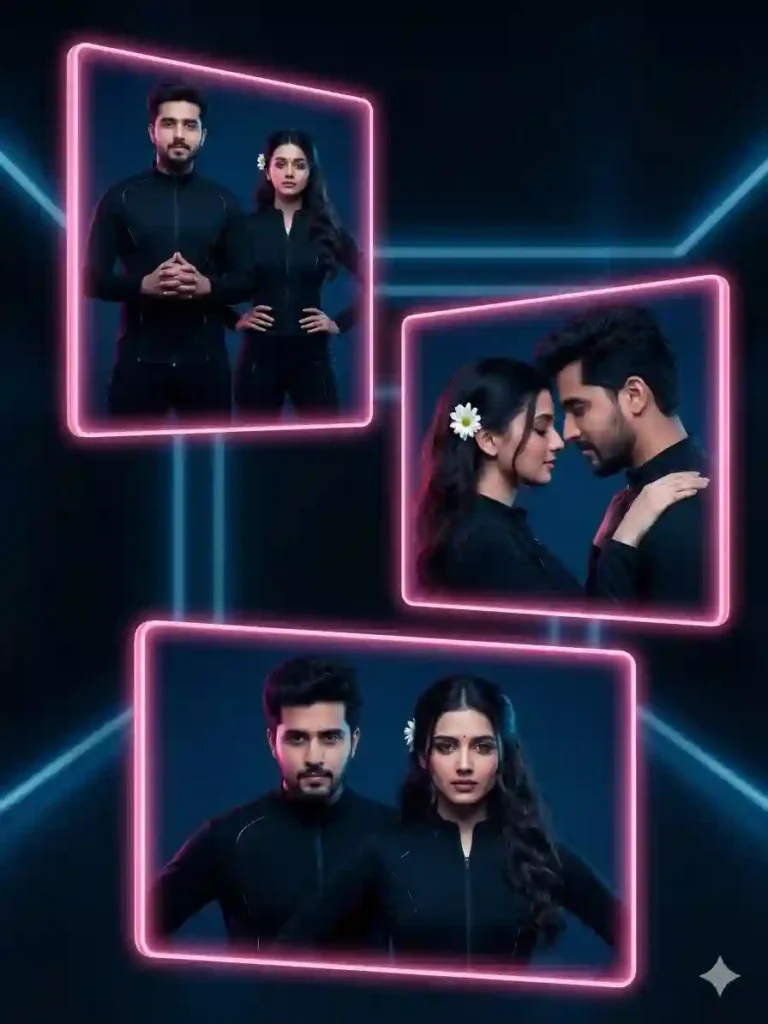
Ultra-realistic 22K UHD futuristic couple portrait, neon black background, three glowing pink rectangular frames floating, exact face match for both subjects, natural skin tones preserved, Box 1: confident standing pose together in black outfits, Box 2: side pose with emotional connection, Box 3: bold front pose with strong expressions, cinematic lighting, volumetric glow, 85mm lens, shallow depth of field, ultra-detailed textures, luxury fashion poster style, 8K realism, dramatic contrast
How to Use Futuristic Portrait AI Prompt
- How do I start?
Upload your image and paste the prompt into Midjourney or similar AI tool.
- Which AI tools work best?
Use Midjourney, Leonardo AI, or Stable Diffusion for best results.
- How to get exact face match?
Enable face reference or image weight settings in your AI tool.
Quick Settings
• Aspect ratio: 1:1 or 4:5
• Stylize: 250–500
• Quality: High / 2
• Negative prompts: blurry, low quality, distorted face, extra limbs
Pro Tips
• Use high-resolution images for better face accuracy
• Add “photorealistic skin texture” for sharper output
• Slightly adjust lighting keywords for unique mood
FAQs
Yes, just copy, paste, and upload your photo.
Yes, most AI tools support mobile usage smoothly.
Increase quality settings and refine lighting keywords.
Conclusion
AI portraits are evolving fast, and this style leads the trend.
Try this futuristic prompt and create stunning visuals today.
Start now and turn your photos into next-level digital art



Leave a Reply