
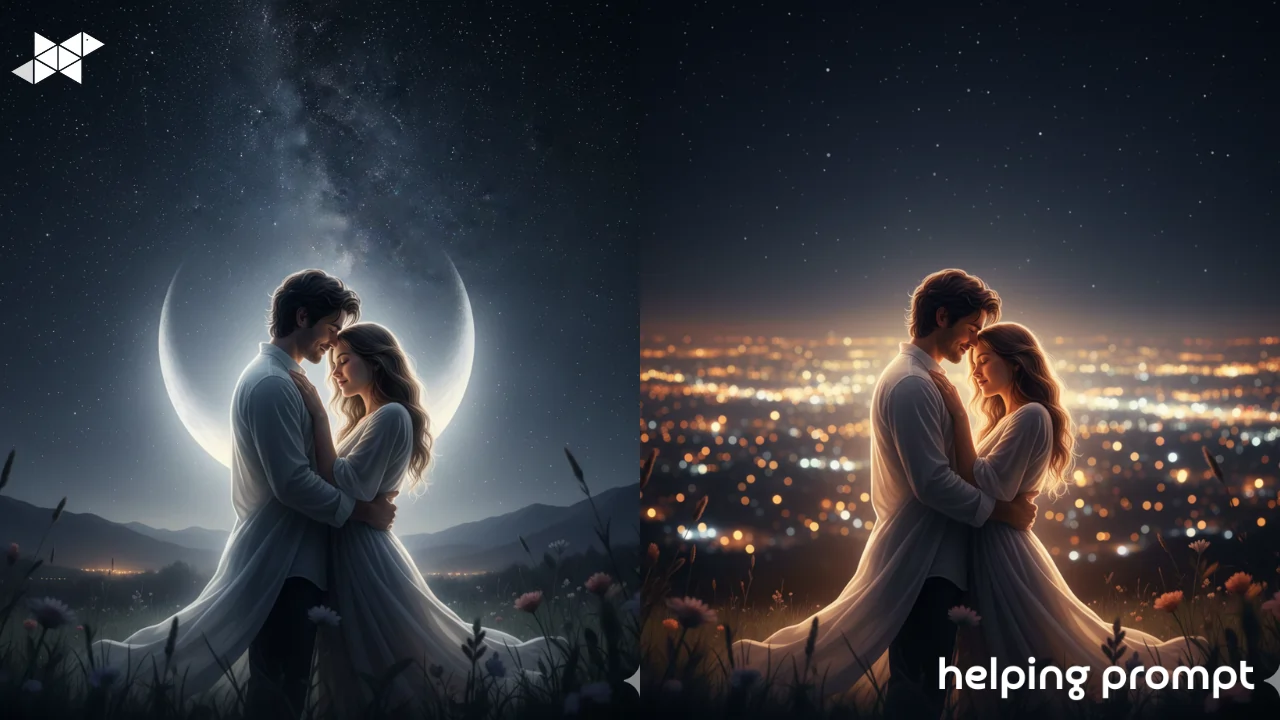
Nighttime couple photos have a charm of their own. Fewer distractions, softer moments, and emotions that feel a little deeper under the stars. But low light can be tricky, and that magic doesn’t always show up in the original photo.
That’s where AI editing helps. With the right prompt, you can bring out moonlight, gentle glows, and a dreamy night atmosphere without making the scene look fake.
In this guide, you’ll explore 4 night-themed editing ideas, plus 3 best AI prompt examples, explained simply so beginners can create romantic nighttime couple edits with ease.
How to Use It
Night edits work best when they stay soft and controlled.
When writing your AI prompt:
- Add one main light source (moon, streetlight, stars)
- Keep faces gently lit, not overly bright
- Use cool or neutral tones with a touch of warmth
- Let the background stay dark and calm
The contrast between light and darkness is what makes nighttime photos feel romantic.
Here are three beginner-friendly AI prompts for magical nighttime couple edits.
1. Starry Romantic Moment
A romantic nighttime couple portrait under a star-filled sky. Soft moonlight illuminates the couple, gentle glow around their faces, realistic skin texture, dreamy and intimate mood.
2. City Night Love Glow
A nighttime couple photo with soft city lights in the background. Warm highlights on the couple, dark surroundings, balanced contrast, cinematic and romantic atmosphere.
3. Quiet Night Kiss Scene
A soft nighttime couple portrait capturing a tender kiss. Gentle lighting, subtle glow, dark background, emotional and peaceful mood, realistic details.
Helpful Takeaway
Nighttime couple edits shine when they stay gentle and emotional.
Use AI to add soft light, a calm night mood, and subtle highlights-nothing more. One light source, one emotion, and one quiet moment are enough to turn dark photos into magical memories.







Leave a Reply