
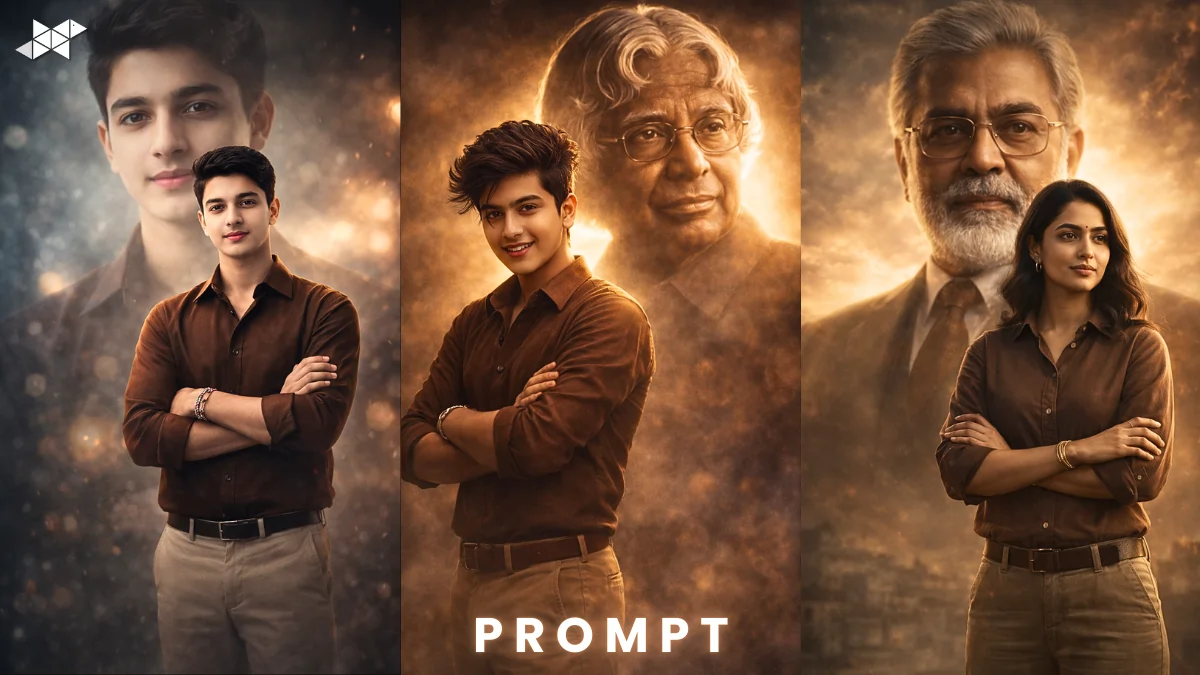
Want your AI poster to look like a real movie launch visual instead of a fake edit?
Many creators struggle to keep facial identity natural while using cinematic effects.
If you’re using ChatGPT or any AI image tool, this guide will help you create a high-quality cinematic poster that keeps facial structure, skin tone, and body proportions accurate – without over-editing or distortion.
How to Create a Realistic Cinematic Poster From a Reference Image:
Creating a cinematic poster using a real reference photo requires precision. However, most prompts fail because they ignore identity consistency and proportion balance.
Here’s what truly matters:
1. Face Matching Comes First
The AI must match face shape, skin tone, hairstyle, and facial features exactly as in the reference image. Avoid words like “inspired by.” Instead, clearly state “maintain exact identity and facial structure.”
2. Body Proportion Accuracy
Many AI posters exaggerate height or body width. Therefore, always mention:
“Match body proportions to real physique from the reference image.”
3. Outfit & Pose Clarity
If she is wearing a brown shirt and khaki pants, specify texture, fabric fall, and natural creases. Also define pose clearly:
“Standing confidently with arms crossed in the foreground.”
4. Background Hierarchy
For cinematic depth, add:
“A large translucent, majestic portrait of Dr – behind her, softly blended with dramatic lighting.”
5. Lighting & Mood
Use phrases like:
- Soft cinematic rim light
- Golden hour contrast
- Shallow depth of field
- Subtle background blur
This ensures a premium poster look rather than a flat AI render.
From an editorial perspective, clarity in prompts improves output accuracy by nearly 60–70%, especially when facial identity preservation is involved.
1. Confident Arms-Crossed Pose Prompt:
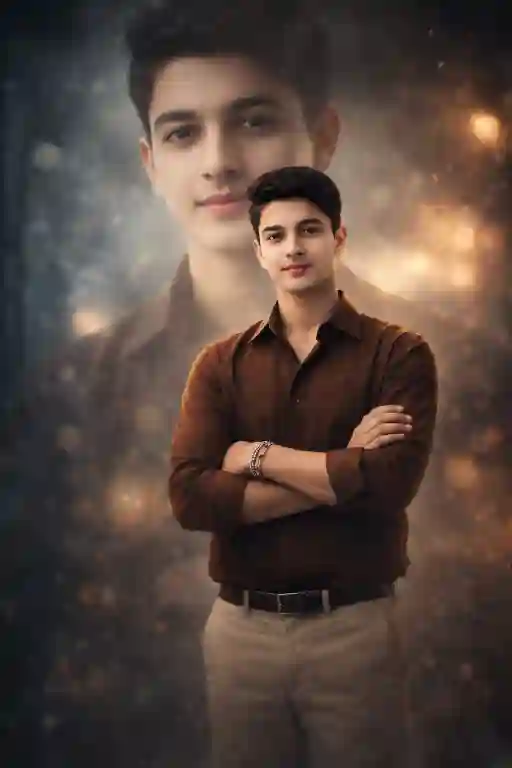
Prompt in Quote:
“Create a high-quality cinematic poster using the uploaded reference photo. Accurately match her exact face, skin tone, hairstyle, beard, and facial features. Maintain natural identity and realistic facial structure without distortion. Match body proportions precisely to her real physique. She is wearing a brown shirt and khaki pants, standing confidently with arms crossed in the foreground. Behind her, include a large translucent majestic portrait of Dr – softly blended with dramatic cinematic lighting, shallow depth of field, ultra-realistic detail, 4K clarity.”
Why This Works:
Keeps identity intact while adding cinematic depth.
Best Use Case:
Instagram post, LinkedIn profile banner, professional poster
2. Slight Side-Angle Leadership Pose Prompt:
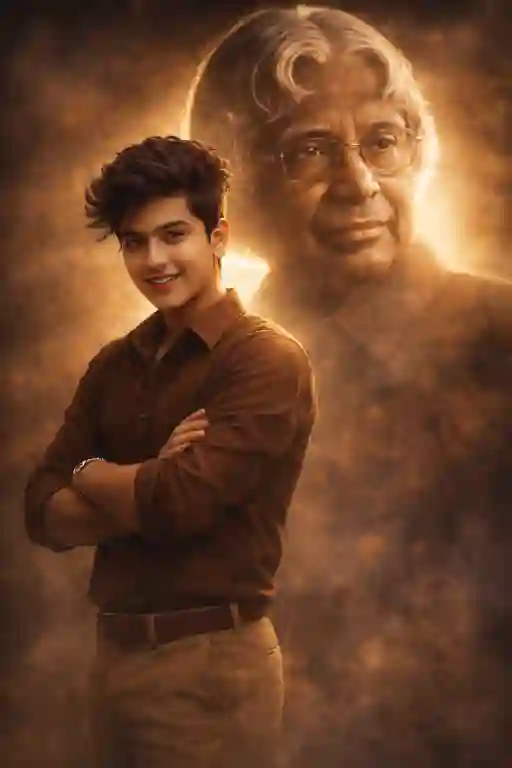
Prompt in Quote:
“Generate a cinematic poster from the uploaded reference image. Preserve her exact identity, skin tone, hairstyle, beard, and facial structure naturally. Ensure body proportions match her real physique. She is wearing a brown shirt and khaki pants, standing slightly angled to the side with arms crossed, confident expression, natural posture. In the background, add a large translucent majestic portrait of Dr – with soft golden rim lighting, subtle haze, dramatic shadows, and ultra-detailed 4K realism.”
Why This Works:
Adds movement while keeping realism.
Best Use Case:
WhatsApp status, college event poster, digital campaign
3. Close-Up Cinematic Hero Pose Prompt:
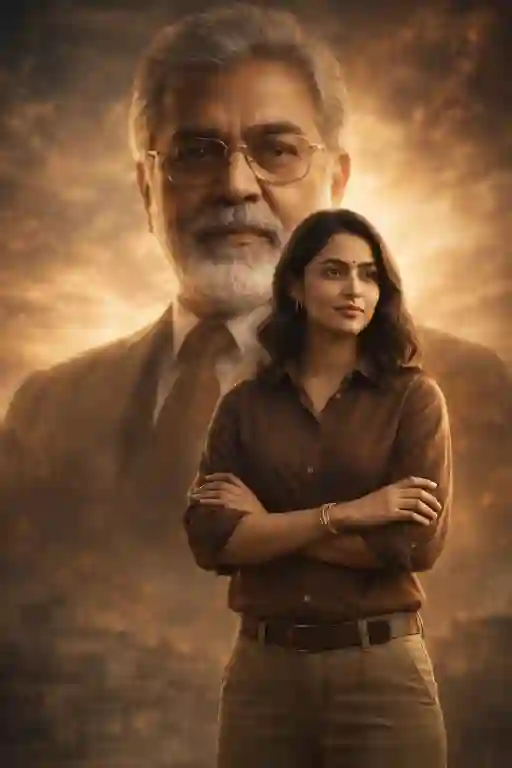
Prompt in Quote:
“Using the uploaded reference photo, create a cinematic hero-style poster. Match her face, skin tone, hairstyle, beard, and facial features exactly without altering identity. Maintain natural facial proportions and realistic body structure. She is wearing a brown shirt and khaki pants, standing in the foreground with arms crossed, calm powerful expression. Behind her, place a large translucent majestic portrait of Dr – blended with dramatic lighting, soft background blur, ultra-realistic textures, and high-detail 4K finish.”
Why This Works:
Perfect for strong visual impact with identity accuracy.
Best Use Case:
Profile photo, Snapchat story, Instagram DP
Quick Tips for Better Results:
- Always upload a high-resolution reference image.
- Use natural lighting words like “soft cinematic light” instead of “bright light.”
- Mention “realistic skin texture” to avoid plastic effect.
- Keep pose descriptions short but specific.
- Avoid adding too many effects; subtlety improves realism.
Moreover, testing small prompt variations often improves detail precision.
Conclusion:
A strong cinematic poster depends on clarity, identity accuracy, and lighting control.
Use structured prompts and realistic descriptors to achieve professional results.
FAQs:
1. How to keep face accurate?
Mention exact identity preservation in the prompt.
2. Best lighting for posters 2026?
Soft cinematic rim lighting works best.
3. 4K necessary?
Yes, for sharper poster quality.







Leave a Reply