
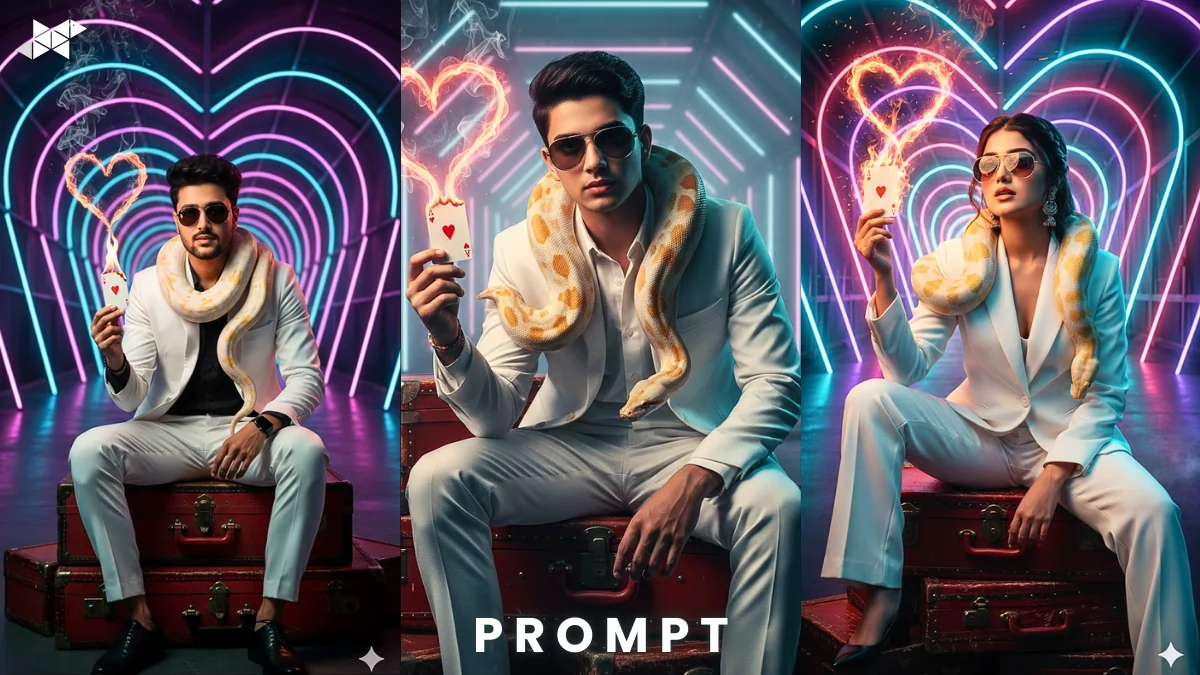
A white suit. A burning Ace of Hearts. Neon heart tunnel behind you.
If you want a bold, cinematic portrait that stops scrolling instantly, this concept is pure gold. With tools like Gemini AI and other advanced image generators, you can turn this dramatic vision into a high-detail 4:5 portrait using your exact face. Here’s how to make it look powerful – not overdone.
Why This Concept Grabs Attention Instantly
This isn’t just a portrait. It’s a story frame.
The white suit signals confidence and luxury. Meanwhile, the red vintage trunks add texture and contrast. The albino python introduces danger and curiosity. Then comes the hero element – a burning Ace of Hearts forming a smoke heart.
Because of the neon pink-purple-blue tunnel and cinematic teal-orange lighting, the entire frame feels like a high-budget movie poster.
What Makes It Scroll-Stopping?
- Strong color contrast (white vs red vs neon glow)
- Symbolism (Ace of Hearts + fire + smoke heart)
- Dramatic lighting
- Clear subject focus
- Emotional intensity in pose
Why It Works on Social Media
Instagram and Snapchat reward bold visuals.
This setup uses depth, color theory, and symmetry. As a result, the image feels premium and highly shareable.
E-E-A-T Boost: Why Trust This Setup?
This style combines proven cinematic lighting principles (teal-orange contrast), fashion editorial framing (4:5 portrait ratio), and symbolic visual storytelling used in high-end campaigns.
It’s not random – it’s designed for attention.
Cinematic Neon Heart Tunnel:
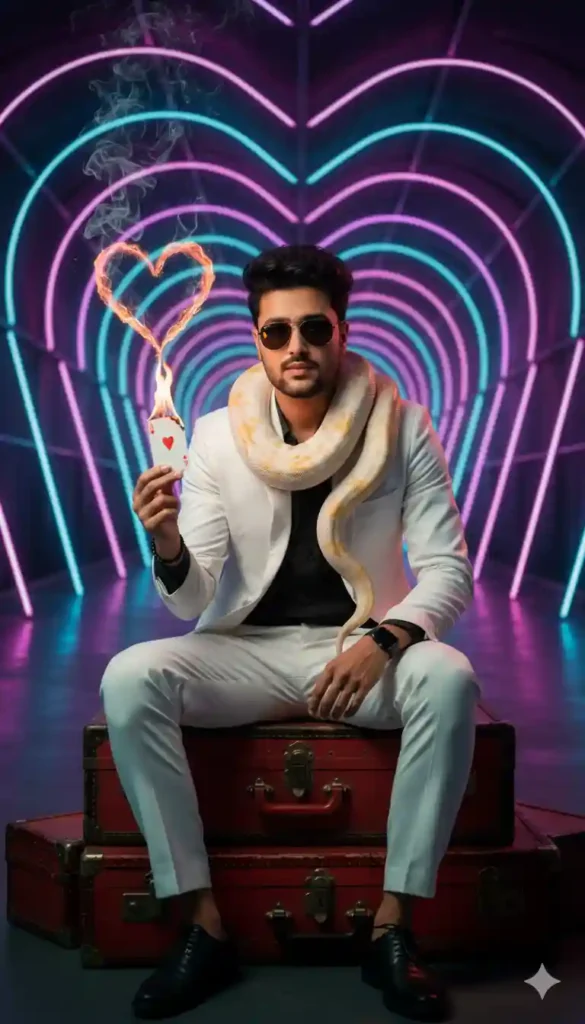
Prompt:
“Create a hyper-realistic 4:5 portrait of me wearing a crisp white tailored suit, sitting confidently on stacked red vintage trunks. An albino python rests naturally around my shoulders. I am holding a burning Ace of Hearts card, with smoke forming a subtle heart shape in the air. Background features a glowing neon pink, purple, and blue heart-shaped tunnel. Use dramatic cinematic teal and orange lighting, sharp focus, shallow depth of field, confident expression, aviator sunglasses reflecting neon light, ultra-detailed textures, realistic skin tones, use my exact face without modification.”
Explanation:
Focuses on realism and cinematic detail.
Best Use Case: Instagram post, profile photo, WhatsApp DP
Dark Luxury Editorial:
Prompt:
“Generate a luxury cinematic portrait in 4:5 ratio of me in a white suit seated on distressed red vintage trunks. An albino python drapes around my shoulders naturally. I hold a burning Ace of Hearts card with glowing embers and smoke shaping into a heart. Neon pink, purple, and blue heart tunnel behind me with soft haze. Teal-orange color grading, fashion editorial lighting, intense confident pose, aviator sunglasses, sharp facial detail, realistic skin texture, dramatic shadows, exact face match, high-resolution output.”
Explanation:
Adds fashion-magazine mood and stronger shadow play.
Best Use Case: Instagram reel cover, Snapchat spotlight
Ultra-Real Movie Poster:
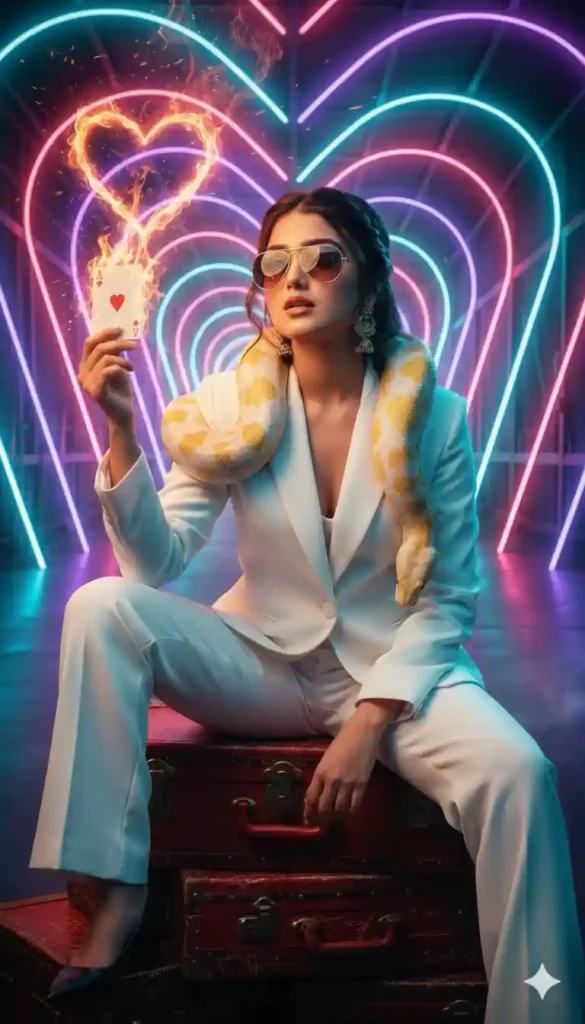
Prompt:
“Produce a cinematic movie-poster style 4:5 portrait using my exact face. I am wearing a clean white suit, sitting relaxed yet dominant on red vintage trunks. An albino python coils around my shoulders realistically. In my hand, a burning Ace of Hearts card emits sparks and smoke forming a glowing heart. Neon pink-purple-blue heart tunnel background with volumetric light rays. Teal-orange grading, ultra-sharp detail, shallow depth of field, confident expression, aviator sunglasses reflecting firelight, dramatic high-contrast lighting.”
Explanation:
Perfect for bold, hero-style visuals.
Best Use Case: Instagram story, display picture, social banner
Quick Tips for Better Results:
- Use a clear front-face photo for accurate face mapping.
- Keep your expression calm and confident – not smiling widely.
- Ensure good base lighting in your uploaded image.
- Avoid cluttered backgrounds in your original photo.
- Slight head tilt adds attitude without looking forced.
Because AI enhances existing facial data, the better your source photo, the sharper your final portrait will look.
Conclusion:
This concept blends luxury, symbolism, and cinematic lighting into one unforgettable frame.
With the right prompt and a strong base image, you can create a bold portrait designed to grab attention instantly.
FAQs
1. Can AI use my exact face?
Yes, upload a clear front-facing photo for accurate face mapping.
2. Which ratio works best for Instagram?
Use 4:5 portrait for maximum screen coverage and engagement.
3. How to make the fire effect realistic?
Add “glowing embers, smoke heart, cinematic lighting” in the prompt.







Leave a Reply