AI Photo Annotation Prompt With Glassmorphism Spotify UI
AI image editing prompts are trending across creative communities right now.
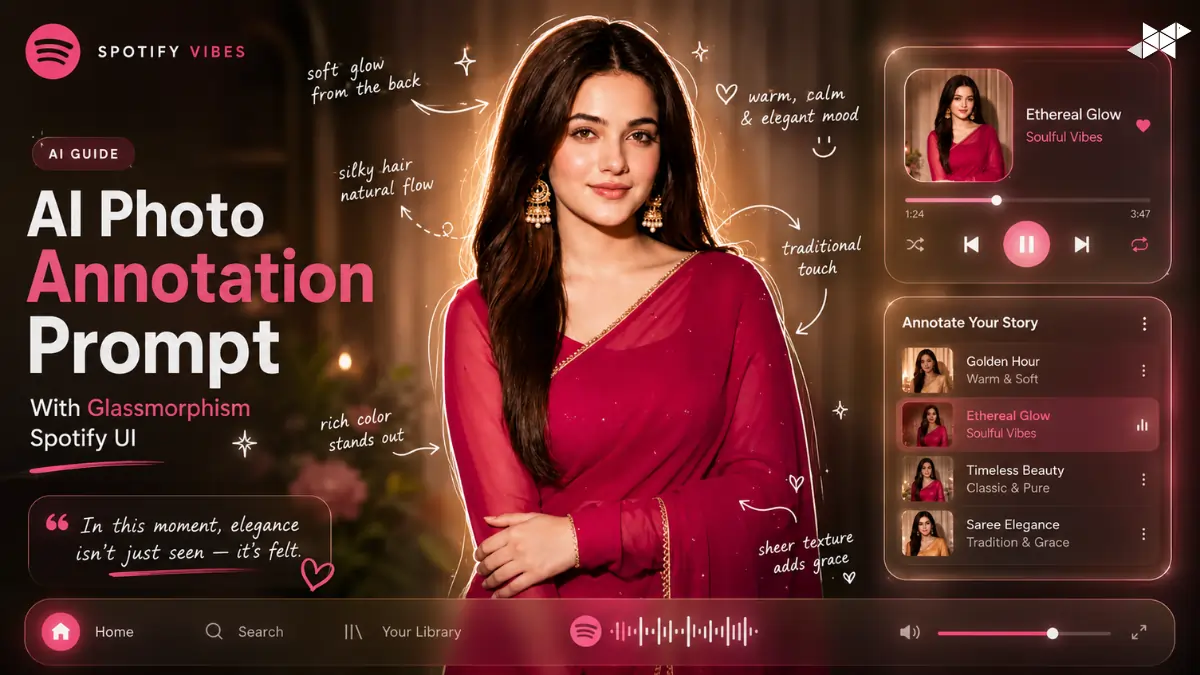
This AI Photo Annotation Prompt turns ordinary photos into cinematic visual stories.
It combines image analysis, handwritten sketch notes, and a glowing Spotify-style interface.
Tools added: AI Photo Annotation Prompt, Glassmorphism Spotify UI Prompt, Cinematic Image Analysis Prompt.
ChatGPT, Gemini, Midjourney, Gemini, Leonardo AI, DALL·E, Ideogram AI, Krea AI.
Why Use an AI Photo Annotation Prompt?
Creators want images that tell a story instantly.
This AI Photo Annotation Prompt adds visual direction, mood, and personality.
Moreover, it creates share-worthy content optimized for social platforms.
As AI image editing evolves, annotated storytelling continues gaining attention.
Cinematic Lifestyle Edition
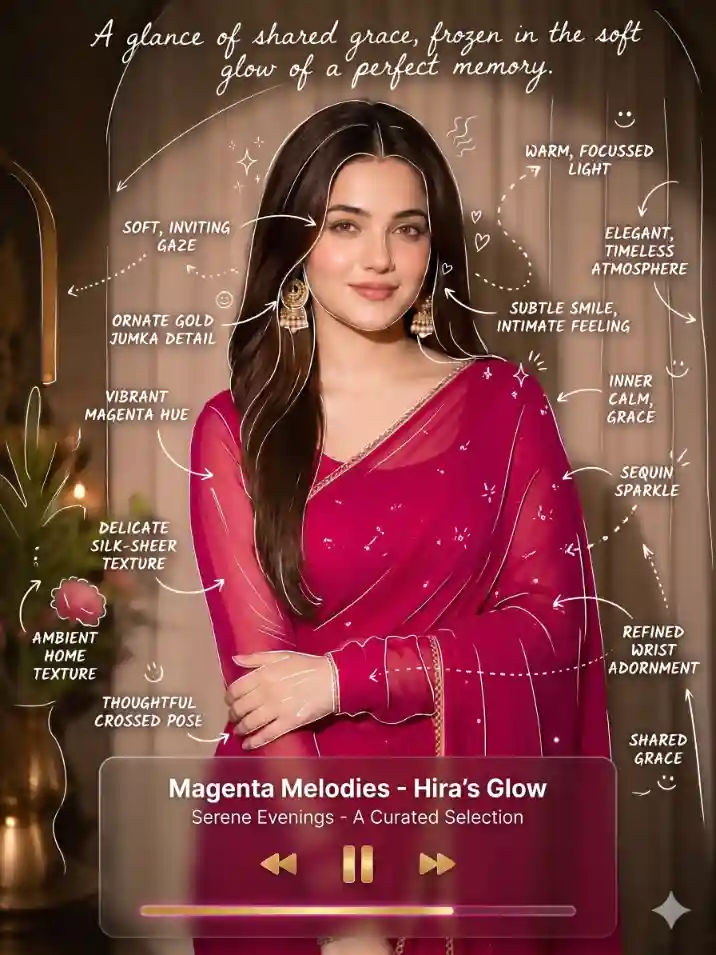
"Upload a photo first. Analyze all visible elements and identify the main subject. Add artistic handwritten annotations using thin white sketch lines with a slightly rough single-stroke appearance. Trace important edges, create arrows, dotted pathways, and subtle markers. Include flavor, mood, texture, lighting, atmosphere, or emotional observations based on the scene. Add tiny sparkles, steam wisps, hearts, or smiley doodles. Include one cinematic sentence describing the moment. Blend a glowing glassmorphism Spotify-inspired UI using colors extracted from the image. Follow trending visual storytelling updates, future creative design standards, and proven image engagement research."
Food & Café Storytelling
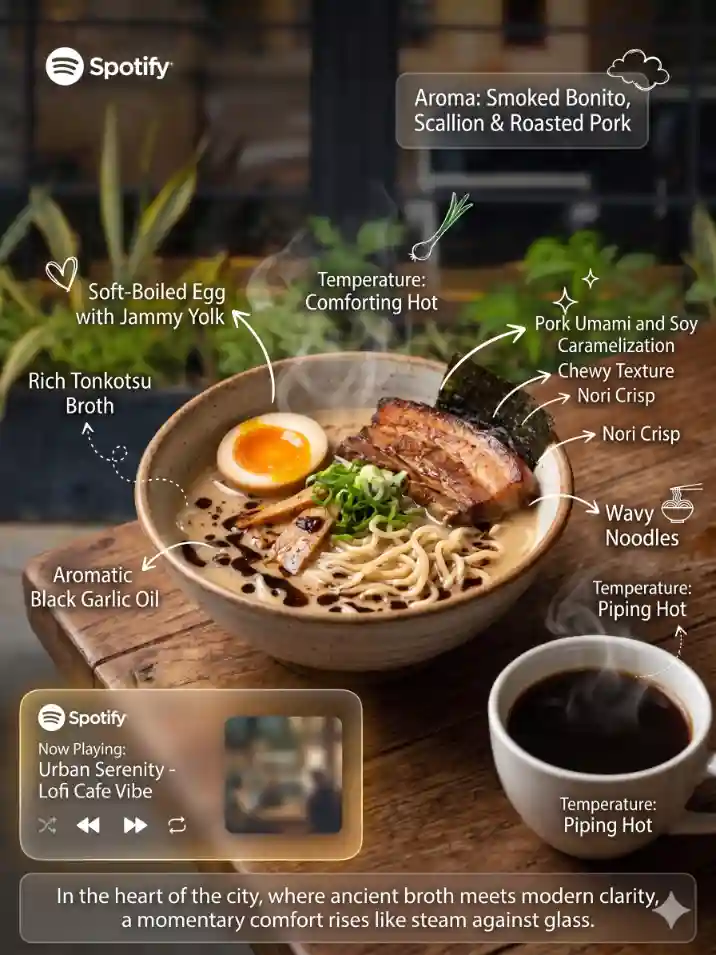
"Upload a food or beverage photo. Analyze ingredients, textures, colors, steam, presentation, and mood. Create handwritten annotations around key elements using thin white sketch strokes. Add tasting notes, aroma descriptions, temperature indicators, and visual cues. Use arrows, dotted lines, and subtle highlights to guide attention naturally. Include minimal doodles like sparkles or hearts. Write one cinematic sentence that captures the experience. Integrate a glowing glassmorphism Spotify UI matching the palette and atmosphere. Follow trending AI design updates, future content styles, and real visual marketing study data."
Interior & Travel Moodboard
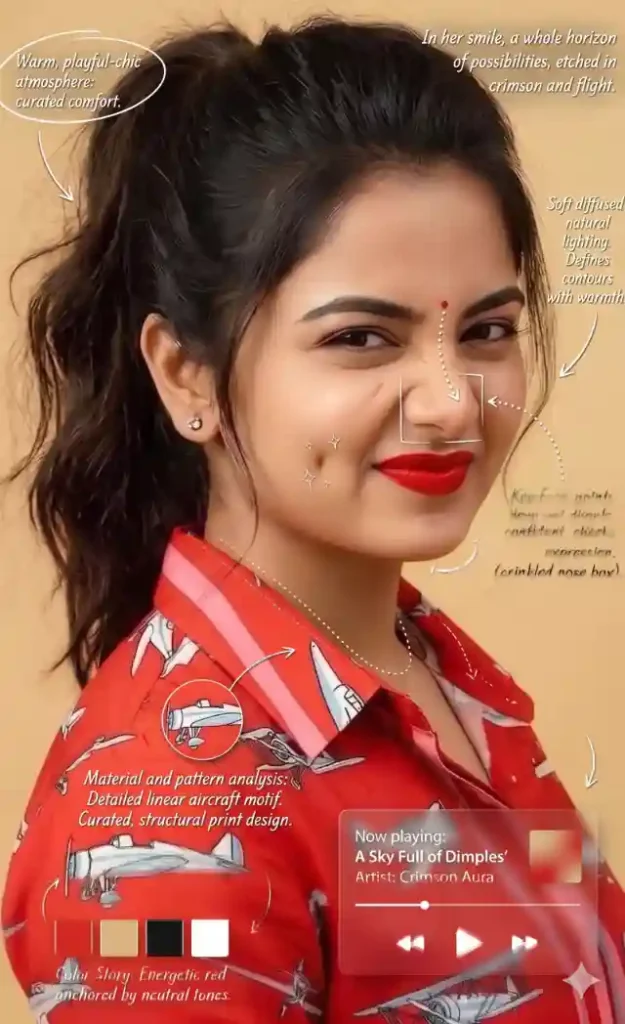
"Upload a photo of a room, hotel, café, destination, or outdoor environment. Analyze atmosphere, lighting, materials, colors, and emotional tone. Add elegant handwritten annotations with thin white sketch lines around focal points. Include observations about vibe, comfort, ambiance, architecture, and mood. Use arrows, dotted routes, and subtle markers for visual flow. Keep generous negative space. Add small doodles like sparkles or smile sketches. Include one cinematic sentence. Blend a glassmorphism Spotify-inspired interface reflecting scene colors. Follow current AI trends, future design workflows, and evidence-based visual engagement research."
How To Create AI Photo Annotation Prompt
- 1. How do I start creating an AI Photo Annotation Prompt?
Upload a clear image first, then define annotation style, mood, and storytelling goals.
- 2. How can I improve my AI Photo Annotation Prompt results?
Use detailed instructions for sketch lines, annotations, cinematic text, and Spotify UI integration.
- 3. What images work best with an AI Photo Annotation Prompt?
Food, drinks, interiors, travel shots, and lifestyle photography produce excellent results.
Quick Settings Guide
- Style: Cinematic Storytelling
- Sketch Lines: Thin White Single-Stroke
- Layout: Minimal & Spacious
- UI Style: Glassmorphism Spotify
- Mood Analysis: Enabled
- Subject Detection: Automatic
- Annotation Density: Light
- Negative Space: High
Pro Tips
- Use high-quality images for cleaner annotations.
- Match Spotify UI colors to the image palette.
- Keep notes short for stronger visual impact.
Conclusion:
The AI Photo Annotation Prompt transforms static photos into engaging visual narratives. It combines intelligent image analysis with handwritten-style notes, cinematic storytelling, and elegant sketch elements that guide the viewer naturally. Additionally, the glassmorphism Spotify-inspired interface adds a modern layer that feels integrated rather than distracting.
Because visual storytelling continues growing across social media, blogs, portfolios, and branding projects, this prompt remains useful for future creative workflows. Experiment with different subjects, moods, and compositions to discover unique results. Most importantly, keep refining your prompts because small adjustments often create dramatically better outcomes.
Try multiple versions, compare outputs, and build a distinctive visual style that stands out in today’s AI-driven creative landscape.
FAQs
An AI Photo Annotation Prompt analyzes an image and adds artistic notes, sketches, and visual storytelling elements.
Yes. The AI Photo Annotation Prompt can highlight texture, taste, aroma, and presentation details.
Absolutely. It can annotate lighting, atmosphere, mood, and design features effectively.