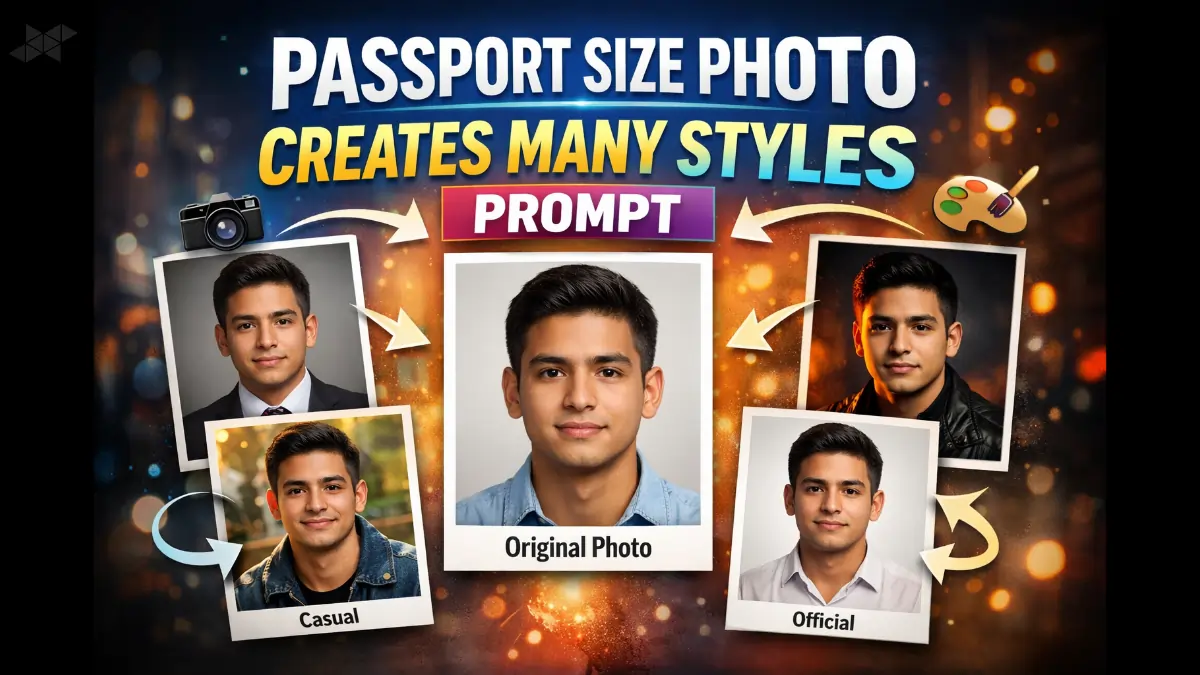
Creating a passport size photo no longer means settling for one stiff, plain result. With the right AI prompt, a single passport-size image can transform into many professional, creative, and social-ready styles. This approach saves time, keeps identity consistent, and unlocks endless visual variations from one simple photo.
Today, creators, job seekers, and social media users are using passport size photo creates many styles prompt techniques to generate formal headshots, casual portraits, LinkedIn-ready photos, creative profile images, and even cinematic looks – all from the same base image.
Let’s break it down in a practical, human way.
Why Passport Size Photo Creates Many Styles Prompt Works So Well
A passport-size photo is clean, centered, and well-lit — exactly what AI models love. When you combine that with clear styling instructions, the AI focuses on outfits, background, mood, and lighting, not changing the person’s identity.
That’s why the passport size photo creates many styles prompt trend is growing fast among professionals and content creators.
Passport Size Photo Creates Many Styles Prompt for Professional Looks
This version focuses on clean, job-ready visuals without making the face look artificial.
Prompt
“Using this passport size photo as reference, create a professional studio headshot with formal attire, neutral background, soft lighting, sharp focus, natural skin texture, realistic proportions, and confident expression”,
“Convert this passport size photo into a corporate LinkedIn-style portrait with blazer, minimal background, balanced lighting, realistic colors, and true facial identity preserved”,
“Transform this passport size image into a clean office-profile photo, formal shirt, subtle shadows, professional mood, realistic finish”
Passport Size Photo Creates Many Styles Prompt for Social Media & Casual Styles
Here the goal is relaxed, modern, and approachable — perfect for Instagram, reels, or profile photos.
Prompt
“From this passport size photo, generate a casual lifestyle portrait with modern outfit, soft daylight, blurred background, natural smile, and relaxed vibe”,
“Create a stylish social media profile photo using this passport image, trendy clothing, aesthetic background, realistic lighting, no face alteration”,
“Turn this passport size photo into a casual outdoor portrait with natural colors, soft contrast, and youthful mood”
Passport Size Photo Creates Many Styles Prompt for Creative & Cinematic Effects
This is where creativity shines without losing realism.
Prompt
“Using the passport size photo, create a cinematic portrait with dramatic lighting, dark background, subtle color grading, sharp details, realistic face preservation”,
“Convert this passport photo into an artistic portrait with soft glow, cinematic tones, shallow depth of field, and premium editorial look”,
“Transform this passport size image into a creative studio-style portrait with moody lighting, modern fashion styling, and realistic textures”
Passport Size Photo Creates Many Styles Prompt for ID, Visa & Official Variants
Sometimes you need variations that still meet official standards.
Prompt
“Adjust this passport size photo for visa application with clean white background, even lighting, natural colors, and strict facial accuracy”,
“Create multiple compliant passport-size variants from this image with different background shades, correct proportions, and official photo standards”
Best Practices to Get Better Results from Passport Size Photo Creates Many Styles Prompt
- Always mention “preserve facial identity”
- Specify lighting, background, and outfit clearly
- Avoid vague words like “make it nice”
- Keep instructions realistic, not exaggerated
Leave a Reply