
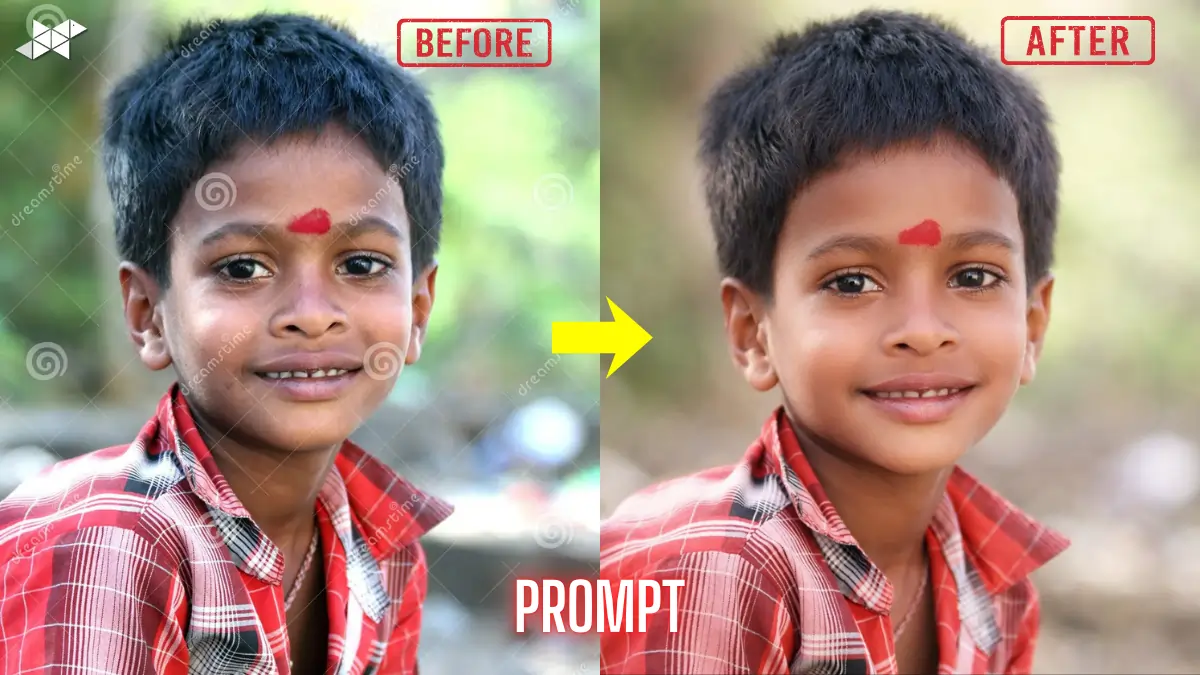
AI image editors with prompts are trending because they make photo editing insanely simple. No layers, no complicated tools-just type what you want and the AI does the work. Whether you’re fixing a dull selfie, creating a viral Instagram look, or making a clean profile picture, prompt-based editing saves time and gives consistent results. If you’ve been stuck with “average” photos, these ready-to-use prompts will change that fast.
AI prompt editing feels like talking to a professional editor. You describe the style-cinematic, sharp, soft glow, clean background-and the tool generates the final look in seconds.
The best part? You don’t need editing knowledge. You only need the right words.
What You Can Do With Prompt-Based Image Editing
With a good AI image editor prompt, you can:
- Enhance face details without over-smoothing
- Fix lighting and remove dullness
- Create trendy looks (film, neon, luxury, vintage)
- Change background without messy cutouts
- Make photos ready for Instagram, WhatsApp DP, LinkedIn, or reels covers
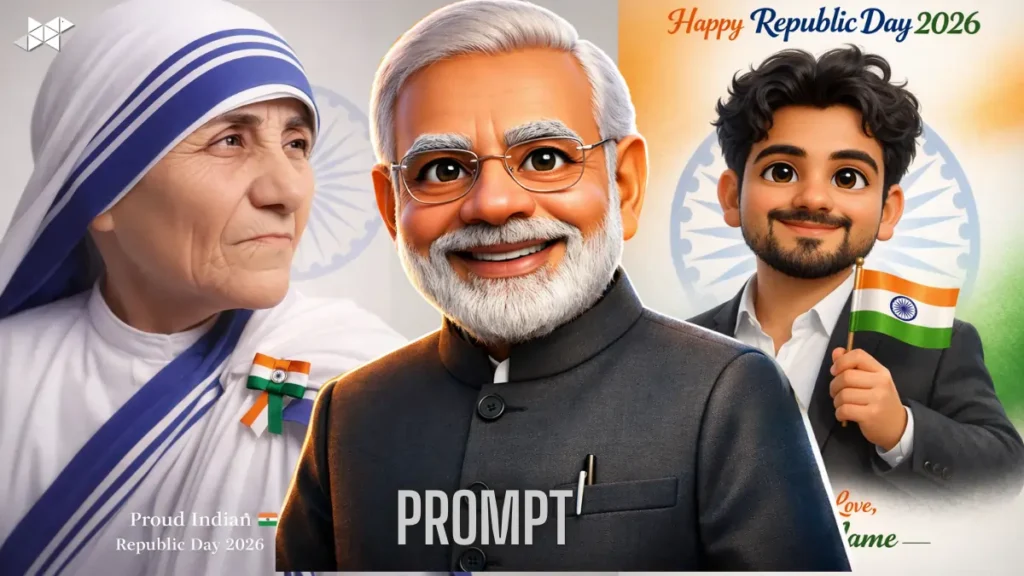
Tip: Replace [your photo] with your image, and keep the prompt exactly as it is for best results.
1) Prompt: Clean Studio Portrait Upgrade
Prompt:
“Edit this photo into a clean studio portrait with soft professional lighting, natural skin texture, sharp eyes, and balanced contrast. Remove harsh shadows, reduce noise, and enhance details without making the face look fake or overly smooth. Keep realistic skin pores, even tone, and a premium camera look. Slight background blur, subtle glow, and true-to-life colors. Maintain original face shape and identity. Output should look like a high-end DSLR portrait.”
Why it works: Makes any normal photo look premium and polished.
Best use case: Instagram profile photo, LinkedIn DP, portrait.
2) Prompt: Viral Instagram Glow + Skin Tone Balance
Prompt:
“Enhance this image with a modern Instagram-style glow. Improve lighting on the face, brighten dull areas, and add soft highlights on cheeks and forehead. Keep skin realistic with natural texture, remove minor blemishes, and even out skin tone without whitening or changing identity. Add gentle warm tones, crisp details, and smooth background separation. Make it look trendy, clean, and camera-ready while keeping a natural, confident vibe.”
Why it works: Gives that “fresh and expensive” social media look.
Best use case: Instagram posts, reels cover, profile picture.
3) Prompt: Cinematic Movie Look (Teal + Warm Skin)
Prompt:
“Transform this photo into a cinematic movie still with dramatic lighting and film-style color grading. Add slightly deeper shadows, controlled highlights, and sharp facial details while keeping the skin tone natural and realistic. Apply a subtle teal-and-warm color contrast, mild film grain, and a soft depth-of-field background blur. Keep the subject clear and confident, maintain original identity, and avoid over-editing. Final image should feel like a scene from a high-budget film.”
Why it works: Instantly makes photos look cinematic and premium.
Best use case: Instagram story, portrait posts, snap.
4) Prompt: Professional LinkedIn Headshot (Neutral + Sharp)
Prompt:
“Convert this photo into a professional LinkedIn headshot. Use clean neutral lighting, balanced exposure, and realistic skin texture. Remove distractions from the background and replace it with a soft light grey or off-white backdrop. Keep face sharp, eyes clear, and expression confident. Reduce shine, smooth only slightly, and keep natural features unchanged. Add subtle contrast and clarity for a corporate, polished look without making it look artificial or edited.”
Why it works: Looks formal without feeling fake.
Best use case: LinkedIn profile, job applications, portfolio.
5) Prompt: HD Face Detail + Eye Sharpness Boost
Prompt:
“Enhance this photo in high definition with extra focus on facial details. Sharpen the eyes naturally, improve iris clarity, refine eyelashes and eyebrows, and boost overall clarity without adding harsh edges. Keep skin texture realistic and remove only small blemishes. Improve lighting balance, reduce blur, and make the subject pop from the background. Maintain natural colors and original identity. Final output should look like a crisp flagship smartphone portrait shot.”
Why it works: Fixes soft or slightly blurred selfies.
Best use case: WhatsApp DP, Instagram profile, portrait.
6) Prompt: Background Cleanup + Aesthetic Blur
Prompt:
“Clean up the background of this photo by removing distractions, clutter, and unwanted objects while keeping the subject untouched. Add a soft aesthetic blur behind the person for depth. Improve lighting on the face, balance colors, and enhance sharpness slightly. Keep skin realistic, do not change facial structure, and maintain original identity. The final image should feel clean, modern, and minimal—perfect for social media without looking edited.”
Why it works: Makes messy backgrounds look instantly premium.
Best use case: Instagram posts, WhatsApp status, profile photo.
7) Prompt: Retro Film Camera Look (Vintage + Grain)
Prompt:
“Apply a retro 90s film camera aesthetic to this photo. Use soft contrast, slightly faded blacks, warm highlights, and natural skin tones. Add subtle film grain and a gentle vintage color shift without ruining details. Keep the subject sharp enough while maintaining a nostalgic vibe. Avoid over-saturation and keep the look realistic, like it was shot on a classic film camera. Preserve original identity and facial features.”
Why it works: Perfect for nostalgia content and trendy feeds.
Best use case: Instagram posts, story, aesthetic profile photo.
8) Prompt: Luxury Editorial Look (Fashion Magazine Style)
Prompt:
“Edit this photo into a luxury fashion editorial portrait. Use controlled studio-style lighting, sharp facial structure definition, clean highlights, and premium contrast. Keep skin texture realistic but refined, remove minor blemishes, and enhance jawline and cheekbone definition naturally without reshaping. Add a soft background blur and a high-end magazine color grade. Maintain original identity and avoid plastic skin. Final output should feel expensive and editorial-ready.”
Why it works: Creates that “model photoshoot” vibe.
Best use case: Instagram profile, portrait posts, creator branding.
9) Prompt: Night Photo Fix (Low Light + Noise Removal)
Prompt:
“Fix this low-light photo by improving exposure and brightening the face naturally without washing out the image. Reduce noise and grain while keeping details sharp. Correct color cast, enhance clarity, and bring back natural skin tones. Add gentle contrast and clean highlights so the photo looks clear and premium. Keep background realistic, avoid over-smoothing, and maintain original identity. Final output should look like a high-quality night mode camera shot.”
Why it works: Saves dark, grainy photos instantly.
Best use case: Snapchat, Instagram story, night portraits.
10) Prompt: Soft Beauty Look (Natural + Smooth, Not Fake)
Prompt:
“Create a soft beauty portrait edit with flattering light and smooth tones while keeping the face realistic. Reduce under-eye darkness slightly, remove minor blemishes, and even out skin tone without whitening. Keep pores visible and avoid heavy blur. Add a gentle glow, slightly enhance lips and eyes naturally, and keep hair texture intact. Background should be softly blurred for focus. Preserve original facial structure and identity for a clean, natural result.”
Why it works: Looks fresh without looking edited.
Best use case: Instagram selfie, WhatsApp DP, profile photo.
11) Prompt: Cartoon-Real Hybrid (Stylish but Still You)
Prompt:
“Transform this photo into a stylish semi-cartoon portrait while keeping the person recognizable. Use clean outlines, smooth shading, and slightly enhanced facial features without changing identity. Keep natural skin tone, add a soft glow, and make eyes slightly more expressive but realistic. Background should be simple and aesthetic, with mild blur or gradient. The final look should feel like a modern animated character version of the original photo—sharp, clean, and social-media ready.”
Why it works: Fun style without losing your real face.
Best use case: Instagram DP, Snapchat, profile avatar.
12) Prompt: Passport-Style Photo (Clean Background + Correct Lighting)
Prompt:
“Convert this image into a clean passport-style photo. Use a plain white or light blue background, correct face lighting evenly, and remove shadows from the face and wall. Keep natural skin texture, neutral expression, and accurate facial proportions. Remove any distracting elements and improve sharpness without over-editing. Maintain original identity and realistic colors. Final output should look official, clear, and properly framed like a standard ID photo.”
Why it works: Quick fix for ID-style needs.
Best use case: ID photo, documents, formal profile.
13) Prompt: WhatsApp DP Upgrade (Bright + Clean + Attractive)
Prompt:
“Enhance this photo specifically for a WhatsApp display picture. Brighten the face slightly, improve clarity, and add a clean soft background blur. Keep skin tone natural, remove small blemishes, and sharpen eyes gently. Add balanced contrast so the face stands out clearly in a small circular crop. Maintain original identity and avoid heavy filters. Final output should look friendly, confident, and high-quality even when viewed as a small DP.”
Why it works: Optimized for small DP preview quality.
Best use case: WhatsApp DP, contacts profile photo.
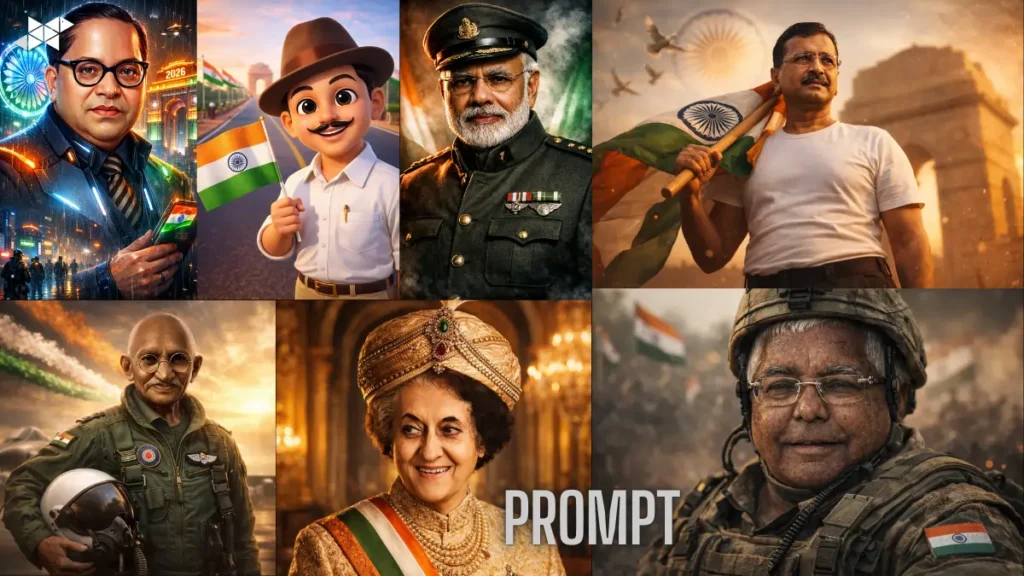
Quick Tips for Better AI Prompt Edits
- Use a clear face photo (front angle works best).
- Avoid heavy shadows-soft daylight gives cleaner results.
- Keep the background simple for better subject separation.
- Don’t over-smile if you want a premium portrait look.
- Try one change at a time (first lighting, then style, then background).
Conclusion
AI image editors with prompts make photo editing fast, simple, and surprisingly professional. Copy these prompts, test a few styles, and you’ll quickly find your best look for every platform.



Leave a Reply