
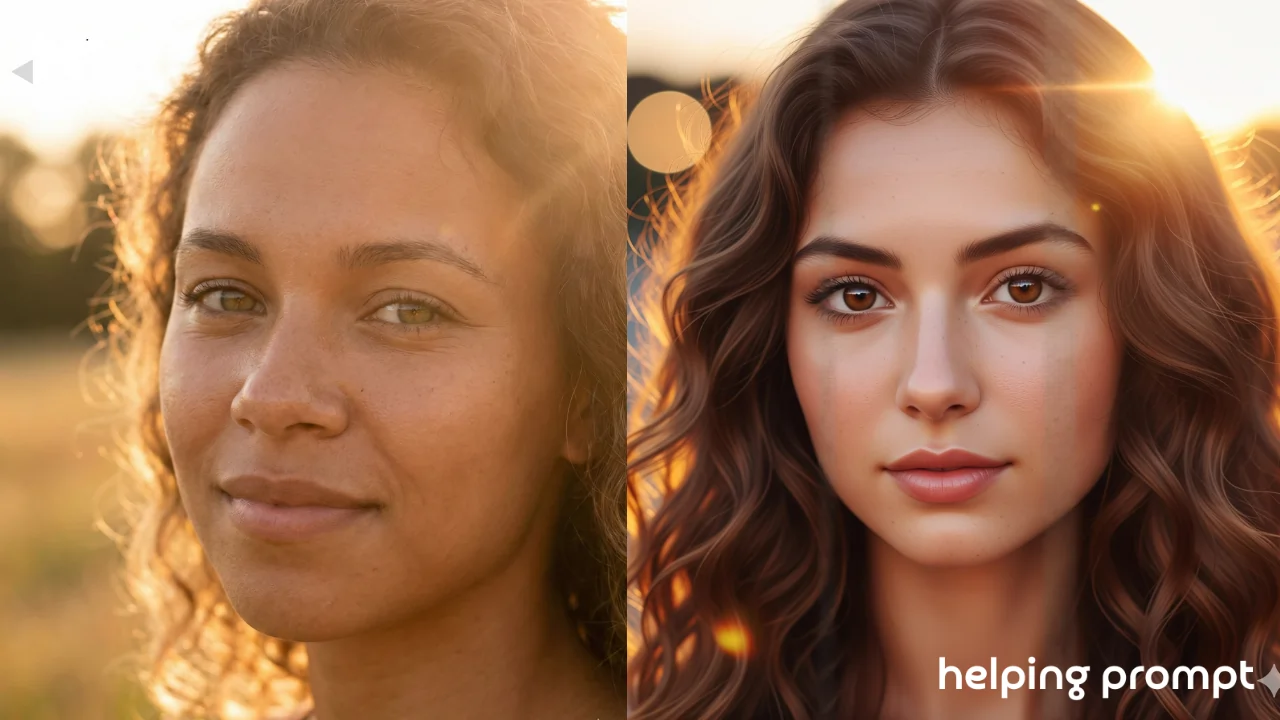
If you’ve been experimenting with Qwen-based AI photo editors, you already know how insanely powerful they are for portrait generation. But here’s the thing-most people still rely on basic prompts like “make it realistic” or “add soft light.”
The real magic happens when you understand how to blend tiny visual details, emotional cues, and cinematic aesthetics. That’s when Qwen AI starts producing portraits that feel dreamy, textured, and almost… alive.
In this article, we’ll explore how to use better prompt structures, why certain descriptive layers matter, and of course, three ready-to-use 8K portrait prompts. Whether you’re a creator, editor, or someone who just loves making stunning profile shots, these ideas will push your results to the next level.
How to Use It
Using advanced prompts doesn’t mean you need technical expertise. You just need to think in three simple layers:
1. Base Look
Describe the person or character-skin texture, eyes, hairstyle, mood.
Example: “warm brown skin, glossy eyes, soft curly hair.”
2. Artistic Style + Atmosphere
This is where drama comes in-lighting, camera lens effect, dreamy haze, color tone.
Example: “golden-hour rim light, 85mm lens depth, cinematic soft bokeh.”
3. Output Quality Details
These are the polish points-resolution, realism level, grain style.
Example: “8K ultra-detailed skin, true-to-life texture, natural pores, no over-smoothing.”
When you combine these three layers, Qwen AI understands exactly what kind of portrait you want-and recreates it with near-photorealistic precision.
3 Best Qwen AI Prompts for 8K Dreamy Portraits
Below are three hand-crafted prompts you can copy, tweak, or fully reconstruct. Use them as creative templates-not as rigid instructions.
🔹 Prompt 1: “Dreamy Golden Aura Portrait”
ultra-realistic 8K portrait of a young woman with warm glowing skin, soft curly hair, gentle expressive eyes;
golden-hour lighting with subtle sun flares; cinematic soft-focus bokeh;
85mm lens depth, delicate skin texture with visible pores, light peach color grading;
dreamy yet natural atmosphere, high-detail facial features, smooth tonal transitions
🔹 Prompt 2: “Hyper-Detailed Moody Character Look”
8K dramatic portrait of a man with textured dark skin, sharp jawline, intense deep-set eyes;
moody teal-and-orange lighting, soft shadows, studio-grade backlight;
DSLR 50mm lens style, ultra-detailed pores, realistic imperfections;
slightly desaturated cinematic tone for an emotional, storytelling effect
🔹 Prompt 3: “Soft Fantasy-Inspired Glow Portrait”
8K high-realism portrait of a woman with luminous fair skin, shimmering highlights, and wavy pastel hair;
fantasy-inspired soft glowing particles around her; ethereal misty background;
wide-aperture lens effect with buttery blur, sharp eye detail, velvety color palette;
gentle dreamy atmosphere without losing natural facial textures
Takeaway
If there’s one thing to remember, it’s this: great AI portraits come from layering emotions, visuals, and tiny details-not just shouting “make it realistic.”
Play with lighting words, add mood, describe textures, and don’t be afraid to get specific. Qwen AI responds surprisingly well to clear imagery, and the more intentional you are, the more breathtaking your portraits will become.







Leave a Reply