
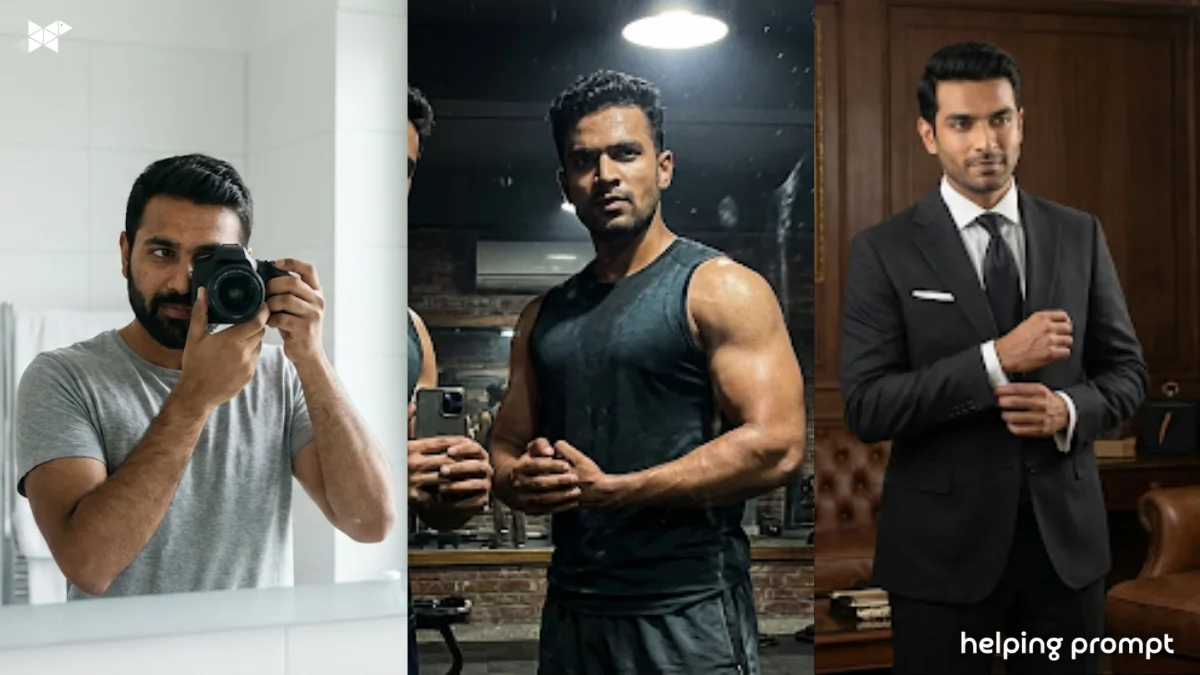
Mirror portraits are suddenly everywhere. Instagram feeds, WhatsApp DPs, portfolio covers – ek simple mirror aur the right AI prompt, and the photo looks straight out of a fashion shoot. With Google Gemini AI, even a normal mirror selfie can turn into a sharp, stylish 4K portrait if you know how to guide the AI properly.
This article breaks down 10 practical Google Gemini AI prompts that actually work. No heavy jargon. No over-smart tricks. Just clean prompts you can copy, tweak, and use instantly.
If you’re experimenting with AI photography or building a personal brand, these Google Gemini AI mirror portrait prompts will save you a lot of trial and error.
- Sharp 4K clarity
- Realistic skin texture
- Stylish but natural poses
- No plastic or cartoon look
1. Classic Clean Mirror Look (Minimal & Sharp)
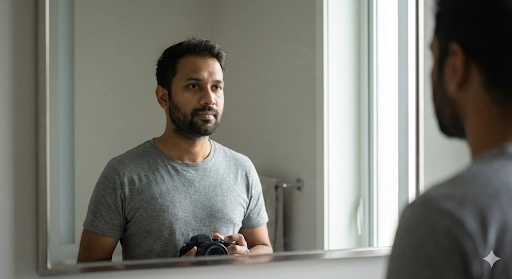
Create a realistic 4K mirror portrait of an Indian man wearing a solid neutral t-shirt, standing in front of a clean mirror, soft daylight lighting, natural skin texture, sharp facial details, minimal background, DSLR-style depth, professional look
Best for: LinkedIn DP, portfolio, clean social profile
2. Street-Style Mirror Portrait (Urban Vibe)
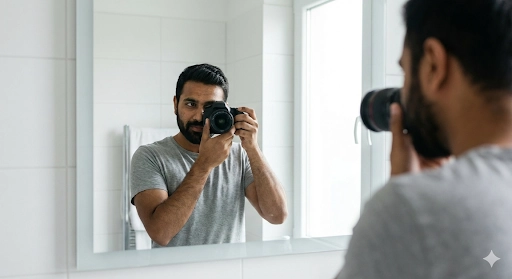
Generate a stylish 4K mirror portrait of a young Indian man in streetwear, oversized hoodie, layered chains, moody indoor lighting, urban aesthetic, realistic shadows, sharp focus, confident expression, cinematic tone
Best for: Instagram reels, casual fashion posts
3. Gym Mirror Portrait (Fit & Powerful)
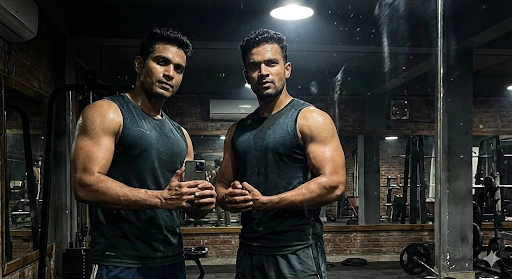
Create an ultra-realistic 4K gym mirror portrait of an Indian man with athletic build, sleeveless workout outfit, visible muscle definition, dramatic lighting, sweat texture, high contrast, realistic skin tone, confident posture
Best for: Fitness branding, motivation posts
4. Luxury Suit Mirror Portrait (Premium Look)
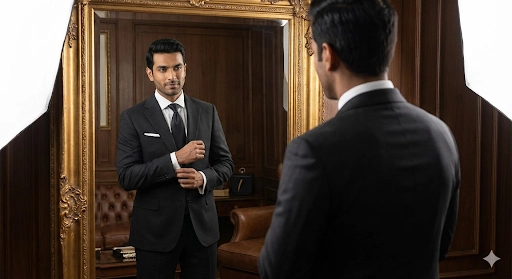
Generate a premium 4K mirror portrait of an Indian man wearing a tailored black suit, clean mirror reflection, soft studio lighting, elegant pose, realistic facial details, luxury fashion aesthetic, magazine-quality finish
Best for: Personal branding, business profiles
5. Casual Home Mirror Portrait (Natural & Real)
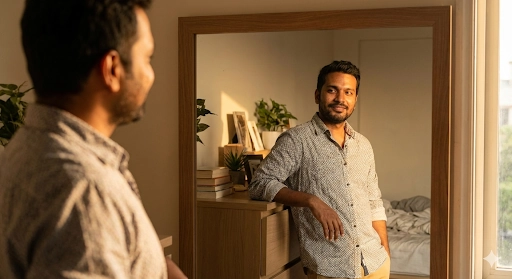
Create a natural 4K mirror portrait of an Indian man at home, casual shirt, relaxed posture, warm indoor lighting, realistic skin texture, soft background blur, candid and authentic look
Best for: WhatsApp DP, personal use
6. Moody Black & White Mirror Portrait
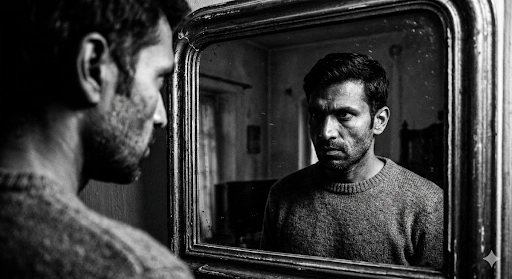
Generate a high-contrast black and white 4K mirror portrait of an Indian man, dramatic shadows, sharp facial structure, cinematic lighting, grain texture, realistic expression, fine-art photography style
Best for: Artistic profiles, creative pages
7. Night-Time Mirror Portrait (Low Light Drama)
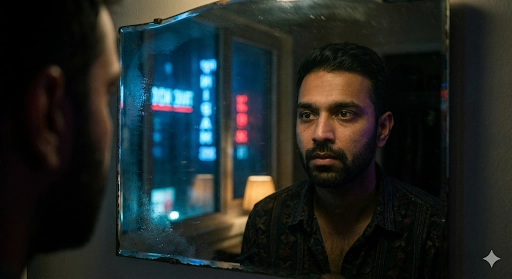
Create a cinematic 4K night mirror portrait of an Indian man, low-light environment, soft neon reflections, realistic skin tones, subtle highlights, moody atmosphere, sharp focus
Best for: Stylish reels, aesthetic feeds
8. Beard-Focused Mirror Portrait (Detail-Oriented)
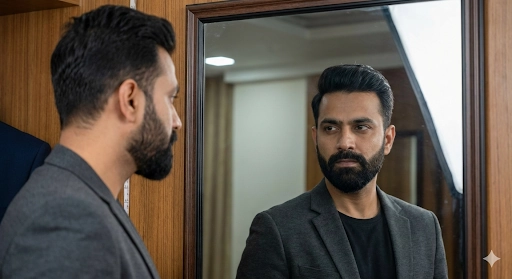
Generate a detailed 4K mirror portrait of an Indian man with well-groomed beard, sharp beard texture, realistic hair details, controlled lighting, clean mirror reflection, professional portrait look
Best for: Grooming pages, beard brands
9. Traditional Outfit Mirror Portrait (Ethnic Style)
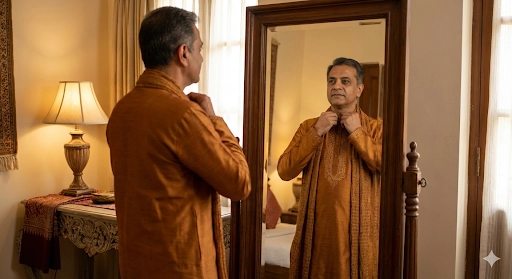
Create a realistic 4K mirror portrait of an Indian man wearing traditional kurta, warm lighting, elegant posture, natural skin tones, detailed fabric texture, classy ethnic aesthetic
Best for: Festive posts, cultural branding
10. Cinematic Editorial Mirror Portrait (High-End Look)
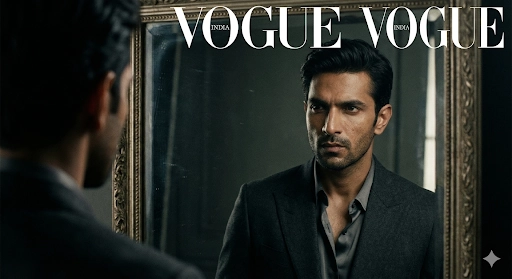
Generate an ultra-realistic cinematic 4K mirror portrait of an Indian man, editorial fashion style, controlled studio lighting, dramatic composition, sharp facial features, realistic skin texture, magazine-cover quality
Best for: Portfolio, fashion concepts
How to Create a Mirror Portrait with Google Gemini AI
Time needed: 4 minutes
- Take a Clear Mirror Photo
Use a clean mirror and good lighting. Natural window light or a soft lamp works best. Avoid messy backgrounds.
- Upload the Image to Gemini
Open Google Gemini, upload your mirror selfie, and select image editing or generation mode.
- Use a Structured Prompt
Write a clear prompt describing the scene, lighting, camera style, and mood.
- Adjust Style and Mood
You can tweak prompts with styles like:
– cinematic
– editorial fashion
– studio lighting
– moody portrait
– luxury lifestyle - Regenerate for Best Result
Run the prompt 2–3 times and pick the best version. Small prompt tweaks often improve the result.
AI photography isn’t about magic prompts. It’s about clarity. When you guide Gemini clearly, it delivers stunning results – especially with mirror portraits.
Use these Google Gemini AI mirror portrait prompts, tweak them slightly to match your style, and you’ll see a visible jump in quality. Clean. Sharp. Confident. Just like a real professional shoot.
FAQs: Google Gemini AI Mirror Portrait Prompts
Yes. With the right prompt, Gemini can enhance lighting, sharpness, depth, and cinematic styling, making the image look like a professional portrait.
No. A clear mirror selfie and a well-written prompt are enough to create impressive AI portraits.
A strong prompt usually includes:
– subject description
– lighting style
– camera style
– background details
– resolution (4K, ultra-realistic)
Common reasons include:
– vague descriptions
– too many conflicting styles
– low-quality input images







Leave a Reply